
Google Analytics 4 Setup for an Ecommerce Store, Step by Step
GA4 setup for an online store: property, tag on Shopify or GTM, retention, internal traffic, payment referrals, consent mode, key events, Ads and BigQuery.

Article summary
TL;DR
To set up Google Analytics 4 for an ecommerce store, create a property and a web data stream, install the tag once (Shopify app, Tag Manager or gtag), then fix the settings that protect revenue: 14-month retention, an internal traffic filter, payment providers as unwanted referrals, consent mode, the purchase key event, and links to Google Ads and Search Console.
- Install the tag one way only. Two installs, like the Shopify app plus a theme snippet, count every purchase twice.
- List payment domains such as paypal.com as unwanted referrals, or the sale is credited to the payment page instead of the ad that brought the buyer.
- Set data retention to 14 months on day one. It only affects explorations and funnel reports, but it can't bring back data already deleted.
- Internal traffic filters are permanent once active: run them in Testing first.
- Consent mode v2 adds ad_user_data and ad_personalization. Only the advanced implementation feeds GA4's modeling for visitors who decline.
 ChatGPT
 Claude
 Perplexity
 Grok
GrokOn this page
Installing the Google Analytics 4 tag takes ten minutes. Making GA4 tell the truth about your store's revenue takes a dozen settings that most stores skip: retention, filters, payment referrals, consent and key events. This checklist covers each one, in the order to do them, with the exact menu in GA4 and the rule from Google's own help pages.
The events your store sends (view_item, add_to_cart, purchase and their parameters) have their own guide: GA4 ecommerce events. This page is everything around them.
The GA4 ecommerce setup checklist at a glance
| Step | Where in GA4 | Why it matters for a store |
|---|---|---|
| 1. Property and web data stream | Admin > Create > Property | Time zone and currency are set here |
| 2. Install the tag once | Shopify app, Tag Manager or gtag | Two installs double every purchase |
| 3. Enhanced measurement | Admin > Data streams > your stream | Free events, but check the toggles |
| 4. Data retention: 14 months | Admin > Data settings > Data retention | Year-over-year explorations need it |
| 5. Internal traffic filter | Data streams > Configure tag settings, then Data filters | Test orders stay out of revenue |
| 6. Unwanted referrals | Configure tag settings > List unwanted referrals | Sales stay with the ad, not with PayPal |
| 7. Session timeout | Configure tag settings > Adjust session timeout | Long checkouts stay in one session |
| 8. Consent mode v2 | Your consent banner and Google tag | Consent signals reach GA4 and Google Ads |
| 9. Key events | Admin > Events | What Google Ads optimizes on |
| 10. Google Ads and Search Console | Admin > Product links | Paid and organic data in one place |
| 11. BigQuery export | Admin > Product links > BigQuery | Raw events you own |
| 12. Test with a real order | DebugView, Realtime | Proof before you spend on ads |
1. Create the property and web data stream
One property per store keeps revenue in one place. Separate brands or business units can get their own properties under the same company account.
- Create the account. On analytics.google.com, click Start Measuring, or Admin > Create > Account. Name it after the company.
- Create the property. Name it, then set the reporting time zone and currency to match your store's. Changing the time zone later only affects data going forward, and Google asks you not to change it more than once a day.
- Fill in business details. Industry, size and how you plan to use Analytics. This shapes the default reports.
- Add a web data stream. Admin > Data streams > Add stream > Web. Enter your store URL and a stream name, and leave enhanced measurement on.
- Copy the Measurement ID. Open the stream: the ID under Stream details starts with G-. You need it for every install method.
From Google's setup guide. Most settings further down need the Editor role on the property.
Google says data collection may take up to 30 minutes to begin after the tag is live. The Realtime report is where you check.1Google Analytics Help, Set up Analytics for a website and/or app
2. Install the tag one way, and only one
The right method depends on your store platform. What matters most is that you pick one.
| Method | Best for | What to know |
|---|---|---|
| Google & YouTube app (Shopify) | Shopify stores | Google calls connecting your GA4 property through the app "strongly preferred". The app adds ecommerce events such as view_item_list, remove_from_cart, view_cart and add_shipping_info |
| Platform's own GA field | WooCommerce, Wix, Squarespace and other builders with an integration | Paste the G- ID into the field the platform provides |
| Google Tag Manager | Custom stores, teams with many tags | Add the Google tag with your G- ID; use Preview before publishing |
| gtag.js in the page | Simple custom sites with one developer | Paste the snippet right after the opening head tag on every page |
Sources: Google's setup guide and its Shopify article.1Google Analytics Help, Set up Analytics for a website and/or app2Google Tag Manager Help, Shopify: Set up your Google tag On Shopify, you don't need to connect Merchant Center to set up GA4, and GA4 can't track events until you deactivate your store's private mode.3Shopify Help Center, Setting up Google Analytics 4
The double install
Google's Shopify article tells you to remove legacy tags and to check for duplicates if you measure conversions both in the app and in your theme or a custom pixel.2Google Tag Manager Help, Shopify: Set up your Google tag A theme snippet left over from an old setup, plus the app, sends every page view and every purchase twice. Your revenue in GA4 then looks great, and it's wrong.
Want to know what a tag or pixel actually sends, and why browser tags lose data? See what pixel tracking is.
3. Turn on enhanced measurement, then trim it
Enhanced measurement collects events without code. It's on by default when you create a stream, and each toggle sits under Admin > Data streams > your stream.4Google Analytics Help, Enhanced measurement events
- Page viewsPage loads and browser history changesAlways on, can't be turned off. Leave history changes on for single-page themes
- ScrollsFirst time a visitor sees 90% of a pageKeep: cheap engagement signal on product pages
- Outbound clicksClicks to another domainKeep. Domains set up for cross-domain don't count as outbound
- Site searchResults pages with q, s, search, query or keyword in the URLKeep. Add your search parameter if it's different
- Form interactionsform_start and form_submitCheck: checkout and newsletter forms can fire it. Turn off if you track forms yourself
- Video and file downloadsEmbedded YouTube progress, PDF and file clicksKeep if you use them, harmless otherwise
Google adds one requirement that applies to every event: you're responsible for making sure no personally identifiable information is collected.4Google Analytics Help, Enhanced measurement events Emails in URLs, like a confirmation page with ?email= in it, break that rule.
4. Set data retention to 14 months
Standard GA4 properties keep user-level and event-level data for 2 or 14 months. Analytics 360 adds 26, 38 and 50 months.5Google Analytics Help, Data retention Pick 14 under Admin > Data settings > Data retention.
What retention actually changes
Google is explicit: the retention setting only affects explorations and funnel reports. Standard reports keep their aggregated data.5Google Analytics Help, Data retention So 2 months won't empty your dashboard, but it kills any exploration comparing this Black Friday with last year's. A longer setting doesn't bring back data already deleted, so change it on day one.
The same page has a "reset on new activity" option: turned on, it resets the retention period of a user's identifier each time that user comes back. It only applies to user-level data.5Google Analytics Help, Data retention Demographic data (age, gender, interests) is always kept for 2 months, whatever you choose.
5. Filter out internal traffic
Every test order your team places is a purchase in GA4 unless you filter it. The filter has two parts: a rule that labels your traffic, then a filter that excludes the label.6Google Analytics Help, Filter out internal traffic
- Define internal trafficData stream > Configure tag settings > Define internal traffic: your office and home IPs, traffic_type = internal
- Create the filterAdmin > Data filters > Internal Traffic > Exclude, state Testing
- Check itMatching hits show in the 'Test data filter name' dimension
- ActivateExclusion is permanent from here on
Google is clear about the stakes: once a filter is active, "the excluded data is never processed and will never be available in Analytics or BigQuery".6Google Analytics Help, Filter out internal traffic That's why the Testing state exists. Other limits: 10 data filters per property, IP conditions that work as OR, and 24 to 36 hours before a filter takes effect. If you only want to hide data in one report, use a report filter instead.
Google also recommends filtering out developer traffic while debug mode is on, which is what you'll use in step 12. The Data filters screen has a Developer traffic filter type for that.16Google Analytics Help, Monitor events in DebugView
6. Stop payment pages from stealing the sale
This is the store-specific step most guides rush. When a buyer leaves your checkout to pay on another domain, then comes back to your confirmation page, GA4 sees that domain as the referrer. The purchase gets credited to the payment page, and the ad that brought the buyer loses it.
Fig. 1Same buyer, same order, two reports
No unwanted referral set
- Google Ads clickBuyer lands on a product page
- leaves to payPays on paypal.comReturns to your confirmation page
Purchase credited to paypal.com / referral
paypal.com listed as unwanted referral
- Google Ads clickBuyer lands on a product page
- leaves to payPays on paypal.comignore_referrer=true on the return
Purchase stays with the Google Ads campaign
the payment page is part of your checkout, not a source
Google's own example for this setting is a store sending customers to a third-party payment processor and back.7Google Analytics Help, Identify unwanted referrals The fix:
- Admin > Data streams > your web stream > Configure tag settings > Show all.
- Click List unwanted referrals.
- Add each domain your buyers can be sent to during payment: PayPal, a buy now, pay later provider's page, a hosted payment page, or a bank's 3-D Secure page when your payment flow redirects to it.
- Save. You can add up to 50 conditions per stream.
GA4 then adds ignore_referrer=true to the matching events, so the referrer isn't shown as a traffic source. It isn't retroactive: a buyer who already came through the payment domain can still be attributed to it on a later direct visit.7Google Analytics Help, Identify unwanted referrals
Unwanted referral or cross-domain?
| Situation | Setting | Why |
|---|---|---|
| A payment page you don't control (PayPal, a bank, a BNPL provider) | Unwanted referral | You can't put your tag on it; you only stop it from taking credit |
| A checkout or funnel on a second domain you own, with your tag on it | Cross-domain measurement | GA4 passes the _gl parameter so the visitor stays one user and one session |
| Both: your funnel domain, then PayPal | Both settings | Cross-domain for your domains, unwanted referral for the payment page |
Cross-domain needs the same G- ID from the same data stream on every domain, and redirects that drop query parameters can strip _gl along the way.8Google Analytics Help, Set up cross-domain measurement The full method is in our guide to cross-domain tracking.
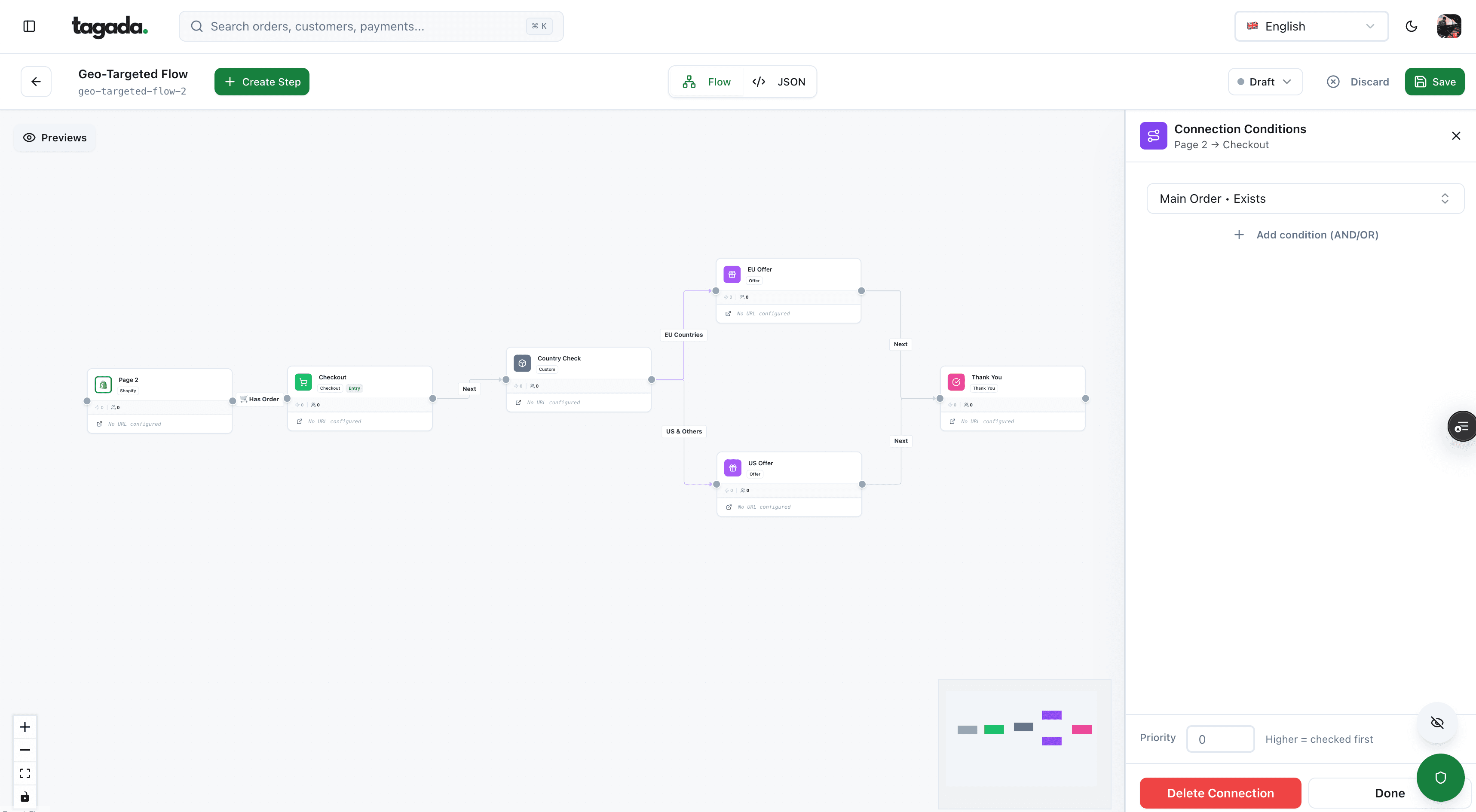
Inside Tagada
Build the funnel once, route every customer to the right offer
Checkout, upsells and subscriptions on one flow, with conditions per country, order or customer.
7. Adjust the session timeout if your checkout is long
A GA4 session ends after 30 minutes without activity, and a session counts as engaged after 10 seconds. Both can be changed in the stream's tag settings under Adjust session timeout.9Google Analytics Help, Adjust session timeout If buyers routinely leave a tab open to compare before paying, a longer timeout keeps the purchase in the session that started with the ad. Most stores can keep the default.
8. Set up consent mode v2
If your store shows a cookie banner, consent mode is how the Google tag learns what the visitor chose. Google updated it in November 2023 with two extra parameters, and says it's strengthening enforcement of its EU user consent policy.10Google Tag Platform, Set up consent mode on websites
| Parameter | What it controls |
|---|---|
| analytics_storage | Analytics cookies. Denied: GA4 doesn't read or write its first-party cookies |
| ad_storage | Advertising cookies. Denied: no new advertising cookies |
| ad_user_data | Sending user data related to advertising to Google (added in v2) |
| ad_personalization | Personalized advertising (added in v2) |
The default state is set on every page, before any config or event command. Google's example sets everything to denied, and a region list lets you apply that only where your laws require it:
gtag('consent', 'default', {
  'ad_storage': 'denied',
  'ad_user_data': 'denied',
  'ad_personalization': 'denied',
  'analytics_storage': 'denied',
  'wait_for_update': 500
});
wait_for_update gives a banner that loads asynchronously 500 ms to send the visitor's choice before tags fire. Your consent platform then sends an update command with what the visitor accepted.10Google Tag Platform, Set up consent mode on websites
Advanced consent mode
- Google tags load before the banner, and send cookieless pings when consent is declined.
- Those pings let GA4 model the behavior of visitors who declined.
Basic consent mode
- Tags are blocked until the visitor consents: no data at all for the others.
- Google says you won't get modeled data to fill the gap.
Both are described on Google's consent mode page.11Google Analytics Help, Consent mode Which one your store may use is a legal question for your counsel and your consent platform, not a tracking one.
9. Mark your key events
Key events are what GA4 used to call conversions: the events that matter to the business, and the ones Google Ads can import. Purchase is a key event by default on web. If you link Google Ads with ads personalization on, GA4 also marks add_to_cart, begin_checkout, view_item, view_item_list, view_search_results, add_to_wishlist and session_start.12Google Analytics Help, Mark events as key events
Already marked
purchase. Check it's there under Admin > Events, with the star on.
Worth marking
Events that predict revenue for your model: a subscription start, a sign-up, a lead form. Click the star next to the event.
Limits
Up to 30 key events on a standard property, 50 on Analytics 360. Marking isn't retroactive: reports count from the moment you mark it.
Marking an existing event needs the Editor role; creating a new key event needs Marketer or above.12Google Analytics Help, Mark events as key events Which ecommerce events to send, and with which parameters, is in GA4 ecommerce events.
10. Link Google Ads and Search Console
Both links live under Admin > Product links.
| Google Ads | Search Console | |
|---|---|---|
| Roles needed | Editor on the GA4 property, admin access on the Ads account | Editor on the GA4 property, verified owner in Search Console |
| What you get | Key events imported as Ads conversions, GA4 audiences for remarketing, auto-tagging | Google organic search queries and landing pages in GA4 |
| Delay | Ads data in GA4 within 48 hours | Data available 48 hours after Search Console collects it |
| Limits | Up to 400 links per property | One web data stream per Search Console property, and the reverse |
| Catch | Remarketing also needs Google signals or user-provided data collection | The Search Console report collection is unpublished by default: publish it from Library |
Sources: Google's help pages on the two links.13Google Analytics Help, Link Google Ads and Analytics14Google Analytics Help, Search Console integration For campaigns outside Google Ads (email, Meta, affiliates), tag your links with UTM parameters so GA4 can name the source. Comparing tools that do this across channels? See conversion tracking tools.
11. Turn on BigQuery export
GA4's reports show aggregated data. BigQuery export gives you the raw events: every purchase with its parameters, which you can join to your orders table. The link is in Admin > Product links > BigQuery links.15Google Analytics Help, BigQuery Export
1M
events a day: daily export limit of a standard property
$0.05
per GB for streaming export, on the BigQuery side
30
key events maximum on a standard property
50
unwanted referral conditions per data stream
The first two figures come from Google's BigQuery Export page, the last two from the key events and unwanted referrals pages.15Google Analytics Help, BigQuery Export12Google Analytics Help, Mark events as key events7Google Analytics Help, Identify unwanted referrals A free BigQuery sandbox exists, but exports above its limits are billed, and storage and queries cost on the BigQuery side. Data exported once can't be exported again.15Google Analytics Help, BigQuery Export Google's page doesn't offer a backfill, so the sooner you link, the more history you own.
12. Test with a real order before you trust it
Turn on debug mode with Tag Assistant or Tag Manager's Preview: it adds a parameter to the URL. With gtag, add debug_mode: true to the config command; setting it to false doesn't turn it off, you have to remove it. Events then show under Admin > DebugView.16Google Analytics Help, Monitor events in DebugView
Run one full order: product page, cart, checkout, payment, confirmation. Then check what you see against your store's order.
- Two purchase events for one orderTag installed twice, or the confirmation page reloadedRemove the extra install; check the purchase isn't sent again on reload
- Purchase source: paypal.com / referralPayment domain not excludedAdd it to unwanted referrals (step 6)
- Nothing in DebugViewConsent declined in your test browser, or a privacy extensionAccept analytics cookies in the banner, disable blockers, retry
- Revenue doesn't match the orderWrong value or currency in the purchase eventFix the event payload: see GA4 ecommerce events
- Your test orders in reportsInternal or developer traffic filter not activeActivate the filters from step 5
- Order matches, source is the adSetup is workingStart sending traffic
Google notes that events don't appear in DebugView if consent mode is used and the visitor hasn't consented to analytics cookies, and recommends filtering out developer traffic so your tests don't land in reports.16Google Analytics Help, Monitor events in DebugView
GA4 will never match your store exactly: consent refusals and blocked scripts remove part of the traffic. When the gap matters for ad spend, the answer is to send the purchase from your server as well. That's what server-side tracking does.
Server-side tracking with Tagada
How Tagada helps
Purchases sent from the server, not just the browser
Tagada runs the checkout (one-click upsells, order bumps, A/B tests, Apple Pay and Google Pay) with server-side tracking for Meta, Google and TikTok, standalone or with Shopify, WooCommerce or a headless store. The GA4 settings above still apply: your property, your filters, your referrals and your key events stay yours. Details on the pricing page.
Whatever you use, the order of work doesn't change: one clean install, the twelve settings above, one real test order, then traffic.
Frequently asked questions
How long does GA4 take to show data after setup?
Should I install GA4 with the Shopify app or Google Tag Manager?
Why does PayPal show up as a traffic source in GA4?
What data retention should I choose in GA4?
Do I need consent mode v2 for GA4?
What's the difference between GA4 setup and GA4 ecommerce tracking?
Sources
Checked October 14, 2026- Google Analytics Help, Set up Analytics for a website and/or app
- Google Tag Manager Help, Shopify: Set up your Google tag
- Shopify Help Center, Setting up Google Analytics 4
- Google Analytics Help, Enhanced measurement events
- Google Analytics Help, Data retention
- Google Analytics Help, Filter out internal traffic
- Google Analytics Help, Identify unwanted referrals
- Google Analytics Help, Set up cross-domain measurement
- Google Analytics Help, Adjust session timeout
- Google Tag Platform, Set up consent mode on websites
- Google Analytics Help, Consent mode
- Google Analytics Help, Mark events as key events
- Google Analytics Help, Link Google Ads and Analytics
- Google Analytics Help, Search Console integration
- Google Analytics Help, BigQuery Export
- Google Analytics Help, Monitor events in DebugView
Tagada
Checkout, payments and server-side tracking in one place
Funnels, one-click upsells, subscription billing and payment routing, on one customer record.
- 01Create your free account
- 02Connect your store or build a checkout
- 03Launch funnels, upsells and subscriptions