
Most advice about server side tracking for Google Ads starts with the wrong problem. Advertisers hear that Safari, ITP, ad blockers, and browser restrictions have weakened the pixel, then jump straight to a server container. That can help, but it doesn't solve the more serious failure: sending Google Ads incomplete, duplicated, or consent-blind conversion signals.
Server-side tracking is measurement infrastructure, not a privacy workaround. It gives your team a controlled place to capture identifiers, resolve business events, apply consent rules, enrich transactions, and transmit clean data. It can't create legal permission where none exists, and it can't recover a conversion from someone who declined the required consent.
The practical standard is simple. Your system must capture the click, resolve the actual conversion, and transmit the approved event with enough context for Google Ads to use it responsibly.
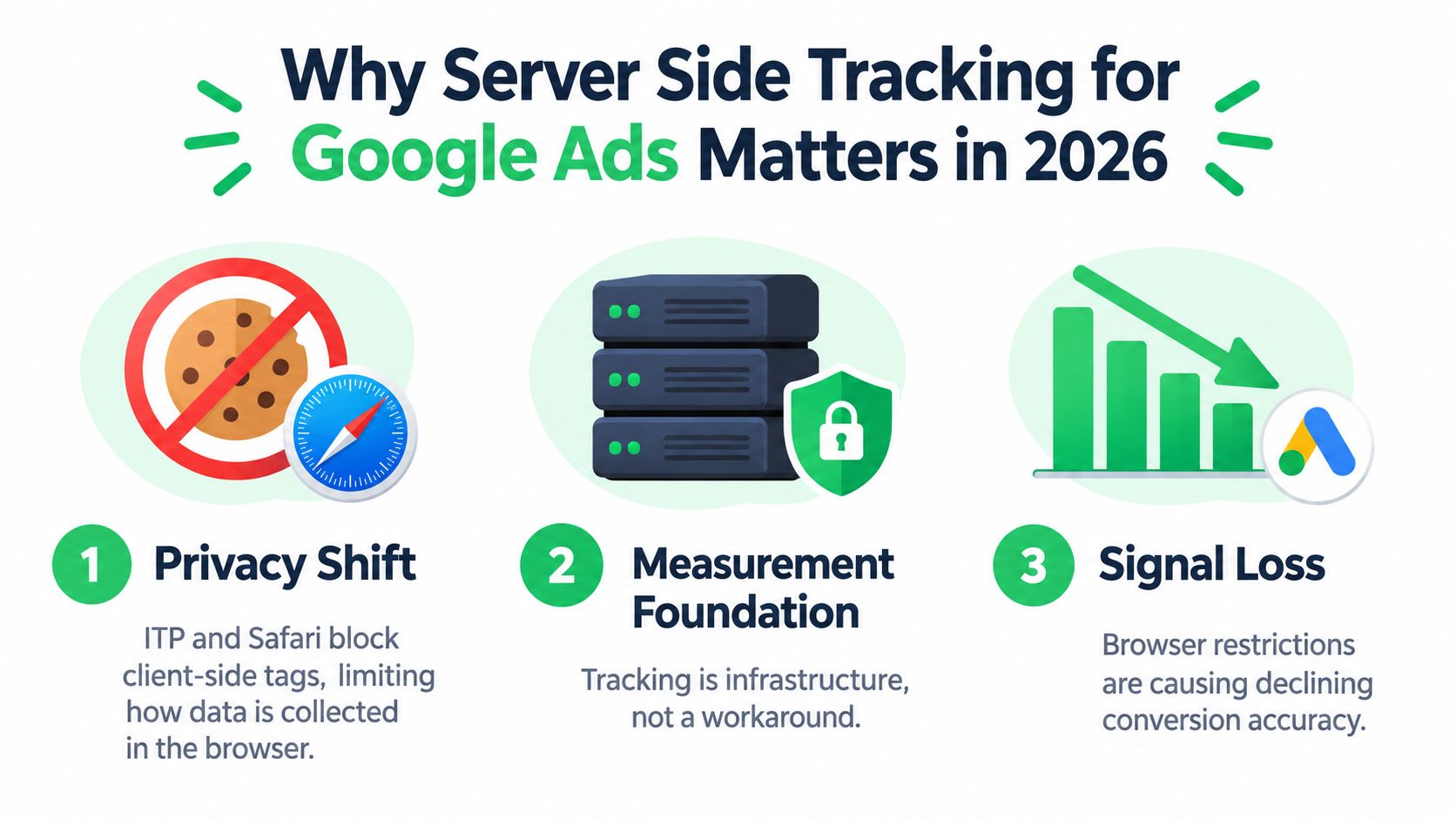
Why Server Side Tracking for Google Ads Matters in 2026
The browser still has a role, but it shouldn't own the entire measurement chain. A client-side tag can miss a payment because the page closes, a script fails, a consent state changes, or the checkout happens on another system. A server-side flow can receive the confirmed business event from the store, payment platform, or subscription system and send it only after the event occurs.
Google made server-side tagging a supported approach for Google Ads on September 23, 2021, when it announced support for Google Ads and Google Marketing Platform products, including Campaign Manager 360, Display & Video 360, and Search Ads 360. Google also described how one client-side tag can activate multiple tags in a server container and how server-side tagging anonymizes IP addresses before sharing data with Google's reporting tools. Google's announcement explains the original measurement and privacy model.
The important shift is not “browser tracking is dead.” It's that conversion quality now depends on the entire signal chain. Google Ads needs a reliable relationship between the ad click, the consent state, and the business outcome. Data-driven attribution and automated bidding can only work with the conversion events your setup sends, not the orders your backend knows about but your advertising account never receives.
The three jobs that matter
Capture means storing the Google Click ID, or GCLID, when a visitor lands. Resolve means connecting that identifier to the actual conversion, such as a paid order, approved subscription, or completed lead. Transmit means sending the conversion through the appropriate Google Ads endpoint with consent and deduplication handled.
That distinction matters for DTC and subscription brands. A browser event might say that a checkout button was clicked. Your payment system knows whether authorization succeeded, whether the order was later rejected, and whether a rebill actually cleared. Server-side tracking lets the measurement layer use the business event as the source of truth.
A useful practical overview is Tagada's guide to the benefits of server-side tracking, particularly for teams deciding whether they need better routing or a complete event architecture. The right question isn't whether a server setup sounds more private. Ask whether it gives your team a cleaner, consent-aware path from click to revenue.
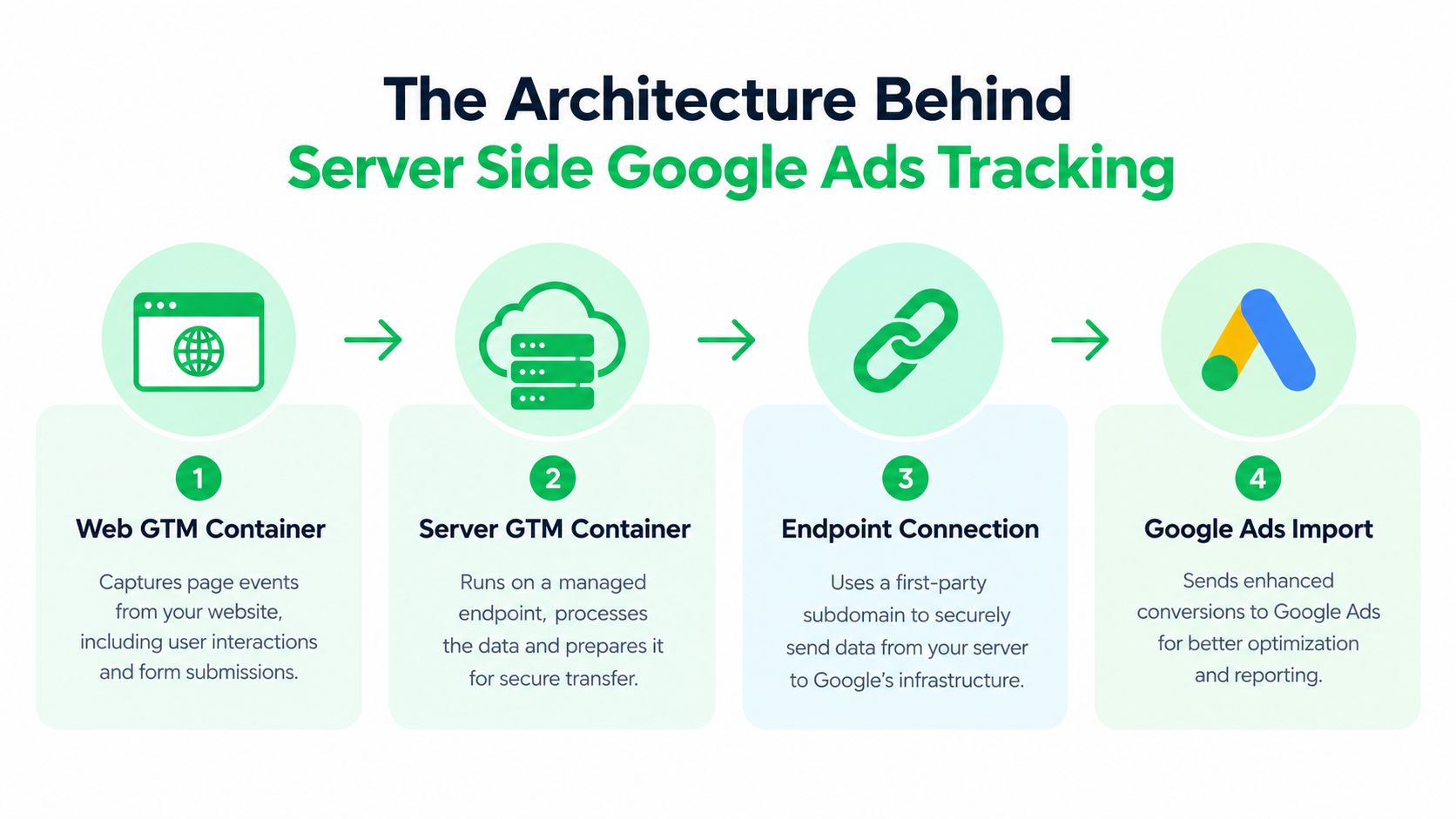
The Architecture Behind Server Side Google Ads Tracking
A working setup has several parts, but each part has one clear responsibility. Problems arise when teams treat the stack as a collection of tags instead of a data pipeline.
Capture in the web container
The web Google Tag Manager container runs in the browser. It records page and interaction events, reads landing-page parameters, and sends a request to the server container. Here, the initial GCLID can be captured and persisted in a first-party context, subject to consent and the site's privacy rules.
The browser request usually carries an event name, page or product context, transaction details when available, user-provided data where permitted, and consent information. It shouldn't be treated as proof that a conversion happened. It's an input to the measurement system.
Process at the server endpoint
The server Google Tag Manager container runs on a managed endpoint. That endpoint can be operated through a service such as Tagada, Cloudflare, or Stape. The server container receives the request, identifies the relevant client, applies transformations, and decides which destinations should receive the event.
The GA4 client acts as the receiver for incoming GA4-style requests. From there, server-side tags can forward approved events to Google Ads, GA4, Floodlight, or custom HTTP destinations. The Google Ads Conversion API tag handles the Google Ads delivery, while the Conversion Linker helps preserve the relationship between the click and later requests.
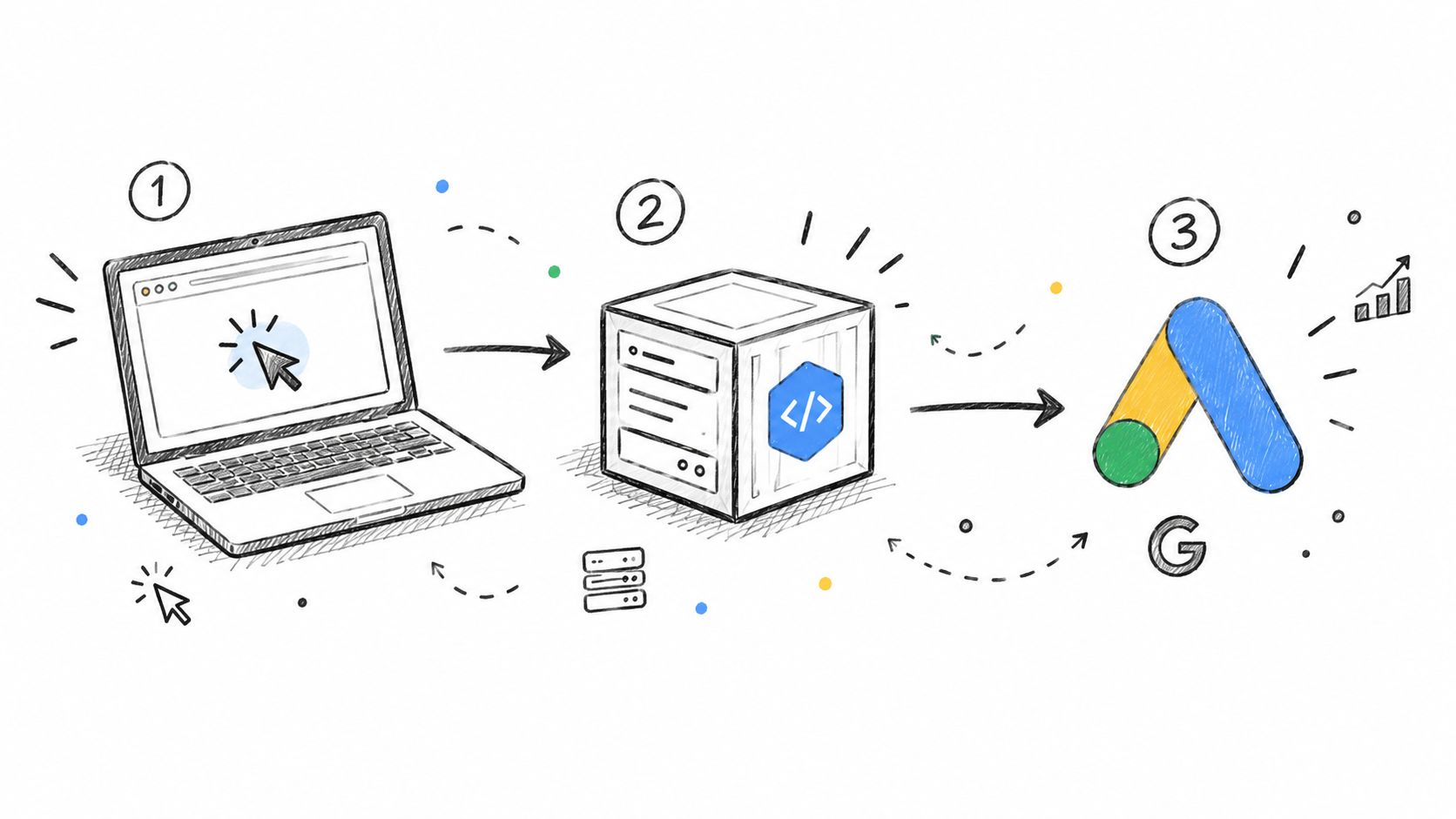
The flow is easier to audit when you map every component to capture, enrich, or forward. The web container captures. The server container enriches and filters. The destination tags forward. GCLID handling connects the first step to the final conversion.
This independent explanation of server tracking from Come Together Media LLC is useful for readers who want a plain-language view before opening GTM. For a Google-specific implementation perspective, see Tagada's guide to Google server-side tagging.
<iframe width="100%" style="aspect-ratio: 16 / 9;" src="https://www.youtube.com/embed/fdhpa8cLbEI" frameborder="0" allow="autoplay; encrypted-media" allowfullscreen></iframe>
In a traditional build, a merchant may manage each layer separately, including hosting, web tags, server clients, conversion tags, consent templates, and monitoring. An orchestration layer can consolidate those responsibilities, but it doesn't remove the need to understand the flow. If you can't trace one order from GCLID capture to Google Ads delivery, the stack isn't ready for serious budget allocation.
Implementing Server Side Tracking Step by Step
A reliable implementation follows the business event, not the order in which GTM menus appear. Build it as capture, trigger, and send, then test each handoff with real orders and consent states.
Step one captures the click
Create the first-party measurement endpoint and deploy the GTM server container there. Configure the web container's GA4 and Google Ads-related tags to send requests through that endpoint rather than sending every destination call directly from the browser.
On the landing page, capture the GCLID and persist it according to your consent policy. Make sure the Conversion Linker is active where required, and verify that the identifier survives the transition from landing page to product page, checkout, and confirmation. A GCLID visible in the first request is useless if it disappears before payment confirmation.
Step two defines the real trigger
Choose the event that represents value. For ecommerce, that may be a paid purchase rather than a checkout start. For subscriptions, it may be an approved initial payment, while a rebill may need a separate conversion action or a backend revenue event.
The server payload can include transaction information, product details, permitted hashed email data, and the consent state. The event should fire when the payment or business system confirms the outcome, not merely when the browser displays a thank-you page.
Practical rule: Treat the payment processor, ecommerce platform, or subscription ledger as the authority for paid status. Treat the browser as a source of context.
Step three sends one controlled conversion
Inside the server container, configure the Google Ads Conversion API tag with the correct conversion ID and label. Map the server event to the conversion action, then configure Enhanced Conversions only where the data is collected lawfully, normalized correctly, and forwarded with the required consent signals.
Deduplication needs a durable join key. For orders, transaction_id is the natural choice. Use the same value across browser and server events, or choose one authoritative route instead of firing both without a matching key. Google's current guidance also describes automatic loading of the Google tag before events in containers containing Google Ads and Floodlight tags, so review release behavior rather than assuming an older setup still behaves the same. The GTM release notes document this change.
Tagada can pre-wire the capture, conversion, and consent flow so the merchant doesn't have to maintain a separate custom request for every destination. The implementation still needs a test plan covering approved payments, declined payments, duplicate callbacks, consent denied, consent granted, and delayed subscription events. The server-side tracking setup guide provides a useful checklist for that work.
Google Tag Gateway Versus a First-Party GTM Server Container
Google Tag Gateway and a first-party GTM server container address related problems, but they aren't interchangeable. Gateway focuses on routing Google tag traffic through an advertiser-controlled web endpoint. A server container provides a broader processing environment for incoming events and multiple destinations.
| Criterion | Google Tag Gateway | First-Party GTM Server via Tagada |
|---|---|---|
| Primary role | Routes Google tag requests through a first-party endpoint | Receives, transforms, enriches, and routes events |
| Destinations | Google measurement services | GA4, Google Ads, Floodlight, and custom HTTP destinations |
| Custom enrichment | More limited | CRM, order, subscription, and permitted user-data enrichment |
| Operational burden | Lower for teams staying within Google's flow | Higher unless hosting and orchestration are managed |
| Data governance | Centered on Google tag routing | More control over event filtering and destination rules |
| Best fit | Smaller teams seeking a focused Google setup | Merchants with complex payments, subscriptions, or multiple platforms |
The choice should follow the work your team needs to perform. If you only need a cleaner route for Google tags and don't need custom transformations, Gateway may be sufficient. If your checkout, processor, CRM, and subscription system each know a different part of the conversion, a server container gives you somewhere to reconcile those records.
Where the options converge
Both approaches can participate in consent-aware measurement and Enhanced Conversions when configured correctly. Neither one grants permission to collect data, and neither one automatically fixes a missing GCLID or a duplicate order event.
The first-party container has a practical advantage when the merchant needs server-side enrichment, hashed email joins, custom audience logic, or offline conversion delivery without repeatedly asking a developer to create another integration. That flexibility also creates overhead. Someone must own hosting, templates, access control, logging, testing, and incident response.
For a high-risk merchant, the decision includes payment risk as well as advertising measurement. Payment processors commonly treat 1% as a general chargeback ceiling, and merchants above it may face review, restrictions, or termination, as described in this payment-processing overview of ecommerce chargeback rates. Better attribution won't repair poor fulfillment or unclear rebill descriptors, but it can help connect acquisition cost to the orders that survive payment and customer-service review.
Consent Mode v2 and the Reality of Privacy
A Berlin subscriber visits a skincare store after clicking a Google ad. The consent banner loads with ad_storage denied. The page can still send a limited request, but the server must carry the consent state forward instead of treating the request as unrestricted marketing data.
If the subscriber grants permission, the CMP must fire a consent update immediately and pass the relevant signals into the tagging flow. The server container then reads the consent parameters, including gcs and gcm, and applies the approved rules before forwarding an event. If the subscriber declines, the system may support eligible cookieless measurement and modeling, but it can't turn that refusal into permission for identifiable advertising data.
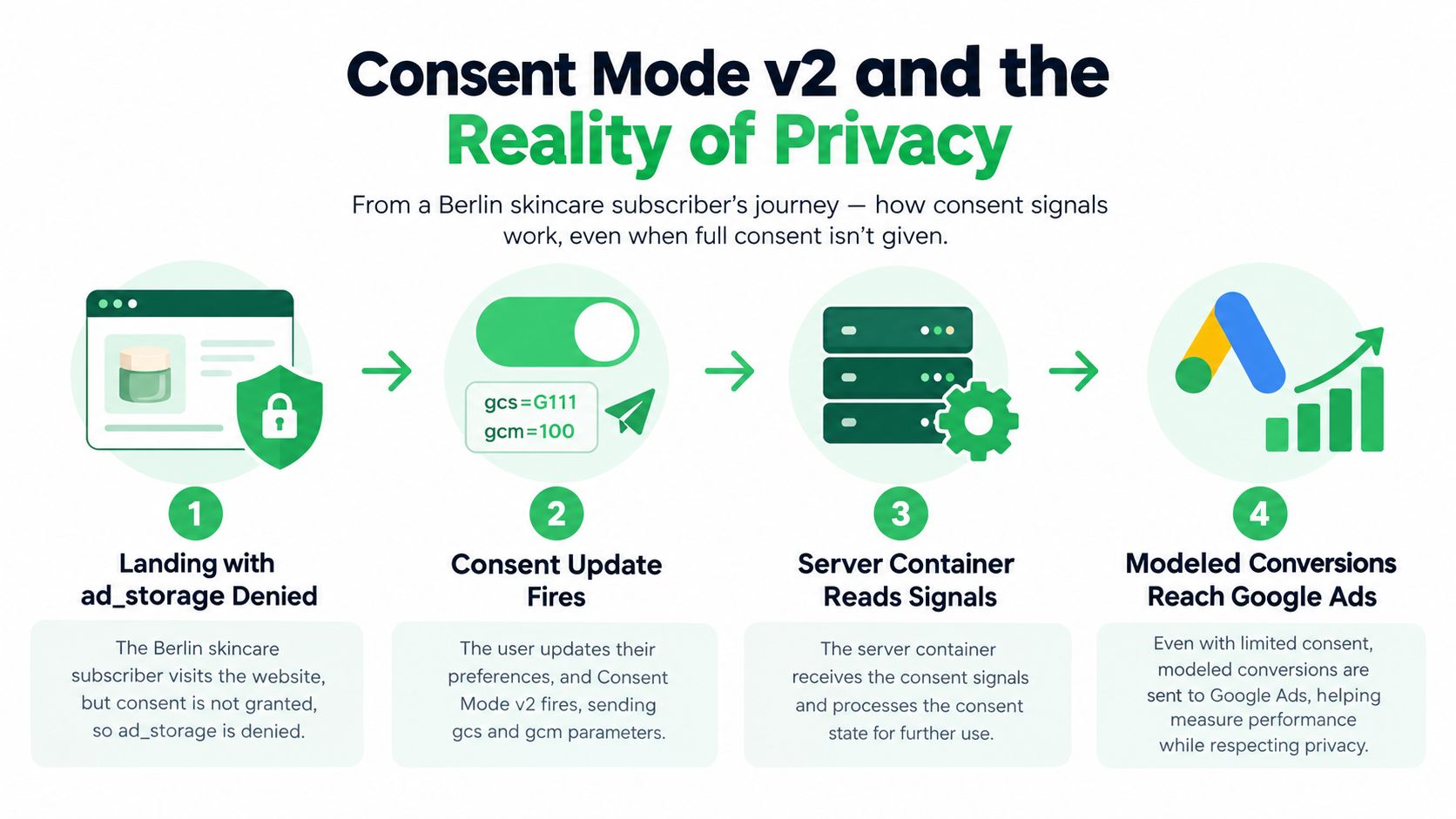
Consent Mode v2 separates signals such as ad_user_data and ad_personalization. That separation matters for Enhanced Conversions, remarketing, and audience use. A server endpoint can preserve the signal, but it must not override it.
Two failures appear repeatedly
The first is a CMP timing failure. The banner appears, but the initial default state or later consent update doesn't reach the web container on first paint. The server then receives an incomplete state and either suppresses an eligible event or forwards data under the wrong assumption.
The second is a server template failure. The web container sends the consent parameters, but the server template ignores them and forwards the event as if the user had granted every permission. Moving the request server-side doesn't make this compliant.
Google's server-side Ads documentation focuses on technical setup, including the Conversion Linker and server containers. Independent guidance makes the legal boundary explicit: valid consent still needs to be obtained and signaled through Consent Mode v2, and EU visitors should remain in a denied default state until they opt in. This Consent Mode and server-side tracking guidance explains the distinction between signal quality and legal permission.
That distinction is especially important for subscription brands. A rebill can be a legitimate backend event, but the merchant still needs to evaluate whether the associated marketing data may be used for the intended purpose. Better data quality does not equal broader permission. It means the system handles approved measurement with fewer technical gaps.
Troubleshooting the Five Tracking Failures
Most server-side Google Ads incidents aren't mysterious. They come from a small set of broken handoffs that teams fail to test under real payment and consent conditions.
1. The GCLID never reaches the server
The landing URL contains a GCLID, but the web container doesn't persist or forward it. A missing Conversion Linker, incorrect trigger sequencing, or a checkout transition that drops first-party state usually causes the gap.
Fix: Test a complete journey from ad landing to confirmation. Confirm the identifier exists in the first request, remains available during checkout, and is present when the server receives the conversion event.
2. Browser and server both count the order
A web Google tag fires on the confirmation page while the server tag fires from the payment callback. Without a shared transaction key, Google Ads sees two conversion attempts for one order.
Fix: Use transaction_id consistently, or select one authoritative conversion route. Don't assume that parallel browser and server tracking will deduplicate itself.
3. Consent updates omit a required signal
The CMP updates one storage permission but fails to pass ad_user_data or the relevant Consent Mode parameters. Enhanced Conversions may then be unavailable, or the server may process the event with an incomplete consent state.
Fix: Audit the CMP event, the web container's consent variables, the server request, and the destination template as one chain. Test denied, granted, and changed consent states separately.
4. Attribution settings don't match the business cycle
A GA4 report may show a conversion because its reporting and attribution configuration differs from the Google Ads conversion action. Subscription and lead businesses are particularly exposed when the actual decision happens after a delay.
Fix: Compare the conversion action's settings with the intended customer journey. Check the click and view-through configuration, conversion source, and reporting window before changing campaign bids. Google Ads implementation guidance also recommends checking attribution-window mismatches when diagnosing missing conversions.
5. The server endpoint drops requests
A slow or unavailable endpoint can swallow events before a destination tag runs. The browser may show a successful checkout while the measurement request never completes.
Fix: Add request logging, alerting, and a health probe against the endpoint's /healthz route. Test timeouts and retry behavior with payment callbacks, not only with manual page loads.
A useful incident report identifies the exact order, click identifier, consent state, received event, destination response, and final Google Ads status. Without that trace, teams tend to change tags at random and create a second problem while trying to fix the first.
Where Tagada Fits in Your Measurement Stack
The useful role for an orchestration layer is not to hide the implementation. It's to own the repetitive work that keeps the signal chain intact across storefronts, payment providers, and subscription events.
That work starts with GCLID capture, first-party persistence, event normalization, and Consent Mode v2 forwarding. Once the basic GTM server container and Google tag are sending reliable events, an orchestration layer can help deduplicate orders, attach order-level data, and route permitted Enhanced Conversion data without forcing the merchant to maintain another custom HTTP integration.
Ship the foundation before the extras
Start with a narrow conversion contract:
- Landing: Capture the click identifier and consent default.
- Checkout: Preserve the identifier and carry approved context forward.
- Payment: Confirm the actual payment or subscription event.
- Delivery: Send one normalized conversion with a durable transaction key.
- Monitoring: Expose consent, identifier, event, and destination status for each test order.
Defer complex audience synchronization, elaborate cross-channel deduplication tables, and offline imports until the core purchase path is stable. Those additions can be valuable for mature teams, but they won't compensate for a missing conversion trigger or a broken consent update.
Payment operations make this discipline more important for subscription and high-risk businesses. Mastercard's Excessive Chargeback Merchant framework uses 100 to 299 chargebacks with a 1.5% to 2.99% ratio for one classification, while 300 or more chargebacks with a 3% or higher ratio reach the High Excessive Chargeback Merchant classification. The framework is summarized in this merchant-risk reference. Acquisition reporting should therefore connect ad spend to approved, retained, and supportable transactions, not just to checkout clicks.
Tagada provides a single orchestration layer for this type of flow, connecting checkout and payment events with server-side measurement, consent handling, and conversion routing. The result should be an observable measurement system that remains understandable when browsers change, processors decline a payment, or a developer leaves the team. That's infrastructure, not a privacy band-aid.
Tagada connects server-side Google Ads measurement with checkout, payment, subscription, and event orchestration, so your team can trace the path from GCLID to confirmed revenue. Visit Tagada to review the platform and decide whether its managed flow fits your ecommerce or high-risk payment stack.