
Checkout Abandonment Rate: How to Calculate and Read It
Checkout abandonment rate: the formula, how to measure it in GA4 and Shopify, which step loses buyers, and why declined payments inflate the number.

Article summary
TL;DR
Checkout abandonment rate is the share of shoppers who start checkout but don't complete the purchase: (checkouts started − purchases) ÷ checkouts started × 100. It starts later in the funnel than cart abandonment, so it's lower. Part of it isn't abandonment at all: declined payments and failed 3D Secure look like exits in analytics.
- Checkout abandonment starts at the first checkout step. Cart abandonment starts at add to cart. Different denominators, different numbers.
- GA4 counts users in a closed funnel from begin_checkout. Shopify counts sessions, and only those with input during checkout. The same store gets two rates.
- Break the rate down by step: the drop between shipping and payment doesn't have the same cause as the drop after payment is submitted.
- After the shopper clicks Pay, most of the loss is declines and failed authentication. Only your processor logs separate them from real exits.
- Baymard's 70.22% is an average of 50 cart abandonment studies, not a checkout benchmark. Compare yourself with your own past rate, by segment.
 ChatGPT
 Claude
 Perplexity
 Grok
GrokOn this page
Checkout abandonment rate tells you how many shoppers who opened your checkout left without paying. It sounds like one clean number, but it depends on where you start counting, which tool counts it, and whether declined payments are hiding inside it. Here's the formula, how to measure it in GA4 and Shopify, how to read it step by step, and what the benchmarks actually measure.
What is checkout abandonment rate?
Checkout abandonment rate is the share of shoppers who start checkout and don't complete the purchase. It's often confused with cart abandonment, which starts one step earlier: at add to cart. The two rates use different denominators, so they never match.
| Cart abandonment rate | Checkout abandonment rate | |
|---|---|---|
| Counted from | Add to cart | First checkout step (begin checkout) |
| Shoppers who never opened checkout | Counted | Left out |
| Typical level | Higher: more people, further from paying | Lower: only shoppers who started to pay |
| What it points at | Prices, shipping costs, product pages, browsing intent | The checkout: forms, costs revealed late, payment methods, declines |
| Who covers it | Cart reminders and pricing transparency | Checkout and payment fixes |
Fig. 1Where each rate starts counting
- Add to cartCart abandonment starts here
- Begin checkoutCheckout abandonment starts here
- ShippingAddress and delivery option
- PaymentCard, wallet or local method
- PurchaseBoth rates end here
same funnel, two denominators
Checkout conversion rate is the mirror image: purchases divided by checkouts started. Shopify uses exactly that definition for its checkout conversion rate.6Shopify Dev Docs, ShopifyQL sessions schema Store conversion rate is different again: purchases divided by all sessions.
Checkout abandonment rate formula
The formula
Checkout abandonment rate = (checkouts started − purchases) ÷ checkouts started × 100
Equivalently: 100% − checkout conversion rate.
A worked example. In September, a store records 4,000 users who added to cart, 2,400 who started checkout and 900 who purchased.
| Metric | Calculation | Result |
|---|---|---|
| Checkout abandonment rate | (2,400 − 900) ÷ 2,400 × 100 | 62.5% |
| Checkout conversion rate | 900 ÷ 2,400 × 100 | 37.5% |
| Cart abandonment rate, same month | (4,000 − 900) ÷ 4,000 × 100 | 77.5% |
Same store, same month, two abandonment rates 15 points apart. That's why a benchmark is useless until you know which one it measures.
Three rules keep the number honest:
- Same unit on both sides. Users with users, sessions with sessions. Mixing them inflates or deflates the rate.
- Deduplicated purchases. Google's event reference says the
transaction_idparameter helps you avoid duplicate purchase events, for example when a customer reloads the confirmation page.4Google for Developers, GA4 recommended events reference - A window that fits your checkout. A shopper can leave and come back. Stripe Checkout sessions expire 24 hours after creation by default, and you can shorten that to 30 minutes minimum.9Stripe Docs, Recover abandoned carts Count a checkout as abandoned only once its window has closed.
How to measure checkout abandonment in GA4
GA4 builds the checkout funnel from four recommended ecommerce events. Google defines begin_checkout as the event that "signifies that a user has begun a checkout", add_shipping_info and add_payment_info as the user submitting shipping and payment information, and purchase as one or more items being purchased.4Google for Developers, GA4 recommended events reference
| GA4 event | Checkout journey step | What it means |
|---|---|---|
begin_checkout | Begin checkout | The shopper opened checkout |
add_shipping_info | Add shipping | Shipping details submitted, with the delivery tier |
add_payment_info | Add payment | Payment details submitted |
purchase | Purchase | Order completed, with transaction_id, value and currency |
The Checkout journey report turns those events into a funnel. Google describes it as showing "the number and percentage of users who began checkout" and completed each next step, with an abandonment rate shown under each bar that has a next step.2Google Analytics Help, [GA4] Checkout journey report You'll find it under the Monetization topic of the Life cycle collection.
Three things the report does that change your number
It's a closed funnel: only users who entered at Begin checkout count. It counts users, not sessions. And it can't be customized: for other steps, build a funnel exploration.2Google Analytics Help, [GA4] Checkout journey report If one of the four events is missing, its step shows no data. On Shopify, GA4 collects begin_checkout, add_payment_info and purchase automatically, but add_shipping_info has to be set up.2Google Analytics Help, [GA4] Checkout journey report
For the event setup itself, see our guide to GA4 ecommerce events. Google's implementation guide documents the parameters each event takes.3Google for Developers, Measure ecommerce (GA4)
How to measure checkout abandonment in Shopify
Shopify gives you three different views, and they don't count the same thing.
Conversion rate breakdown
A funnel report: all sessions, sessions with cart additions, sessions that reached checkout, sessions that completed checkout. Switch to the closed funnel to see "Reached this step" and "Dropped off" for each step.
ShopifyQL sessions data
Checkout conversion rate = sessions that completed checkout ÷ sessions that reached checkout. Your checkout abandonment rate is 100% minus that.
Abandoned checkouts page
Orders > Abandoned checkouts. A list of checkouts where the customer entered an email and didn't pay within 10 minutes. Deleted after three months.
The definitions matter. Shopify counts a session as "reached checkout" only when there was user input during checkout, "for example, a key press or mouse click".5Shopify Help Center, Behaviour reports (Conversion rate breakdown) A visitor who opens checkout and leaves without touching anything isn't in the denominator. GA4's begin_checkout usually fires when checkout loads, so the same store tends to show a lower checkout abandonment rate in Shopify than in GA4.
The Abandoned checkouts list is a recovery tool, not a measurement. It only holds checkouts where an email was entered and that stayed incomplete for more than ten minutes, and it drops anything older than three months.7Shopify Help Center, Abandoned checkouts Count those rows and you undercount abandonment.
Practical rule
Pick one source for your trend line and write down its definition. Compare GA4 with Shopify only to spot tracking problems, never to pick the better-looking number.
Break the rate down by checkout step
A single rate tells you that buyers leave. The step-by-step drop tells you where. Here's the same September example, split by GA4 step.
| Step | Users | Lost before the next step | Drop at this step |
|---|---|---|---|
| Begin checkout | 2,400 | 700 | 29.2% |
| Add shipping | 1,700 | 450 | 26.5% |
| Add payment | 1,250 | 350 | 28.0% |
| Purchase | 900 | ||
| Whole checkout | 1,500 | 62.5% |
Each drop has its own usual suspects.
- Begin checkout → shippingForced account creation, a long form, a shopper comparing pricesGuest checkout, field count, session recordings
- Shipping → paymentShipping cost or delivery date revealed too lateShow costs earlier, test the delivery options
- Payment → purchaseDeclines, failed 3D Secure, a missing payment method, a purchase tag that didn't fireProcessor logs, not analytics
Google's own example reads the funnel the same way: a big drop between shipping and payment may point to shipping costs or a forced login.2Google Analytics Help, [GA4] Checkout journey report Then segment each step by device, country, traffic source and new versus returning customer. A step that only breaks on mobile in one country is a different fix from one that breaks everywhere.
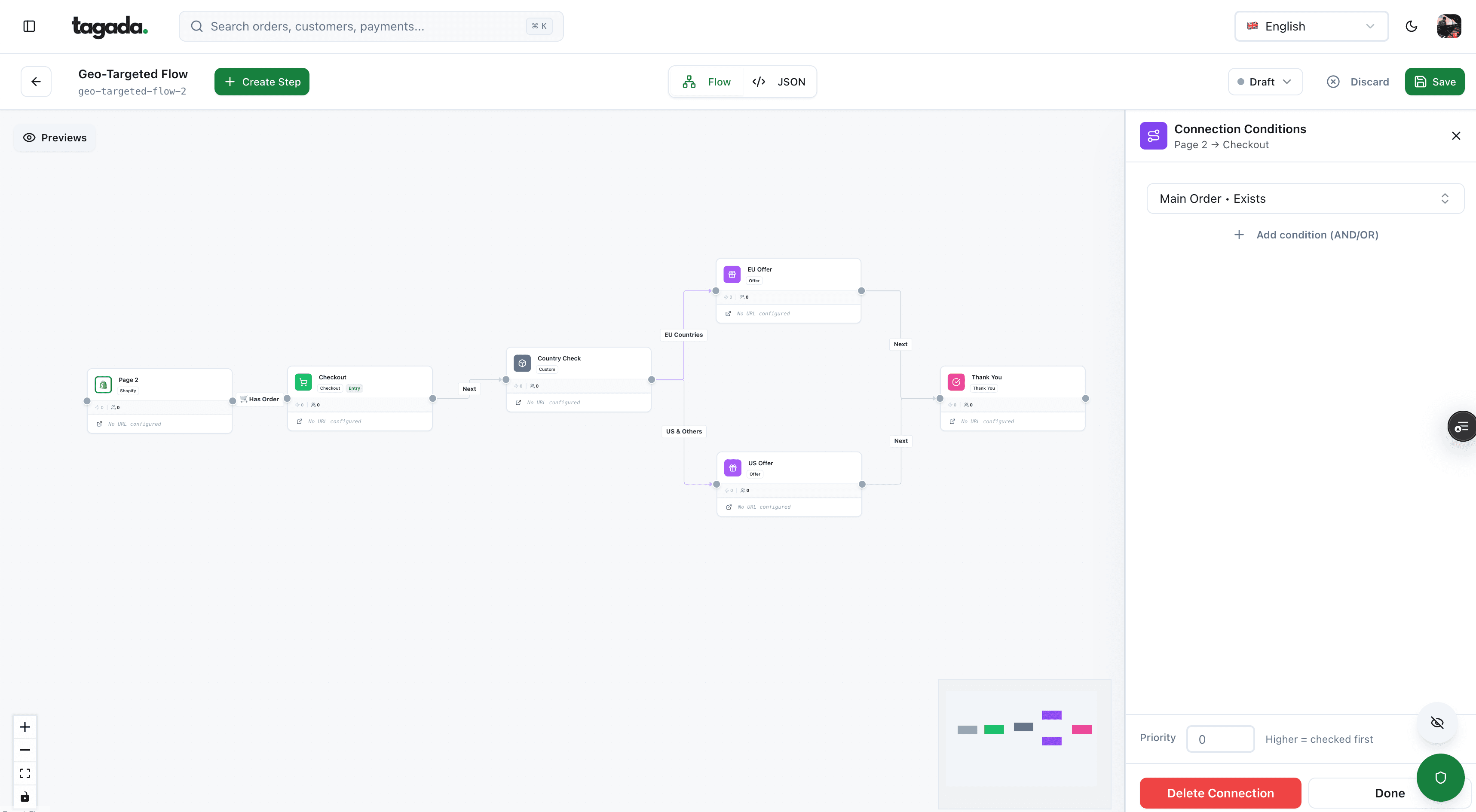
Inside Tagada
Build the funnel once, route every customer to the right offer
Checkout, upsells and subscriptions on one flow, with conditions per country, order or customer.
The payment step: declines look like abandonment
The last step is the one analytics reads worst. Once the shopper submits payment, three very different things can stop the purchase event:
- The payment was declined and the shopper gave up.
- Authentication failed or was abandoned: the bank asked for 3D Secure and the shopper didn't complete it.
- The payment went through but the
purchaseevent didn't fire: a redirect, an ad blocker, a consent banner.
In your analytics, all three look like a shopper who walked away. They're not: the first two wanted to pay, and the third did pay. Among US online shoppers who abandoned for a reason other than "just browsing", Baymard's survey has 10% citing "the credit card was declined" and 17% "website had errors / crashed".1Baymard Institute, Cart abandonment rate statistics (last updated September 22, 2025)
Your processor's records tell them apart. At Stripe, a payment that needs 3D Secure sits in requires_action; when an attempt fails, for example on a decline, the PaymentIntent returns to requires_payment_method so the payment can be retried.8Stripe Docs, How Payment Intents and Setup Intents work A payment that stays there after a decline looks, by status alone, like one that never got a card. Read the attempts, not only the final status.
- Pass a shared ID. Send your checkout or cart ID to the processor as metadata, and to analytics as a parameter, so both records can be joined.
- Pull the attempts. For each checkout that reached the payment step, list every payment attempt, its result and its decline code.
- Sort into four groups. No attempt at all, declined, authentication not completed, succeeded.
- Fix the "succeeded" group first. Those are tracking gaps, not lost buyers: compare them against your orders to confirm.
- Report two rates. Behavioral abandonment (no attempt) and payment failure (declined or not authenticated). They have different owners.
Do this once a month on the sessions that submitted payment and didn't purchase.
The payment failure group belongs in your payment acceptance rate, which covers how to classify soft and hard declines and how to retry without making things worse. Lowering it is a payments project, not a checkout design project.
Checkout abandonment rate benchmarks
The figure everyone quotes comes from Baymard Institute. Its page, last updated on September 22, 2025, reports "the average cart abandonment rate of 70.22%", calculated from 50 studies containing statistics on ecommerce shopping cart abandonment.1Baymard Institute, Cart abandonment rate statistics (last updated September 22, 2025)
70.22%
Baymard's documented average, from 50 studies
2006 to 2025
Years covered by the studies averaged
55.00% to 84.27%
Lowest (Forrester Research, 2010) and highest (SaleCycle, 2020) study in the list
Before using it, read the method:
- It's cart abandonment. The page is titled "Cart & Checkout", but the average is built from cart abandonment studies, and the page doesn't say whether each study counted from add to cart or from checkout. A checkout abandonment rate starts later in the funnel, so it should come in lower.
- It's an average of other people's numbers. The 50 studies come from vendors and research firms, with their own methods, over nearly 20 years. Baymard itself notes large fluctuations between studies.
- It mixes every vertical, device and market. Your store has one mix.
Baymard also publishes why shoppers leave. In its survey of US online shoppers, 42% abandoned a cart because they were "just browsing / not ready to buy". Excluding them, the top reasons were:1Baymard Institute, Cart abandonment rate statistics (last updated September 22, 2025)
Fig. 2Why US shoppers abandoned during checkout
excluding 'just browsing'
Figures from vendor blogs that quote checkout abandonment by industry or device rarely name their sample. If you use one, say who published it, when, and what it counted.
What is a good checkout abandonment rate?
No card network, analytics vendor or regulator publishes an official target. A good rate is one that falls against your own history, for the same segment and the same definition. Context moves the number more than checkout quality does:
| Context | Expect the rate to be | Why |
|---|---|---|
| Returning customers with a saved card | Lower | Fewer fields, fewer surprises, a card that already worked |
| Express wallet buttons (Apple Pay, Google Pay) | Lower | Address and payment come from the wallet |
| Mobile traffic | Higher | Typing on a small screen, app switching for authentication |
| Cold paid social traffic | Higher | More shoppers checking the total before deciding |
| High-ticket orders | Higher | More comparison, more issuer scrutiny |
| Cross-border buyers | Higher | Currency, duties, missing local methods, more declines |
| Shopify reports compared with GA4 | Lower in Shopify | Shopify's denominator only counts sessions with input during checkout |
Read the trend, then the step
A total that rises by five points tells you something changed. The step table tells you what. A jump at the payment step the week you switched processors is not a design problem.
How to lower your checkout abandonment rate
Fix what the step breakdown points at, in this order:
- Payment step losses: separate declines from exits first. Declines are handled in payment acceptance rate; missing methods in alternative payment methods and local payment methods; returning buyers in saved payment methods.
- Costs revealed late: show shipping, tax and fees before checkout. Baymard's top reason, by far.
- Account walls and long forms: see checkout as guest and one-page checkout.
- Shoppers who simply left: recovery emails and reminders, covered in how to reduce cart abandonment. Shopify can only email shoppers who entered an email address,7Shopify Help Center, Abandoned checkouts and Stripe treats recovery emails as promotional: the customer must have agreed to receive them.9Stripe Docs, Recover abandoned carts
The full, ranked list of checkout fixes is in our ecommerce checkout optimization guide, and the steps behind them in checkout flow.
Where Tagada fits
How Tagada helps
One checkout, several processors behind it
Tagada's checkout comes with one-click upsells, order bumps, A/B tests, Apple Pay and Google Pay, and server-side tracking for Meta, Google and TikTok, so purchase events don't depend on the browser alone. Behind the payment step, it routes across Stripe, Adyen and its own processor, TagadaPay, with one set of rules and a cascade on decline. TagadaPay includes native 3DS2, device intelligence and a rules engine. Pricing is on the pricing page.
Whatever your stack, the method holds: one written definition, a step-by-step funnel, and processor logs joined to the payment step before you call anything abandonment.
Frequently asked questions
What is the difference between cart abandonment and checkout abandonment?
How do you calculate checkout abandonment rate?
What is a good checkout abandonment rate?
Where do I find checkout abandonment in Google Analytics 4?
Do declined payments count as checkout abandonment?
Why does Shopify show a different checkout abandonment rate than GA4?
Sources
Checked October 14, 2026- Baymard Institute, Cart abandonment rate statistics (last updated September 22, 2025)
- Google Analytics Help, [GA4] Checkout journey report
- Google for Developers, Measure ecommerce (GA4)
- Google for Developers, GA4 recommended events reference
- Shopify Help Center, Behaviour reports (Conversion rate breakdown)
- Shopify Dev Docs, ShopifyQL sessions schema
- Shopify Help Center, Abandoned checkouts
- Stripe Docs, How Payment Intents and Setup Intents work
- Stripe Docs, Recover abandoned carts
Tagada
Losing buyers at the payment step? Give them a second processor
Funnels, one-click upsells, subscription billing and payment routing, on one customer record.
- 01Create your free account
- 02Connect your store or build a checkout
- 03Launch funnels, upsells and subscriptions