
Checkout Page Design: Layout, Fields and the Details That Close the Sale
Checkout page design block by block: layout, field order, autocomplete, mobile keyboards, wallets, trust cues, errors, WCAG 2.2 and the confirmation page.

Article summary
TL;DR
A good checkout page shows the total before anything else, asks only for the fields the order needs, in the order people think of them, with visible labels and the right autocomplete values. Wallets go above the card form, errors are named in text next to the field, and nothing on the page pulls the buyer away.
- Mobile is one column with a collapsible order summary. Desktop is usually two columns: the form on the left, the summary on the right.
- Every field gets a visible label and a standard autocomplete token from the HTML standard. Card numbers and postal codes aren't type=number.
- Trust comes from facts the buyer can check: the total, the return policy, the subscription terms and a merchant name that matches the bank statement.
- WCAG 2.2 adds two criteria that hit checkouts directly: Redundant Entry (3.3.7) and Accessible Authentication (3.3.8).
- The confirmation page is part of the design: order number, amount charged, the name on the statement, and what happens next.
 ChatGPT
 Claude
 Perplexity
 Grok
GrokOn this page
A checkout page has one job: turn a decided buyer into a paid order without giving them a reason to stop. This guide goes through the page itself, block by block: the layout, the fields and their order, autofill and mobile keyboards, the payment block, the trust elements that actually mean something, error states, accessibility and the confirmation page. The ranked list of checkout optimizations lives in our ecommerce checkout optimization guide; the steps before and after the page are in checkout flow.
What a checkout page needs to show
Before the details, the whole page. Here is a checkout for a physical product, from top to bottom on a phone. Each line is a block; each block has a section below.
Fig. 1A checkout page, block by block
- Order summary (collapsed)
- Total today: $59.00 · tap to see items
- Express checkout
- Apple Pay · Google Pay · PayPal, only where available
- Contact
- Email · autocomplete email
- Shipping address
- Country first, then address lookup · shipping street-address
- Delivery method
- Options with price and estimated date
- Payment
- Card form, local methods · billing same as shipping, checked
- Before the button
- Return policy link · subscription terms if any
- Pay button
- Pay $59.00
Illustrative wireframe.
top to bottom on a phone
Every element that isn't on this list needs a reason to be there. The top three checkout guides in search agree on the core: a visible order summary, few fields, guest checkout, several payment methods, transparent pricing and no distractions. Where they stop is the implementation: which autocomplete value goes on which field, which keyboard a field opens, what the accessibility rules require, and which trust signals carry information rather than decoration.
The cost of getting it wrong shows in Baymard Institute's abandonment reasons (page last updated September 22, 2025). Among US online shoppers who abandoned for a reason other than "just browsing", several of the reasons cited are page design problems.1Baymard Institute, Cart abandonment rate statistics (page last updated September 22, 2025)
Baymard also counts form elements: an ideal checkout can get by with 12 to 14 form elements, or 7 to 8 fields, while the average US checkout shows 23.48 elements by default.1Baymard Institute, Cart abandonment rate statistics (page last updated September 22, 2025) Most of the gap is fields nobody removed.
Checkout page layout: single column or two columns
The layout question has two answers, one per screen size.
Fig. 2Same checkout, two screens
Phone: one column
- Summary barTotal + 'Show order summary'
- thenExpress walletsOne tap, no typing
- thenFormContact, address, delivery, payment
Total visible at the top, everything else in reading order
Desktop: two columns
- Left columnWallets, then the form, one field per row
- besideRight columnItems, discounts, shipping, tax, total
- ends atPay buttonBottom of the left column, with the amount
The buyer checks the order without scrolling back
the form is always one column
Shopify's checkout is a good reference because millions of buyers already know it. Its default layout is a one-page checkout, with a three-page version as the alternative. On mobile, the order summary and the discount code field sit in a collapsed section the customer taps to open.2Shopify Help Center, Checkout styles
A few layout rules hold whatever the platform:
- The form is one column on every screen. Two fields side by side are fine only when they belong together and are short (expiry and security code, city and postal code).
- The order summary stays reachable. On desktop it sits beside the form; on mobile it collapses but the total stays visible.
- No site navigation. The logo can link back to the cart. Menus, footers full of links and promo banners go.
- A progress indicator only on multi-step checkouts. On a single page, section headings do the job. Whether one page or several steps fits your order is covered in one-page checkout.
- Guest checkout by default. Sign-in is a link, not a gate. The full case is in checkout as guest.
Coupon fields
An empty "Discount code" box in full view invites buyers who have no code to leave and search for one. Shopify hides it inside the collapsed summary on mobile by default and lets the merchant choose to always show it.2Shopify Help Center, Checkout styles If you run code-based campaigns, keep it; otherwise, a link that opens the field is enough.
Checkout form fields: which ones, in what order
Stripe's form guidance starts with "ask only for what you need": each extra field is more time on a small screen and one more chance to give up.8Stripe, Payment HTML forms: best practices The order should follow how people think of a purchase: who you are, where it goes, how fast, how you pay.
| Field | Ask for it? | Autocomplete token | Note |
|---|---|---|---|
| Yes | email | First field: it lets you send a recovery email if the buyer leaves | |
| Full name | Yes | shipping name | One field, or given-name and family-name if your carrier needs them split |
| Country | Yes | shipping country | Ask it before the address: it changes the address format |
| Street address | Yes | shipping address-line1 | Starts the address lookup |
| Apartment, suite | Conditional | shipping address-line2 | Behind an "Add apartment, suite" link |
| City | Yes | shipping address-level2 | Level 2 is the city in the US |
| State or region | Conditional | shipping address-level1 | Only for countries that use it |
| Postal code | Yes | shipping postal-code | Can fill city and state |
| Phone | Conditional | tel | Only if the carrier needs it; say why next to the label |
| Billing address | Conditional | billing … | Hidden behind "Same as shipping", checked by default |
| Company, title, birth date | No | NoRole in charging or delivering the order | |
| Confirm email | No | Typing it twice doesn't fix typos; showing it back does |
The tokens come from the WHATWG HTML standard. The optional shipping and billing prefixes tell the browser which address a field belongs to, so it doesn't pour the billing address into the shipping form.3WHATWG, HTML Living Standard, Autofill The standard also defines street-address for a single multi-line address field and encourages authors to use the broader fields rather than the narrower ones.3WHATWG, HTML Living Standard, Autofill
Labels stay visible
A placeholder that disappears when the buyer starts typing isn't a label. Put the label above the field, keep it there, and use the placeholder only for an example of the format, if at all. WCAG requires labels or instructions wherever input is needed.11W3C, Web Content Accessibility Guidelines (WCAG) 2.2, Recommendation, December 12, 2024
Autofill: get the autocomplete attribute right
Autofill is the biggest typing saver on the page, and it depends on one attribute. A browser fills a field when it knows what the field is for, and the autocomplete value is how it knows. Here is the shipping block and the card block with standard tokens:
<label for="email">Email</label>
<input id="email" type="email" autocomplete="email">

<label for="addr1">Address</label>
<input id="addr1" autocomplete="shipping address-line1">

<label for="zip">ZIP code</label>
<input id="zip" autocomplete="shipping postal-code" inputmode="numeric">

<label for="ccnum">Card number</label>
<input id="ccnum" autocomplete="cc-number" inputmode="numeric">

<label for="ccexp">Expiry (MM/YY)</label>
<input id="ccexp" autocomplete="cc-exp">

<label for="cccsc">Security code</label>
<input id="cccsc" autocomplete="cc-csc" inputmode="numeric">
Three things break autofill in practice:
autocomplete="off". The standard treats it as a signal that the data is sensitive or won't be reused, and the browser should not offer past values.3WHATWG, HTML Living Standard, Autofill On a checkout, that throws away the buyer's saved address.- Custom tokens. Values like
autocomplete="zip"or"shipping-address"aren't in the standard, so the browser ignores them. - Fields built from divs. A styled component that isn't a real
inputcan't be filled. Keep native inputs and style them.
If your card fields come from your processor in an iframe, the processor sets the card tokens for you. Your part is the contact and address fields around them. How hosted card fields affect your PCI questionnaire is covered in online payment form.
Input types and mobile keyboards
On a phone, the field type decides the keyboard. The wrong one makes the buyer switch keyboards to type an @ or digits.
| Field | Input | Keyboard on a phone |
|---|---|---|
type="email" | Keyboard with @4MDN Web Docs, inputmode | |
| Phone | type="tel" | Telephone keypad with 0-9, * and #4MDN Web Docs, inputmode |
| Card number, security code | type="text" inputmode="numeric" | Digits 0-94MDN Web Docs, inputmode |
| US ZIP code | type="text" inputmode="numeric" | Digits 0-9 |
| UK or Canadian postcode | type="text" | Full keyboard: these postcodes contain letters |
| Name, address | type="text" | Full keyboard, with capitalization |
Not type=number
MDN is explicit: type="number" is for incremental numbers and "is not appropriate for values that happen to only consist of numbers but aren't strictly speaking a number, such as postal codes in many countries or credit card numbers." It renders as a spin button, and a scroll or arrow key can change the value by accident. MDN suggests type="text" inputmode="numeric" instead.5MDN Web Docs, <input type="number">
Stripe's form guidance adds the touch side: switch the input mode to numeric on number fields, and size and space buttons for fingers.8Stripe, Payment HTML forms: best practices WCAG 2.2 sets the floor at 24 by 24 CSS pixels for pointer targets, with exceptions such as enough spacing around a smaller target.11W3C, Web Content Accessibility Guidelines (WCAG) 2.2, Recommendation, December 12, 2024
Address lookup
Address lookup turns the first few characters of a street into a list of full addresses. It saves typing and avoids misspelled streets that cause failed deliveries.
- Ask the country first, pre-filled from the buyer's location, so lookup searches the right country and the form shows the right fields.
- Start lookup on the first address line. Suggestions appear under the field after a few characters, and the keyboard arrows and Enter key work in the list.
- Fill every field on selection: line 1, city, state and postal code, then move the focus to line 2 or to the next section.
- Leave every filled field editable. Lookup databases miss new buildings and rural addresses.
- Keep a "Enter address manually" link visible for addresses the lookup doesn't find.
Lookup is a shortcut, not a gate: the buyer must always be able to type the address by hand.
Most platforms and processors ship lookup. Stripe's Address Element, for example, autocompletes addresses in 26 countries, uses a Stripe-provided Google Maps key when it runs alongside the Payment Element, needs your own Google Maps key when used alone, and supports 236 regional address formats.6Stripe Docs, Address Element
The payment block: wallets first, then cards and local methods
The payment block is where the buyer decides whether this is going to be fast. The order inside it matters as much as what it contains.
Fig. 3Inside the payment block
 Express walletsApple Pay, Google Pay, PayPal: no card typing
- Saved cardFor a returning, signed-in buyer
 Card formNumber, expiry, security code, brand detected
 Local methodsiDEAL, Klarna, others by country
fastest path on top
- Wallets on top, and only where they work. At Stripe, a Google Pay button doesn't appear if the customer hasn't set up Google Pay, methods only show in supported browsers and currencies, and you need to register your domain.7Stripe Docs, Express Checkout Element Design the block so it still looks right when the wallet row is empty.
- Card form: the brand is detected, not asked. The field should recognize the card type from the number, which makes a brand dropdown unnecessary.8Stripe, Payment HTML forms: best practices
- Local methods by country. Show the ones your buyers in that market use, not every logo you support. See local payment methods and alternative payment methods.
- Saved cards for returning buyers. Covered in saved payment method.
- Check local rules on order. Stripe notes that regulations in Finland and Sweden require debit payment methods to be presented before credit ones.7Stripe Docs, Express Checkout Element
The pay button closes the block. It shows the amount ("Pay $59.00", or "Start subscription · $29/month"), not "Submit". 3-D Secure appears after the click, and its look belongs to the issuer; plan for the round trip with payment authentication.
Inside Tagada
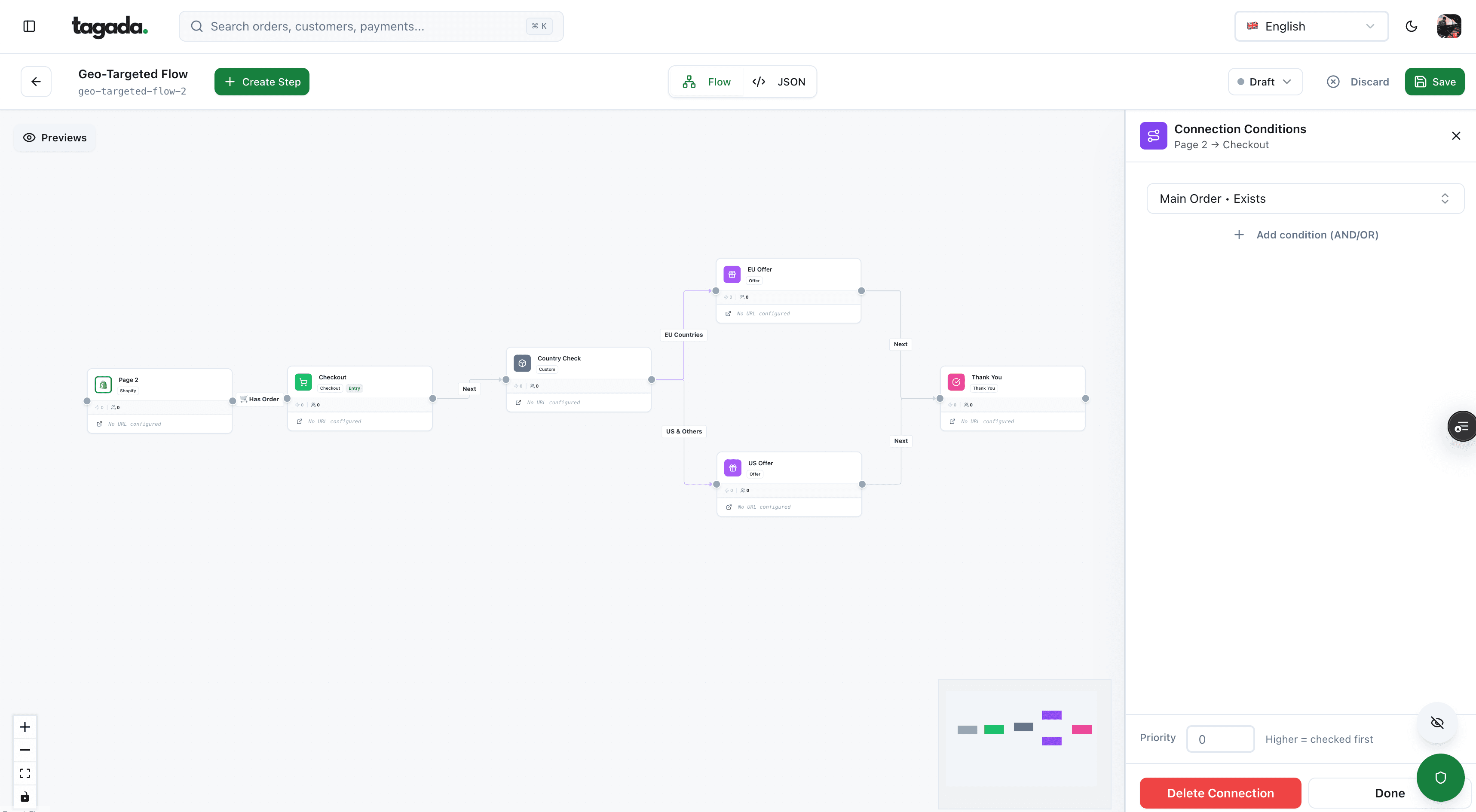
Build the funnel once, route every customer to the right offer
Checkout, upsells and subscriptions on one flow, with conditions per country, order or customer.
Trust elements that actually mean something
A padlock icon and a row of "secure checkout" badges don't tell the buyer anything they can check. The elements that build trust are facts: what they'll pay, what happens if it goes wrong, and who will appear on their statement. Three of Baymard's reasons above are about exactly this: trusting the site with card information, the returns policy and the total cost.1Baymard Institute, Cart abandonment rate statistics (page last updated September 22, 2025)
- The total, with shipping and taxNo surprise at the last stepIn the summary bar on mobile, in the right column on desktop, and on the pay button
- Delivery price and dateWhen it arrives and what that costsNext to each delivery option
- Return policyWhat happens if it doesn't fitOne line plus a link, just above the pay button
- Subscription termsHow much, how often, until when, how to cancelNext to the pay button, separate from the terms of sale
- Merchant nameWho will appear on the bank statementLogo, page title and descriptor all match
- Support contactSomeone answers if it goes wrongEmail or chat link in the footer of the page
Subscription disclosure
For subscriptions, the disclosure isn't only a design choice. Visa's rules require the merchant to display the terms of a recurring offer, such as the amount, the frequency and the length of any trial, at the moment the buyer consents, and separately from the general terms and conditions.10Visa Core Rules and Visa Product and Service Rules, April 18, 2026 A merchant that doesn't honor those terms owes a full refund.10Visa Core Rules and Visa Product and Service Rules, April 18, 2026 On the page, that means a short block next to the button: "$29 today, then $29 every month from November 14. Cancel anytime in your account." The full rule set is in negative option billing.
The name on the statement
The trust element most checkout guides skip is the statement descriptor, the merchant name that appears on the buyer's bank statement. Stripe says clear and accurate descriptors can reduce chargebacks and disputes, and requires a descriptor of 5 to 22 Latin characters that reflects your doing-business-as name.9Stripe Docs, Statement descriptors If the checkout says "Northline" and the statement says "NL HOLDINGS LLC", some buyers won't recognize the charge and will ask their bank. Make the brand on the page, the email receipt and the billing descriptor the same word, and repeat it on the confirmation page. More on what turns into a dispute in chargeback prevention.
Error states
Errors are part of the design, not an afterthought. Two kinds reach a checkout: input errors the page can catch, and payment errors that come back after the click.
Check when the field is left
Validate when the buyer leaves a field, not at every keystroke. Stripe recommends real-time checks to stop errors before submission.8Stripe, Payment HTML forms: best practices A red message on the third digit of a card number is noise.
Name the field and the fix
Put the message in text right under the field: "Enter a 5-digit ZIP code", not "Invalid input". Don't rely on a red border alone: color can't be the only signal.11W3C, Web Content Accessibility Guidelines (WCAG) 2.2, Recommendation, December 12, 2024
Keep what was typed
Never clear the form after an error.8Stripe, Payment HTML forms: best practices After a decline, keep the address and offer another method: "Your bank declined this payment. Try another card or Apple Pay."
On submit, if several fields fail, move the focus to the first one or to a short summary at the top that links to each field. That keeps keyboard and screen reader users from hunting. Decline messages have limits: the page rarely knows the exact reason, and some declines are worth retrying while others aren't. That side is covered in payment acceptance rate.
Checkout accessibility: what WCAG 2.2 requires
WCAG 2.2 became a W3C Recommendation on December 12, 2024.11W3C, Web Content Accessibility Guidelines (WCAG) 2.2, Recommendation, December 12, 2024 A checkout touches more of its success criteria than almost any other page. The criteria below are the ones the page design controls:
| Criterion | Level | What it means on the checkout |
|---|---|---|
| 1.3.5 Identify Input Purpose | AA | The purpose of fields about the user can be determined by software: the autocomplete tokens do it |
| 1.4.1 Use of Color | A | An error isn't shown by color alone; it has text and ideally an icon |
| 2.4.11 Focus Not Obscured (Minimum) | AA | A sticky pay button or cookie banner can't fully hide the field that has focus |
| 2.5.8 Target Size (Minimum) | AA | Buttons, checkboxes and radio options are at least 24 by 24 CSS pixels, or spaced enough |
| 3.2.6 Consistent Help | A | If help links appear on several pages, they stay in the same relative order |
| 3.3.1 Error Identification | A | The field in error is identified and the error is described in text |
| 3.3.2 Labels or Instructions | A | Every input has a label or instructions |
| 3.3.3 Error Suggestion | AA | When you know how to fix the error, say it |
| 3.3.4 Error Prevention (Legal, Financial, Data) | AA | For a payment, the submission is reversible, checked for errors, or reviewed and confirmed before it's final |
| 3.3.7 Redundant Entry | A | Information already entered in the same process is filled in or selectable, not typed again |
| 3.3.8 Accessible Authentication (Minimum) | AA | NoMemory test or puzzle to sign in, unless there's an alternative or a way to assist, like a password manager |
Two of these are new in 2.2 and land squarely on checkouts.11W3C, Web Content Accessibility Guidelines (WCAG) 2.2, Recommendation, December 12, 2024
3.3.7 Redundant Entry, in practice
- "Billing address same as shipping" checked by default
- Email typed once, reused for the receipt and the account offer
- After a decline or a 3-D Secure failure, the address is still there
- Exceptions: when re-entering is essential, needed for security, or the old data is no longer valid
3.3.8 Accessible Authentication, in practice
- Don't block paste in password or code fields
- Use
autocomplete="current-password"andone-time-codeso managers and phones can fill them - Avoid puzzles to sign in; offer a sign-in link or code by email
- The 3-D Secure screen belongs to the issuer, but your own sign-in step doesn't
In the EU, the European Accessibility Act lists e-commerce among the services it covers,12European Commission, European Accessibility Act so these criteria matter beyond good practice for brands selling there. Hosted card fields from your processor handle their own inputs; your labels, errors, buttons and layout remain yours.
The confirmation page
The page after "Pay" is where the buyer checks that it worked. It also answers the question that otherwise becomes a support ticket or a dispute: "what did I just pay, and to whom?"
- Payment confirmedOrder number and amount charged
- Statement name'Appears as NORTHLINE on your statement'
- What happens nextShipping date, tracking email, first renewal date
- Optional offersCreate an account, one-click upsell
- HelpContact link and how to cancel
- Show the amount and the order number, the same as in the email receipt. See payment confirmation email.
- Name the statement descriptor so the buyer recognizes the charge weeks later.
- For subscriptions, repeat the next charge date and amount and where to cancel. In Europe, Visa requires the merchant to confirm the recurring agreement within two business days.10Visa Core Rules and Visa Product and Service Rules, April 18, 2026
- Offer the account here, not before payment. The buyer has already typed everything; a password field (or a "save my details" checkbox) is all it takes.
- Post-purchase offers fit here. A one-click upsell after the payment doesn't put anything between the buyer and the first order. See one-click upsells.
- Fire the purchase event from the server when the payment is confirmed, not only from the browser. That's what the next section is about.
Checkout pages and ad platforms
Searches for "checkout page ads" mix two questions. The first: should a checkout page carry ads? No. Stripe's form guidance says a payment form isn't the place for upsells, sidebars or unnecessary links,8Stripe, Payment HTML forms: best practices and a third-party ad is all three. Even your own promo banners belong on the product and cart pages.
The second question is how the checkout talks to advertising platforms. Meta, Google and TikTok need to know that a purchase happened, with its value, to measure and optimize campaigns. That event comes from the confirmation step. A browser pixel alone misses purchases when scripts are blocked or the buyer closes the tab during 3-D Secure, so the reliable setup sends the purchase from the server once the payment is confirmed. The how-to is in server-side tracking setup and what is server-side tracking.
Checkout software: what you can change depends on where the page lives
How much of this guide you can apply depends on who renders the page.
| Setup | Example | What you control | What you don't |
|---|---|---|---|
| Platform checkout | Shopify checkout | Branding and settings, one-page or three-page layout2Shopify Help Center, Checkout styles | The page structure beyond what the platform allows |
| Processor-hosted page | Stripe Checkout | Branding, which methods are on, some fields | Layout, processor choice |
| Embedded fields on your page | Stripe Elements, Adyen components | The whole page around the card fields | The card fields' internals |
| Checkout builder | Funnel and checkout platforms | Layout, upsells, order bumps, A/B tests, often the processor | Depends on the product |
"Conversion checkout software" usually means the last row: a checkout built to be edited and tested, with upsells and subscriptions, that can plug into one or several processors. Judge it on three things: can you change the elements in this guide, does it support the payment methods your buyers use, and can it send payments to more than one processor if one declines or closes your account. The wider comparison is in checkout flow.
The Tagada checkout
If you searched for Tagada checkout, here is what it does, in the terms of this guide.
How Tagada helps
Tagada: a checkout with upsells, and several processors behind it
Tagada is an ecommerce platform for direct-to-consumer brands. Its checkout supports one-click upsells, order bumps, A/B tests, Apple Pay and Google Pay. Payments route across Stripe, Adyen and Tagada's own processor, TagadaPay, with one logic and a cascade on decline, and 3D Secure 2 is native. Subscriptions handle trials, billing cycles and automatic retries, and purchase events go server-side to Meta, Google and TikTok. It runs standalone, with Shopify, with WooCommerce or headless. Plans are on the pricing page. Tagada follows Visa and Mastercard rules and the laws that apply to payments.
Whatever you run, test the page the way buyers use it: on a phone, with autofill on, with a card that declines, with a card that triggers 3-D Secure, with the keyboard only and with a screen reader. Most checkout problems show up in the first five minutes of that test.
Frequently asked questions
What makes a good checkout page design?
Should a checkout page be one column or two?
What should a checkout page include?
Should you show ads on a checkout page?
What is conversion checkout software?
What is the Tagada checkout?
Sources
Checked October 14, 2026- Baymard Institute, Cart abandonment rate statistics (page last updated September 22, 2025)
- Shopify Help Center, Checkout styles
- WHATWG, HTML Living Standard, Autofill
- MDN Web Docs, inputmode
- MDN Web Docs, <input type="number">
- Stripe Docs, Address Element
- Stripe Docs, Express Checkout Element
- Stripe, Payment HTML forms: best practices
- Stripe Docs, Statement descriptors
- Visa Core Rules and Visa Product and Service Rules, April 18, 2026
- W3C, Web Content Accessibility Guidelines (WCAG) 2.2, Recommendation, December 12, 2024
- European Commission, European Accessibility Act
Tagada
A checkout with upsells, wallets and several processors behind it
Funnels, one-click upsells, subscription billing and payment routing, on one customer record.
- 01Create your free account
- 02Connect your store or build a checkout
- 03Launch funnels, upsells and subscriptions