
Sending Bulk Emails Free: Tools, Real Limits and the Rules
Free options checked in October 2026: Gmail's 500-a-day cap, Workspace mail merge, Mailchimp, Brevo, Shopify, SES, and the rules past 5,000 a day.

Article summary
TL;DR
You can send bulk emails for free, but never unlimited. A personal Gmail account stops at about 500 recipients a day. Free plans of email services cap you by contacts or sends: 250 contacts at Mailchimp, Klaviyo and MailerLite, 300 emails a day at Brevo. Shopify stores get 10,000 emails a month. Past that, Amazon SES costs $0.10 per 1,000.
- A personal Gmail account is blocked for 1 to 24 hours once you send to more than 500 recipients in one email or more than 500 emails in a day.
- Gmail mail merge needs a paid Google Workspace plan and is capped at 1,500 recipients a day. It adds an unsubscribe link to each email.
- Free plans of email services are capped by list size more than by volume: 250 contacts at Mailchimp, Klaviyo and MailerLite on October 14, 2026.
- Once you send close to 5,000 messages a day to personal Gmail accounts, Google treats you as a bulk sender for good: DMARC, aligned domain, one-click unsubscribe, spam rate under 0.3%.
- Free tools don't change the law: CAN-SPAM fines reach $53,088 per email in the US, and EU marketing email needs consent or the existing-customer exception.
 ChatGPT
 Claude
 Perplexity
 Grok
GrokOn this page
Sending bulk emails for free is possible, but every free option has a hard limit, and the limit is usually lower than the tool's homepage suggests. Below are the real numbers for each route, read on the official pages on October 14, 2026, and the rules that apply once you email your customer list. If you're a store, the question isn't only "which tool is free", it's "which tool still delivers when the list grows".
Can you send bulk emails for free?
Yes, up to a point. There are three free routes: your own mailbox (Gmail, with or without mail merge), the free plan of an email service, and the email allowance bundled with your store platform. None of them is unlimited.
500
Recipients a day before a personal Gmail account is blocked for up to 24 hours
1,500
Recipients a day with Gmail mail merge, on paid Google Workspace plans
10,000
Free emails a month for Shopify stores in Shopify Messaging
5,000
Messages a day to Gmail accounts that make you a bulk sender, for good
Sources: Gmail Help,1Google, Gmail Help: Gmail sending limits (read October 14, 2026) Gmail mail merge help,3Google, Gmail Help: Send personalized emails with mail merge (read October 14, 2026) Shopify Help Center,12Shopify Help Center, Shopify Messaging email pricing (read October 14, 2026) Google sender guidelines FAQ.6Google Workspace Admin Help: Email sender guidelines FAQ (read October 14, 2026)
Free bulk email options compared
Every limit below was read on the provider's own page on October 14, 2026. Free plans change often: check the page before you plan a campaign around it.
| Option | What's free | The limit | The catch |
|---|---|---|---|
| Personal Gmail | Sending from your mailbox | More than 500 recipients in one email, or more than 500 emails in a day, blocks sending for 1 to 24 hours1Google, Gmail Help: Gmail sending limits (read October 14, 2026) | NoUnsubscribe link, no stats, your gmail.com address can't be authenticated with your domain |
| Gmail mail merge | Included in Workspace Individual, Business Standard and Plus, Enterprise and Education Standard and Plus | 1,500 recipients per message and per day3Google, Gmail Help: Send personalized emails with mail merge (read October 14, 2026) | Requires a paid Workspace plan; counts against your 2,000 daily messages2Google Workspace Admin Help: Gmail sending limits in Google Workspace (read October 14, 2026) |
| Mailchimp Free | Marketing email | 250 contacts, 500 sends a month, 250 a day; sending pauses above the limit7Mailchimp, Marketing plans and pricing (read October 14, 2026) | NoAutomation flows, no scheduling, Mailchimp branding, email support for 30 days |
| Klaviyo Free | Email, plus $5 of mobile messages a month | 250 active profiles, 500 email sends a month8Klaviyo, Pricing (read October 14, 2026) | Email support for the first 60 days; branding removal is paid |
| MailerLite Free | 250 subscribers, 2,500 emails a month; above 250 subscribers, campaigns and automations are locked9MailerLite, Pricing (read October 14, 2026) | Logo removal on paid plans; transactional email is a separate product | |
| Brevo Free | 300 emails a day, once Brevo approves your account10Brevo, Pricing plans (read October 14, 2026) | "Sent with Brevo" footer; removing it is a paid feature | |
| Sender Free | 2,500 subscribers, 15,000 emails a month11Sender, Free bulk email sender (read October 14, 2026) | Sender branding in the footer, no A/B tests, no SMS | |
| Shopify Messaging (ex Shopify Email) | Email to your store's customers | 10,000 emails a month, then $1 per 1,000 up to 300,000; unused emails don't roll over12Shopify Help Center, Shopify Messaging email pricing (read October 14, 2026) | Needs a paid Shopify plan; abandoned checkout automations are free and not counted |
| Amazon SES | Not free: pay as you go | $0.10 per 1,000 emails; new AWS accounts get up to $200 in Free Tier credits13Amazon SES pricing (read October 14, 2026) | Sandbox at first: 200 messages a day, verified recipients only14Amazon SES Developer Guide, Request production access (moving out of the sandbox) |
Verdict
On a free plan, the list size usually caps you before the number of emails does. For a store, the bundled allowance of your platform often goes further than any standalone free plan.
How to send bulk email from Gmail for free
A personal Gmail account is the fastest way to email a few hundred people, and the most fragile. Google's limits are about recipients, not just messages: one email to 600 people already crosses the line.1Google, Gmail Help: Gmail sending limits (read October 14, 2026)
- Export the list. Only customers who agreed to hear from you, with first name and email in a spreadsheet.
- Never use To or Cc for a group. Every customer would see every other customer's address. Bcc hides them, but everyone gets the same email with no personal greeting.
- Use a mail merge for separate emails. Google's mail merge sample script for Sheets runs on Apps Script, capped at 100 recipients a day on a consumer account and 1,500 on Workspace.4Google Apps Script: Quotas for Google services (read October 14, 2026) Marketplace add-ons still send through your Gmail limits.
- Add the opt-out yourself. A plain Gmail email has no unsubscribe link. Write one in, and remove people who ask.
- Send in batches. Split the list across days and keep room for your normal mail.
For a personal account, stay well under 500 recipients a day, including your normal mail.
If you hit the limit, Gmail shows "You have reached a limit for sending mail" and you can send again within 1 to 24 hours.1Google, Gmail Help: Gmail sending limits (read October 14, 2026)
Gmail mail merge in Google Workspace
Gmail's built-in mail merge replaced the older multi-send mode. It creates one copy per recipient, fills in merge tags such as @firstname, and recipients can't see who else got the message.3Google, Gmail Help: Send personalized emails with mail merge (read October 14, 2026)
What Google's help page says, October 14, 2026
Mail merge works on Workspace Individual, Business Standard, Business Plus, Enterprise Standard, Enterprise Plus, Education Standard and Education Plus. You can add up to 1,500 recipients per message and send to 1,500 a day. Each email gets an unsubscribe link, and you're notified when someone uses it, but you can't export the list of unsubscribed recipients. To pull contacts from a spreadsheet, they must be in its first tab, as text only.3Google, Gmail Help: Send personalized emails with mail merge (read October 14, 2026)
Mail merge sends count toward your regular daily total. A Workspace user can send 2,000 messages a day, but free trial accounts are held at 500 messages a day, and Google applies these limits over a rolling 24 hours, not from midnight.2Google Workspace Admin Help: Gmail sending limits in Google Workspace (read October 14, 2026) So it isn't free: it comes with a plan you pay for anyway, and it's a fit for a team that already uses Workspace and has a list under 1,500.
Why a personal Gmail address can't carry a real bulk send
Past a few hundred recipients, the problem isn't only the 500 cap. It's the address. Google's sender rules are written for senders who control their own domain.5Google Workspace Admin Help: Email sender guidelines (read October 14, 2026)
- You send more than 500 in a dayThe personal account is blocked for 1 to 24 hoursMove the list to mail merge or an email service
- You plug your gmail.com address into an email serviceGoogle says not to impersonate Gmail From headers, and that Gmail uses a DMARC quarantine policy for themSend from an address on your own domain
- You approach 5,000 messages a day to Gmail accountsYou're a bulk sender, permanently, across your primary domainSet up SPF, DKIM, DMARC, alignment and one-click unsubscribe first
- Customers mark you as spamGoogle wants spam rates below 0.1% and never at 0.3% or higherEmail only people who opted in, and make leaving easy
The 5,000 threshold counts messages to personal Gmail accounts, ending in @gmail.com or @googlemail.com, and all messages from the same primary domain add up. Senders who reach it once are bulk senders for good.6Google Workspace Admin Help: Email sender guidelines FAQ (read October 14, 2026) They must publish DMARC, align the From domain with SPF or DKIM, support one-click unsubscribe in marketing messages and show a visible unsubscribe link.5Google Workspace Admin Help: Email sender guidelines (read October 14, 2026) Since November 2025, Google says non-compliant messages face temporary and permanent rejections, and it recommends honoring unsubscribes within 48 hours.6Google Workspace Admin Help: Email sender guidelines FAQ (read October 14, 2026)
The full setup, record by record, with Yahoo and Outlook's rules too, is in our guide to keeping emails out of spam.
Free tiers of email service providers
An email service (ESP) gives you what Gmail doesn't: a signup form, an unsubscribe link handled for you, bounce removal, stats and an address on your own domain. The free plan is a trial of that, with tight edges.
What a free ESP plan gives you
- Unsubscribe and bounce handling built in
- Sending from your own domain, with authentication records to add
- Templates and open and click reports
- Signup forms that record consent
Where it stops
- Contact caps: 250 at Mailchimp, Klaviyo and MailerLite
- Daily caps: 250 a day at Mailchimp, 300 at Brevo
- Provider branding in the footer
- Automations, scheduling or support limited or missing
Sources: Mailchimp,7Mailchimp, Marketing plans and pricing (read October 14, 2026) Klaviyo,8Klaviyo, Pricing (read October 14, 2026) MailerLite,9MailerLite, Pricing (read October 14, 2026) Brevo.10Brevo, Pricing plans (read October 14, 2026)
For an ecommerce brand, two facts matter more than the headline number. First, contacts usually count whether or not you email them: Mailchimp pauses sending once you pass the contact limit, and MailerLite locks campaigns above 250 subscribers.7Mailchimp, Marketing plans and pricing (read October 14, 2026)9MailerLite, Pricing (read October 14, 2026) Importing your whole customer file to a free plan can switch it off. Second, free plans tend to cut the automations a store needs most, like welcome and post-purchase flows; Mailchimp's free plan has no automation flows at all.7Mailchimp, Marketing plans and pricing (read October 14, 2026) Which flows matter for a store is covered in triggered email campaigns.
If you sell on Shopify, check Shopify Messaging before anything else: 10,000 emails a month are included in Basic, Grow, Advanced and Plus, and abandoned checkout automations don't count toward them.12Shopify Help Center, Shopify Messaging email pricing (read October 14, 2026)
Inside Tagada
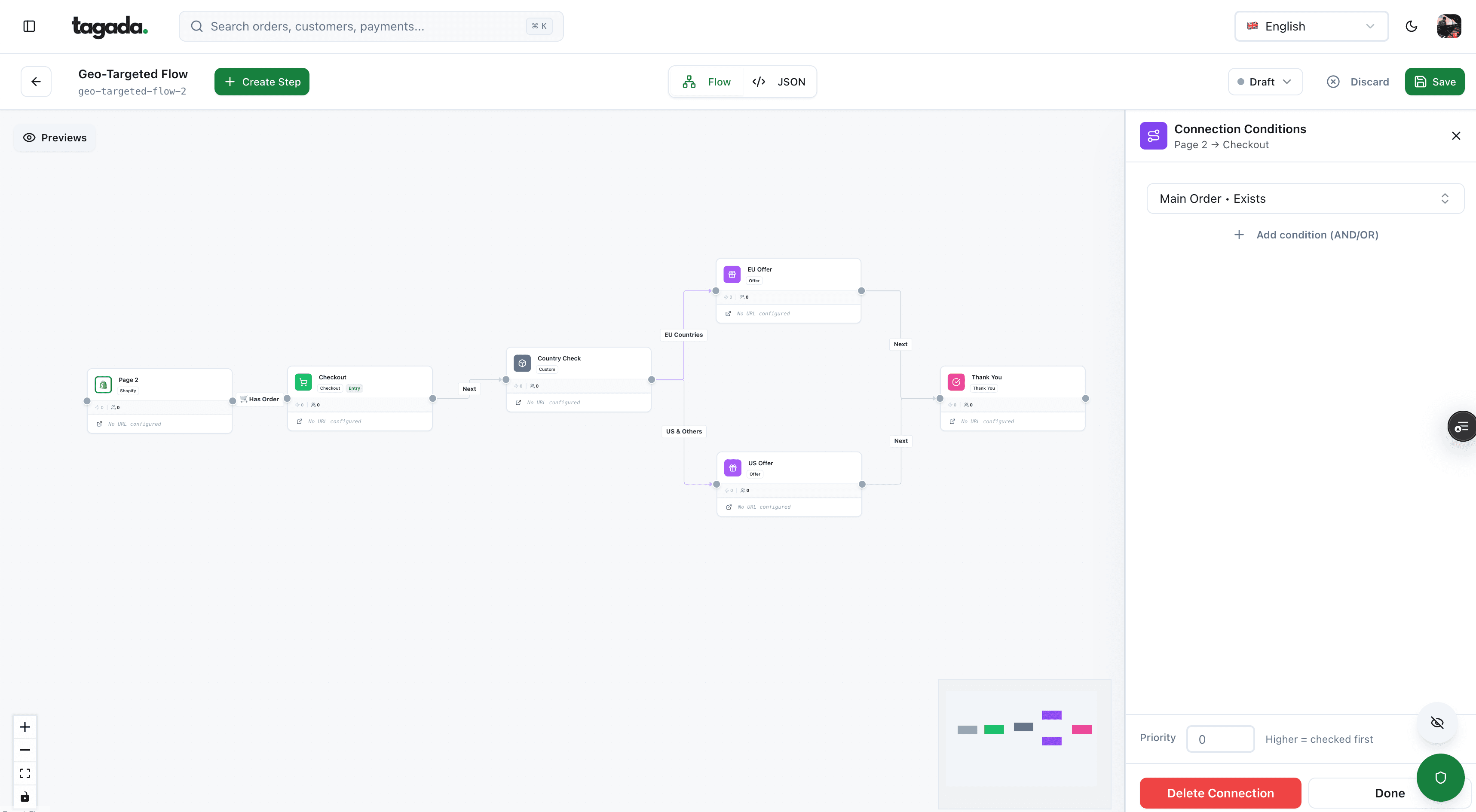
Build the funnel once, route every customer to the right offer
Checkout, upsells and subscriptions on one flow, with conditions per country, order or customer.
How to send 1,000 or 10,000 emails at once for free
A single send to a large list is where most free plans break. Here's what each option allows in one go, on October 14, 2026.
| Option | 1,000 emails in one send | 10,000 emails in one send |
|---|---|---|
| Personal Gmail | NoBlocked above 500 recipients | No |
| Gmail mail merge (Workspace) | YesUnder 1,500 a day, on a paid plan | No |
| Mailchimp, Klaviyo, MailerLite Free | No250 contacts | No |
| Brevo Free | No300 a day, so four days | No34 days at 300 a day |
| Sender Free | YesUp to 2,500 subscribers | No2,500 subscribers |
| Shopify Messaging | YesFrom the 10,000 a month | YesThe whole monthly allowance |
| Amazon SES | About $0.10 once out of the sandbox | About $1 |
Sources: provider pages listed above.1Google, Gmail Help: Gmail sending limits (read October 14, 2026)3Google, Gmail Help: Send personalized emails with mail merge (read October 14, 2026)7Mailchimp, Marketing plans and pricing (read October 14, 2026)10Brevo, Pricing plans (read October 14, 2026)11Sender, Free bulk email sender (read October 14, 2026)12Shopify Help Center, Shopify Messaging email pricing (read October 14, 2026)13Amazon SES pricing (read October 14, 2026)
Two warnings with big sends. If many of those 10,000 addresses are Gmail accounts, one send can put you past Google's 5,000-a-day threshold and make you a permanent bulk sender.6Google Workspace Admin Help: Email sender guidelines FAQ (read October 14, 2026) And a large send to a list nobody has emailed in months produces bounces and spam complaints that hurt every later email: warm the list up with your most recent customers first.
Is there a way to send unlimited emails for free?
No. Every free plan above has a ceiling, and the ceilings exist to keep spam off shared sending servers. The search results promising "unlimited" usually mean one of three things.
What 'unlimited and free' usually hides
Self-hosting. A mail server on your own VPS has no per-email fee, but you take on authentication, IP reputation, bounces and blocklists yourself. Rotating several free accounts. Same list, same content, same complaints, spread over more mailboxes that all get flagged. Cracked bulk mailing software. It's pirated, it can carry malware, and it doesn't lift any provider's limit: your mailbox or sending service still enforces its own.
The cheapest legitimate route at volume is pay-as-you-go sending. Amazon SES charges $0.10 per 1,000 emails.13Amazon SES pricing (read October 14, 2026) New accounts start in a sandbox: verified recipients only, 200 messages per 24 hours, one per second. To leave it, you request production access, declare marketing or transactional mail, and confirm you only email people who asked and handle bounces and complaints; AWS gives a first answer within 96 hours.14Amazon SES Developer Guide, Request production access (moving out of the sandbox) SES sends; it doesn't give you a list manager, templates or unsubscribe pages, so it suits a team with a developer.
The rules that apply even when the tool is free
A free tool doesn't lower the legal bar. The rules depend on where your customers are, not on what you pay.
Each separate email in violation of the CAN-SPAM Act is subject to penalties of up to $53,088.
CAN-SPAM, US
Commercial email, B2B included. No false headers or deceptive subjects, identify the ad, a valid postal address, a clear opt-out honored within 10 business days, and you answer for anyone sending on your behalf.15FTC, CAN-SPAM Act: A Compliance Guide for Business
ePrivacy, EU, art. 13
Marketing email needs prior consent. Exception: customers' details obtained in a sale, for your own similar products, if they can object easily and free of charge at collection and in every message.16Directive 2002/58/EC (ePrivacy Directive), Article 13
Google sender rules
SPF or DKIM for every sender to Gmail. From about 5,000 messages a day: DMARC, an aligned From domain and one-click unsubscribe.5Google Workspace Admin Help: Email sender guidelines (read October 14, 2026)
Transactional messages, like an order confirmation or a receipt, are exempt from most CAN-SPAM provisions, but they can't carry false routing information.15FTC, CAN-SPAM Act: A Compliance Guide for Business Keep them out of your bulk marketing tool's logic: see payment confirmation emails. In the EU, consent is also personal data processing: see GDPR.
Which free option fits your list size
Start from how many customers you'll email and how often, not from the tool's homepage.
| Your list | Free options that fit | Watch for |
|---|---|---|
| Under 250 opted-in contacts | Mailchimp, Klaviyo or MailerLite Free; Gmail mail merge if you already pay for Workspace | Contact caps count everyone you import |
| 250 to 1,500 | Gmail mail merge on Workspace; Sender Free; Brevo Free if you can spread a send over several days | Brevo's 300 a day turns one campaign into a week |
| 1,500 to 2,500 | Sender Free; Shopify Messaging on a Shopify store | Branding in the footer; 15,000 or 10,000 a month in total |
| 2,500 to 10,000 sends a month | Shopify Messaging on a Shopify store; otherwise a paid plan or Amazon SES | Over 5,000 a day to Gmail, you're a bulk sender |
| Above that | NoFree option; Amazon SES or a paid ESP plan | DMARC, alignment and one-click unsubscribe are mandatory at Gmail |
Set up a free bulk send to your customer list
Whatever the tool, the order of work is the same for a store.
- Pick who can receive marketing. Export only customers who subscribed, or, in the EU, recent buyers covered by the existing-customer exception who were offered an opt-out.
- Send from your own domain. An address like news@yourbrand.com, never a gmail.com address through an email service.
- Authenticate the domain. SPF and DKIM at least, DMARC before volume grows. The records are explained in our spam guide.
- Write the email with the legal basics. Your postal address, a working unsubscribe link, a subject line that matches the content.
- Test it. Send to two or three inboxes you control and check merge fields, links and the unsubscribe.
- Send to your most engaged customers first. Recent buyers and recent openers, then the rest in batches within your plan's daily limit.
- Process unsubscribes and bounces the same day. Google recommends 48 hours at most for unsubscribes; CAN-SPAM's hard limit is 10 business days.
The first batch is a test of your list, not only of your template.
Where the list comes from matters as much as how you send it. A consent checkbox at checkout, unticked by default, is the cleanest source: see guest checkout for where to place it, and how to reduce cart abandonment for the reminders you may send without it.
Where Tagada fits
Tagada doesn't replace your email tool. It runs the part of the store where your customer list and your payment events are created.
How Tagada helps
The checkout behind your customer list
Tagada runs the checkout, with one-click upsells, order bumps, A/B tests, Apple Pay and Google Pay, and subscriptions with trials, billing cycles and automatic payment retries, standalone or alongside Shopify and WooCommerce. Payments route across Stripe, Adyen and Tagada's own processor, TagadaPay, with one set of rules and a cascade on decline. Server-side tracking sends conversions to Meta, Google and TikTok. Pricing is on the pricing page.
Free sending works while the list is small and clean. Once you're past a few thousand customers, pay for sending and spend the effort on what free plans skip: authentication, consent records and unsubscribes handled the same day.
Frequently asked questions
How can I send bulk emails for free?
How many emails can I send per day with Gmail for free?
Can I send 1,000 emails at once for free?
Is there a way to send unlimited emails for free?
What is Gmail's 5,000 email rule?
Is it legal to send bulk emails to my customers?
Sources
Checked October 14, 2026- Google, Gmail Help: Gmail sending limits (read October 14, 2026)
- Google Workspace Admin Help: Gmail sending limits in Google Workspace (read October 14, 2026)
- Google, Gmail Help: Send personalized emails with mail merge (read October 14, 2026)
- Google Apps Script: Quotas for Google services (read October 14, 2026)
- Google Workspace Admin Help: Email sender guidelines (read October 14, 2026)
- Google Workspace Admin Help: Email sender guidelines FAQ (read October 14, 2026)
- Mailchimp, Marketing plans and pricing (read October 14, 2026)
- Klaviyo, Pricing (read October 14, 2026)
- MailerLite, Pricing (read October 14, 2026)
- Brevo, Pricing plans (read October 14, 2026)
- Sender, Free bulk email sender (read October 14, 2026)
- Shopify Help Center, Shopify Messaging email pricing (read October 14, 2026)
- Amazon SES pricing (read October 14, 2026)
- Amazon SES Developer Guide, Request production access (moving out of the sandbox)
- FTC, CAN-SPAM Act: A Compliance Guide for Business
- Directive 2002/58/EC (ePrivacy Directive), Article 13
Tagada
Your customer list starts at checkout
Funnels, one-click upsells, subscription billing and payment routing, on one customer record.
- 01Create your free account
- 02Connect your store or build a checkout
- 03Launch funnels, upsells and subscriptions