
How to Prevent Emails From Going to Spam: The Sender Rules, Record by Record
Gmail, Yahoo and Outlook sender rules, SPF, DKIM and DMARC records with examples, one-click unsubscribe, and a symptom-to-fix table for store emails.

Article summary
TL;DR
To keep emails out of spam, authenticate your domain with SPF, DKIM and DMARC, add one-click unsubscribe to marketing email, and keep the spam rate Gmail measures below 0.1%. Mail only people who agreed to hear from you, remove bounces, and send receipts and marketing from separate streams so a bad campaign can't bury order emails.
- Gmail, Yahoo and Outlook.com now require SPF, DKIM and DMARC from senders above 5,000 emails a day. Below that, Gmail and Yahoo still want SPF or DKIM.
- Google asks you to keep the user-reported spam rate below 0.1% and never reach 0.3%.
- Marketing email needs one-click unsubscribe (RFC 8058) and unsubscribes honored within 2 days. Order confirmations don't.
- Send receipts, renewal notices and failed-payment emails from a different stream than promotions, so complaints on a campaign don't follow them.
- When something breaks, the bounce code usually says why: 5.7.26 at Gmail, 550 5.7.515 at Outlook.com means authentication.
 ChatGPT
 Claude
 Perplexity
 Grok
GrokOn this page
Mailbox providers decide where your email lands from a few signals: whether your domain proves it sent the message, whether recipients complain, and whether they asked for it. Since 2024, Gmail and Yahoo have written those signals down as rules, and Outlook.com followed in 2025. This guide covers each rule, the DNS records behind them, and how to keep the emails a store can't afford to lose out of the spam folder.
Why emails go to spam
Filters don't read intent. They read evidence, and most of it falls into three groups.
Identity
Does the message prove it comes from your domain? SPF, DKIM and DMARC answer that. Without them, Gmail may mark mail as spam or reject it outright.
Reputation
How have recipients reacted to your past mail? Spam reports, bounces and sudden volume spikes all count against the domain and the sending IP.
Consent
Did the recipient ask for this? Bought lists, old lists and a hidden unsubscribe link turn into complaints, and complaints feed reputation.
Content matters less than most checklists suggest. A clean subject line won't save a domain with no DKIM and a complaint problem. Fix identity and consent first, then look at the copy.
For a store, the cost of the spam folder isn't only a weaker campaign. An order confirmation that never arrives sends the customer to support or to their bank. A failed-payment notice that lands in spam means a renewal that never gets fixed. A missed reminder before a free trial converts can turn into a dispute. These emails deserve the most protection, and they're the ones a bad marketing blast can drag down with it.
The Gmail, Yahoo and Outlook sender rules
Google's rules took effect on February 1, 2024, and Google says it has been ramping up enforcement on non-compliant traffic since November 2025.1Google, Email sender guidelines (Google Workspace Admin Help)2Google, Email sender guidelines FAQ Yahoo published matching rules for bulk senders.3Yahoo Sender Hub, Sender best practices Microsoft followed for Outlook.com, Hotmail.com and Live.com addresses: since May 5, 2025, domains sending more than 5,000 emails a day that fail the checks are rejected with the code 550; 5.7.515 Access denied.4Microsoft Tech Community, Outlook's new requirements for high-volume senders (April 2, 2025, updated April 29, 2025)
5,000/day
Gmail and Outlook.com volume that makes you a bulk sender
0.1%
Spam rate Google asks you to stay under
0.3%
Spam rate Google and Yahoo say never to reach
2 days
Yahoo's limit to honor an unsubscribe
| Requirement | Gmail | Yahoo | Outlook.com |
|---|---|---|---|
| Who it applies to | All senders; stricter above 5,000 messages a day to personal Gmail accounts | All senders; stricter for bulk senders | Domains sending more than 5,000 emails a day |
| SPF and DKIM | SPF or DKIM for everyone; both for bulk senders | SPF or DKIM for everyone; both for bulk senders | Both must pass |
| DMARC | Bulk senders: a record, policy can be p=none | Bulk senders: at least p=none, and DMARC must pass | At least p=none |
| Alignment | From domain aligned with the SPF or DKIM domain | Same; relaxed alignment is fine | With SPF or DKIM, preferably both |
| Unsubscribe | Bulk senders: one-click for marketing, plus a visible link in the body; honor within 48 hours | Bulk senders: one-click (RFC 8058 POST highly recommended), visible link; honor within 2 days | A functional, clearly visible unsubscribe link (recommended) |
| Spam rate | Below 0.3%, aim below 0.1% | Below 0.3% | Not published |
| Infrastructure | Valid forward and reverse DNS (PTR), TLS, RFC 5322 formatting | Valid forward and reverse DNS, RFC 5321 and 5322 | A valid From or Reply-To address that can receive replies (recommended) |
| If you miss it | Spam folder or rejection (5.7.26 for unauthenticated mail) | Not detailed on Yahoo's page | Rejection with 550 5.7.515 |
Two details catch stores out. First, Google counts subdomains with their main domain: 2,500 messages from yourstore.com and 2,500 from news.yourstore.com make you a bulk sender, and once you've crossed 5,000 in a day, you stay one permanently.2Google, Email sender guidelines FAQ Second, Microsoft's checklist recommends a From or Reply-To address that can actually receive replies.4Microsoft Tech Community, Outlook's new requirements for high-volume senders (April 2, 2025, updated April 29, 2025) A no-reply@ address on a receipt works against that, and it's also the address an unhappy customer will try to answer before calling their bank.
Set up SPF, DKIM and DMARC
The three records do different jobs. SPF lists the servers allowed to send for a domain. DKIM signs each message so the receiver can check it wasn't altered. DMARC ties both to the address the customer sees in the From line and tells receivers what to do when the check fails.
SPF: who may send for your domain
SPF is a TXT record on the domain used in the envelope sender (the Return-Path), not necessarily the visible From.6RFC 7208, Sender Policy Framework (SPF)
yourstore.com. TXT "v=spf1 include:_spf.your-mailbox-host.example include:_spf.your-email-platform.example ~all"
- One record per domain. Two
v=spf1records make the check fail with a permanent error.6RFC 7208, Sender Policy Framework (SPF) - 10 DNS lookups at most. Each
include,a,mxandredirectcounts. Store stacks hit this fast: mailbox host, email platform, helpdesk, review app, invoicing tool. Past 10, SPF returns a permanent error, which is not a pass for Gmail, Yahoo or Microsoft.6RFC 7208, Sender Policy Framework (SPF) - End with
~allor-all. Soft fail or fail for anything not listed. Never+all.
DKIM: a signature on every message
Your email platform generates a key pair and gives you a public key to publish under a selector.7RFC 6376, DomainKeys Identified Mail (DKIM) Signatures
s1._domainkey.yourstore.com. TXT "v=DKIM1; k=rsa; p=MIIBIjANBgkqhkiG9w0BAQEFAAOCAQ8AMIIBCgKCAQEA...IDAQAB"
Make sure each tool signs with your domain (d=yourstore.com in the signature), not its own. A platform signing as d=platform-mail.example passes DKIM but doesn't align with your From address, so it doesn't help DMARC.
DMARC: policy and reports
DMARC lives at _dmarc on the From domain.8RFC 7489, Domain-based Message Authentication, Reporting, and Conformance (DMARC)
_dmarc.yourstore.com. TXT "v=DMARC1; p=none; rua=mailto:dmarc-reports@yourstore.com"
A message passes DMARC when SPF or DKIM passes and the domain that passed matches the From domain. Relaxed alignment, the default, accepts a subdomain: DKIM signed by mail.yourstore.com aligns with a From of orders@yourstore.com.8RFC 7489, Domain-based Message Authentication, Reporting, and Conformance (DMARC) The rua address receives daily aggregate reports listing every server that sent mail as your domain. Yahoo recommends including it.3Yahoo Sender Hub, Sender best practices
Fig. 1Moving DMARC from monitoring to enforcement
- p=nonePublish with rua and read the reports. Enough for Gmail, Yahoo and Outlook
- Fix sendersEvery legitimate tool passes SPF or DKIM, aligned
- p=quarantineFailing mail goes to spam. Start with pct below 100 if unsure
- p=rejectFailing mail is refused. Spoofed receipts stop reaching customers
p=none meets all three providers' rules. Going further is about protection: payment and order emails are what phishers copy, and only quarantine or reject tells receivers to stop delivering fakes that use your domain.
The forgotten sender
DMARC reports usually reveal a tool nobody listed: the helpdesk sending ticket replies, the subscription app sending renewal notices, the old platform still mailing abandoned carts. Move to quarantine before fixing them and your own renewal notices go to spam.
Add one-click unsubscribe to marketing email
Gmail and Yahoo require one-click unsubscribe on marketing and subscribed messages from bulk senders, on top of a visible link in the body.1Google, Email sender guidelines (Google Workspace Admin Help)3Yahoo Sender Hub, Sender best practices The mechanism is RFC 8058: two headers that let the mailbox show its own "Unsubscribe" button and send the request for the user.
List-Unsubscribe: <https://news.yourstore.com/u/8f3a2c9e>, <mailto:unsubscribe@news.yourstore.com?subject=8f3a2c9e>
List-Unsubscribe-Post: List-Unsubscribe=One-Click
What RFC 8058 requires from the sender:5RFC 8058, Signaling One-Click Functionality for List Email Headers
- The
List-Unsubscribeheader contains one HTTPS URL. Amailto:can sit next to it. List-Unsubscribe-Postcontains exactlyList-Unsubscribe=One-Click.- The URL identifies the recipient and the list with a hard-to-guess token, so the unsubscribe works without a login.
- Your server accepts a POST with no cookies, and doesn't answer with a redirect.
- A valid DKIM signature covers both headers (they're listed in its
h=tag).
If the button doesn't appear in Gmail, the DKIM signature is the first thing to check.
Then honor the request: within 48 hours, Google suggests; within 2 days, Yahoo requires.2Google, Email sender guidelines FAQ3Yahoo Sender Hub, Sender best practices US law gives you 10 business days, but the mailbox rules are stricter.10FTC, CAN-SPAM Act: A Compliance Guide for Business
Transactional messages are outside this rule. Google names password resets and reservation confirmations as examples.2Google, Email sender guidelines FAQ Order confirmations, receipts and shipping updates don't need the header. A one-click unsubscribe on a failed-payment email would even be counterproductive: a customer could stop the very notice that saves their subscription.
Separate transactional and marketing email
Every provider points the same way. Google advises against mixing content types in one message and suggests a different IP address and From address for each type.1Google, Email sender guidelines (Google Workspace Admin Help) Yahoo recommends not sending bulk or marketing mail from the IPs used for transactional or alert mail, because each IP and DKIM domain builds its own reputation.3Yahoo Sender Hub, Sender best practices Postmark splits traffic into transactional and broadcast streams, on separate subdomains with their own DKIM and Return-Path, so broadcast traffic doesn't slow transactional delivery.9Postmark, How to create and send through message streams
Fig. 2One domain, separate streams
- orders.yourstore.comOrder confirmations, receipts, shipping, refunds
- billing.yourstore.comRenewal reminders, failed payments, card updates
- news.yourstore.comCampaigns, launches, win-back. One-click unsubscribe
Each subdomain gets its own DKIM key and Return-Path, and ideally its own IP or provider stream. A campaign that draws complaints then hurts news., not the receipts. Two limits: Google still counts every subdomain toward the 5,000-a-day threshold of the main domain, and your DMARC policy on yourstore.com applies to subdomains unless you set sp=.2Google, Email sender guidelines FAQ8RFC 7489, Domain-based Message Authentication, Reporting, and Conformance (DMARC)
The emails to put on the protected stream are the ones with money attached:
- Order confirmation and receipt. The customer's proof of what they paid and to whom. Our guide to the payment confirmation email covers what to put in it, including the billing descriptor they'll see on their statement.
- Failed payment and card update. The core of dunning: if it lands in spam, the renewal fails for good. The causes on the payment side are in subscription payment failures.
- Trial-end and renewal reminders. Visa requires a notice at least 7 days before the payment when a trial, introductory offer or promotion ends, with the amount, the payment date and a simple way to cancel.13Visa Core Rules and Visa Product and Service Rules, April 18, 2026 A notice nobody sees doesn't protect you in a dispute. More in negative option billing.
- Refund and cancellation confirmations. A customer who doesn't see one tends to file a chargeback.
Keep promotions out of these emails. Beyond deliverability, CAN-SPAM judges a mixed message by its primary purpose: if the subject line reads like an ad, or the transactional part isn't mainly at the beginning, the whole email is treated as commercial and needs an opt-out.10FTC, CAN-SPAM Act: A Compliance Guide for Business
Inside Tagada
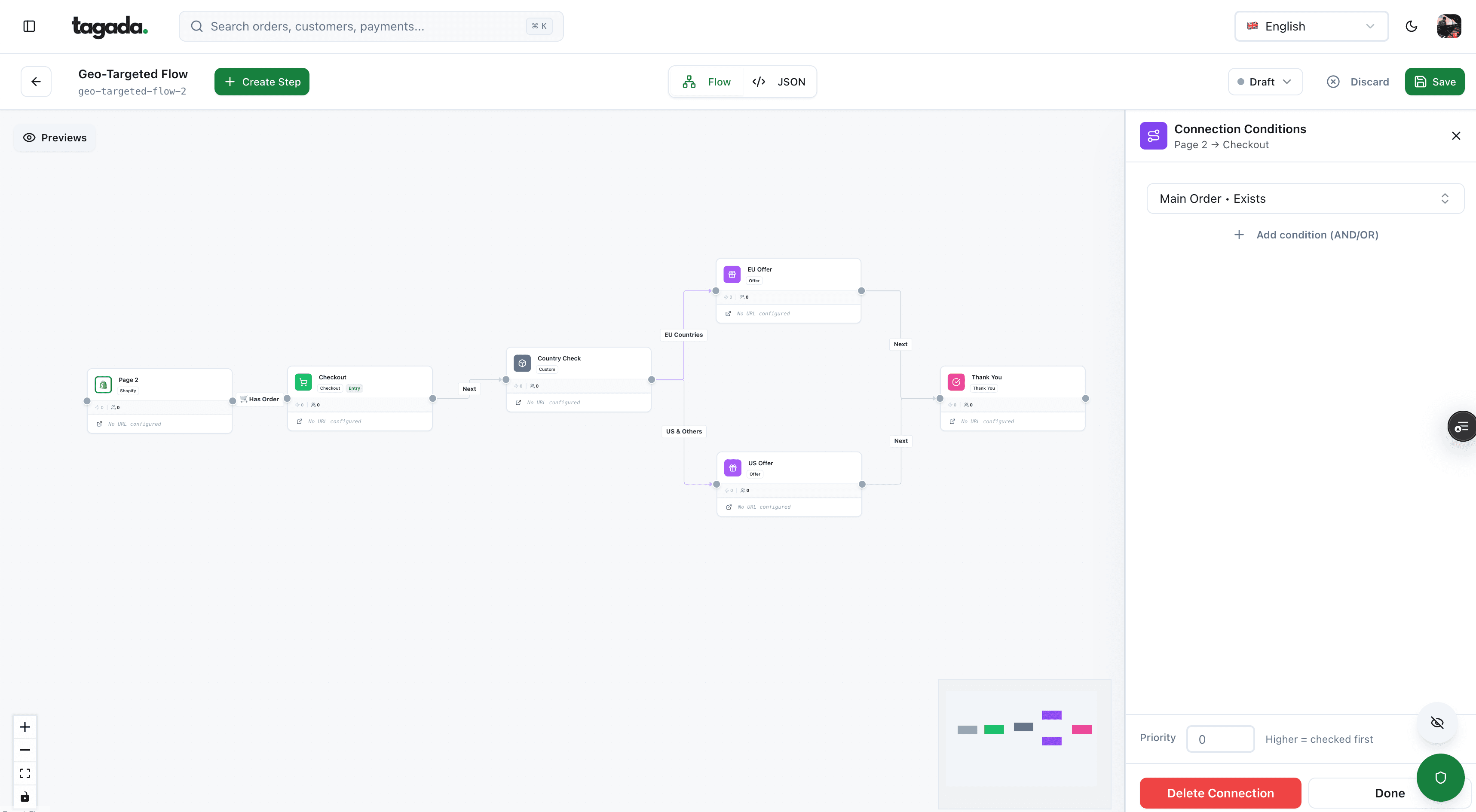
Build the funnel once, route every customer to the right offer
Checkout, upsells and subscriptions on one flow, with conditions per country, order or customer.
Get consent and keep your list clean
Complaints come from people who didn't expect your email. The fix is upstream, at the moment you collect the address.
| Rule | United States (CAN-SPAM) | European Union (ePrivacy Directive, Art. 13) |
|---|---|---|
| Before the first marketing email | Prior consent not required, but no false headers or deceptive subjects | Prior consent, except for existing customers |
| Existing customers | Same rules as everyone | You may email them about your own similar products if they could object, free and easily, when you collected the address and in every message |
| Opt-out | In every marketing email, honored within 10 business days, working for at least 30 days after sending | Offered in every message, with a valid address to object |
| Sender identity | Your physical postal address in the email | Sender identity can't be disguised or concealed |
| Penalty | Up to $53,088 per email in violation | Set by each member state |
Sources: FTC CAN-SPAM guide10FTC, CAN-SPAM Act: A Compliance Guide for Business; Directive 2002/58/EC, Article 13.11Directive 2002/58/EC (ePrivacy Directive), Article 13 A checkout checkbox that is pre-ticked or bundled with the terms is weak consent in the EU and a complaint generator everywhere.
Then keep the list honest:
- Hard bouncesAddresses that don't exist. Repeated sends look like a bought listSuppress after the first hard bounce
- Typos captured at checkoutgmial.com, hotmial.com: receipts that never arriveSuggest corrections on the email field at checkout
- Subscribers silent for monthsLow engagement drags down how your mail is filteredRun one re-engagement email, then stop mailing them
- Imported or bought contactsSpam traps and complaintsDon't mail them
- UnsubscribesA legal and mailbox-provider obligationSync to every tool that sends marketing
Double opt-in, where a new subscriber confirms by clicking a link, isn't required by Gmail, Yahoo or US law, but it removes typos and fake signups before they cost you anything. Keep customers who unsubscribed from marketing on the transactional list: they still need their receipts.
Warm up a new domain or IP
A domain or IP with no history has no reputation. Sending a full list from it on day one looks like a spammer who just registered a domain. Ramp up instead: start with your most engaged recipients (recent buyers, recent openers), keep a steady daily rhythm, and raise volume while bounces and complaints stay low. Most email platforms publish their own warm-up schedule for dedicated IPs; follow your provider's, since it knows its infrastructure.
The same logic applies when you migrate platforms. Reputation is attached to the domain and IP, so a new IP starts from zero even if the domain is old. Don't schedule a migration the week before a big sale.
Choosing a sending tool for volume is a separate question, covered in our guide to sending bulk emails.
What filters still read in the content
Content is a weaker signal than identity and complaints, but it isn't zero. The reasoning matters more than any list of "spam words," which no provider publishes.
- Mismatch. A subject line that promises something the email doesn't deliver is deceptive under CAN-SPAM and draws complaints.10FTC, CAN-SPAM Act: A Compliance Guide for Business
- Links. Filters check the reputation of linked domains. URL shorteners and links to a domain unrelated to yours look like phishing, especially in a "payment failed" email.
- One big image. An email that is a single image gives filters nothing to read and shows nothing when images are blocked. Send real text and a plain-text version.
- Attachments. Invoices as PDF attachments can trigger scanning; a link to the invoice in the customer's account avoids it.
- Brand consistency. The From name, the From domain and the links should all say the same store. A receipt from
Shop <noreply@mailer-123.example>linking to a third domain looks forged.
Monitor before you troubleshoot
Google Postmaster Tools shows, for verified domains, your spam rate, reputation, authentication and delivery errors for mail sent to personal Gmail accounts. Its compliance status dashboard marks each sender requirement as Compliant or Needs work.12Google, Postmaster Tools dashboards (Gmail Help) Two caveats from Google itself: data can take up to 7 days to appear, and when Gmail already filters a lot of your mail, the spam rate can look artificially low because fewer people see the messages in their inbox.12Google, Postmaster Tools dashboards (Gmail Help)
Add your DMARC aggregate reports (every server sending as your domain) and your platform's bounce logs. Together they answer most questions before a customer emails "I never got my receipt."
Diagnose it: symptom, cause, fix
| What you see | Likely cause | Fix |
|---|---|---|
Gmail bounces with 5.7.26, or mail marked unauthenticated | SPF and DKIM fail, or the passing domain doesn't align with the From | Check the headers of a sent message (spf=, dkim=, dmarc=); add the missing include or set up DKIM with your domain |
Outlook.com rejects with 550 5.7.515 | A domain above 5,000 a day failing SPF, DKIM or DMARC | Same fix; Microsoft wants SPF and DKIM to pass, plus DMARC at p=none or stricter |
SPF result is permerror | Two SPF records, or more than 10 DNS lookups | Merge into one record; remove unused tools; move a tool to its own subdomain |
| Only mail from one tool goes to spam | That tool isn't in SPF or signs DKIM with its own domain | Add its include and set up custom DKIM; check DMARC reports for its IPs |
| Postmaster spam rate climbing toward 0.3% | Complaints: unexpected frequency, old segment, unclear unsubscribe | Pause the source segment, cut frequency, make one-click unsubscribe work |
| Receipts start landing in spam after a big campaign | Receipts and promotions share a domain, IP or stream | Split streams; move transactional mail to its own subdomain and DKIM key |
| Spike in hard bounces after an import | Old, scraped or typo-filled list | Stop sending to it; suppress bounces; don't re-import |
| Gmail shows no "Unsubscribe" button | List-Unsubscribe-Post missing, or DKIM doesn't cover the headers | Add both headers and sign them; check the URL accepts a POST without redirect |
| Customers say they never got the order email, then dispute | Typo in the address, spam placement, or the email was never triggered | Check the platform log first; show the order number and support contact on the thank-you page as a fallback |
Practical rule
Change one thing at a time. Fix authentication, wait for the reports, then look at lists, then content. If you change the domain, the copy and the segment the same week, you won't know which one fixed it.
Frequently asked questions
Why are my emails suddenly going to spam?
Do Gmail's sender rules apply to small businesses?
Do order confirmations need an unsubscribe link?
Should transactional and marketing emails use different domains?
What spam rate is too high?
How do I stop a sender's emails going to spam in my own inbox?
Sources
Checked October 14, 2026- Google, Email sender guidelines (Google Workspace Admin Help)
- Google, Email sender guidelines FAQ
- Yahoo Sender Hub, Sender best practices
- Microsoft Tech Community, Outlook's new requirements for high-volume senders (April 2, 2025, updated April 29, 2025)
- RFC 8058, Signaling One-Click Functionality for List Email Headers
- RFC 7208, Sender Policy Framework (SPF)
- RFC 6376, DomainKeys Identified Mail (DKIM) Signatures
- RFC 7489, Domain-based Message Authentication, Reporting, and Conformance (DMARC)
- Postmark, How to create and send through message streams
- FTC, CAN-SPAM Act: A Compliance Guide for Business
- Directive 2002/58/EC (ePrivacy Directive), Article 13
- Google, Postmaster Tools dashboards (Gmail Help)
- Visa Core Rules and Visa Product and Service Rules, April 18, 2026
Tagada
Checkout, subscriptions and payment retries in one place
Funnels, one-click upsells, subscription billing and payment routing, on one customer record.
- 01Create your free account
- 02Connect your store or build a checkout
- 03Launch funnels, upsells and subscriptions