
What Is Server-Side Tracking? Browser Pixels vs Server Events
Server-side tracking sends conversions from your server to Meta, Google and TikTok: how it works, what it fixes, why consent still applies, and setup.

Article summary
TL;DR
Server-side tracking means your server, not the visitor's browser, sends conversion events to Meta, Google, TikTok or GA4. The browser pixel can be blocked or cut short; a server event can't be stopped by an ad blocker. It still needs the visitor's consent, a shared event ID to avoid double counting, and hashed customer data.
- A pixel sends events from the browser. Server-side tracking sends them from a server you control, through Meta's Conversions API, Google's server-side Tag Manager, GA4's Measurement Protocol or TikTok's Events API.
- It recovers events the browser loses: ad blockers, short-lived Safari cookies, buyers who close the tab before the thank-you page.
- It doesn't get around consent. In the EU, the EDPB says tracking pixels and the JavaScript that sends identifiers fall under ePrivacy Article 5(3).
- Send the purchase only after the payment succeeds, from the payment webhook, and send refunds too.
- Send the same event ID from the pixel and the server, or each sale counts twice.
 ChatGPT
 Claude
 Perplexity
 Grok
GrokOn this page
Server-side tracking moves the sending of conversion events from the visitor's browser to a server you control. For an online store, the main change is simple: the purchase is reported by the system that knows the payment went through, not by a script hoping the thank-you page loads. This guide covers how it works, what it recovers, what it doesn't (consent is still required), and how to set it up with Meta, Google and TikTok. For supplement and skincare brands: server-side tracking for supplement brands and server-side tracking for skincare brands.
What is server-side tracking?
Server-side tracking is a way to send analytics and ad conversion events from your server to the platforms (Meta, Google Ads, GA4, TikTok) through their APIs, instead of only from tags running in the visitor's browser.
With a classic pixel, the browser loads each platform's script, and each script sends its own request to its own domain. With server-side tracking, the event goes to your server first, or starts there. The server checks it, adds what it knows (order ID, amount, payment status), removes what shouldn't leave, and forwards it. Google describes its server container this way: only you have access to the data in the server until you choose to send it elsewhere, and you control how it is shaped and where it is routed.14Google Tag Manager, An introduction to server-side tagging
Fig. 1Same purchase, two paths
Browser pixel (client-side)
- Thank-you pagePixel script runs in the browser
- sends directly toMeta, Google, TikTokOne request per platform, from the browser
Lost if the script is blocked or the page never loads
Server event (server-side)
- Payment succeedsYour processor sends a webhook
- receivesYour serverChecks, adds order data, hashes the email
- forwards to


 Meta, Google, TikTok APIsServer-to-serverApproved
Sent even if the buyer closed the tab
the server knows the payment succeeded
There are two flavors, and most guides mix them up:
- Server-side tagging. The browser still sends one stream of events, but to your own server (for example a Google Tag Manager server container on a subdomain of your site). The server then forwards to each platform.
- Server events. The event starts on the server, with no browser involved: a payment webhook, a subscription renewal, a refund. This is the part a pixel can never see.
For a store, the second kind matters most, because that's where the money is confirmed.
Client-side vs server-side tracking
| Client-side (pixel, tag) | Server-side | |
|---|---|---|
| Who sends the event | The visitor's browser | Your server or a server you rent |
| What can block it | Ad blockers, browser privacy rules, scripts that fail, a closed tab | Your own bugs, an API error, missing consent |
| When a purchase is sent | When the confirmation page loads | When the payment is confirmed |
| Events with no visit | Not possible (renewals, refunds, offline sales) | Possible |
| Data sent to the platform | What the script collects in the page | What you decide to send |
| Setup | Paste a tag | Code, a server container or a built-in integration |
| Still needs consent | Same rules | Same rules |
| Best for | Page views, clicks, scrolls, add to cart | Purchases, renewals, refunds, leads confirmed in your system |
Neither replaces the other. Meta's own advice is to use the Conversions API in addition to the pixel and to share the same events through both.10Meta for Developers, Conversions API Best Practices Google's Measurement Protocol is "intended to supplement, not replace" its tags.19Google Analytics, Measurement Protocol (GA4)
Why browser tracking loses events
A pixel works only if four things happen in the visitor's browser: the script loads, the browser lets it read or set its cookie, the visitor has accepted tracking, and the page stays open long enough for the request to leave. Each one fails for a share of your traffic.
Ad and tracker blockers
Extensions and some browsers block requests to known tracking domains. The pixel never fires, or fires without its cookie.
Safari's tracking prevention
Cookies set by scripts are capped at 7 days, sometimes 1 day, and cross-site cookies are blocked. Returning buyers look like new ones.
Consent refused
In the EU and UK, a visitor who declines tracking cookies must not be tracked by the pixel. Server-side doesn't change that.
The page never loads
Payment redirects, 3D Secure pop-ups and buyers closing the tab: the thank-you page, and its pixel, never run.
The Safari part is documented by WebKit, the team behind Safari's engine, in a series of posts on Intelligent Tracking Prevention (ITP):
Fig. 2How Safari shortened tracking cookies
- Feb. 2019ITP 2.1: cookies created by scripts capped at 7 days
- Apr. 2019ITP 2.2: 1 day after a click from a tracker with a query string
- Mar. 2020Cross-site cookies blocked by default
- Nov. 2020Cookies from CNAME-cloaked trackers capped at 7 days
each step hit browser-set pixel cookies
- ITP 2.1 capped "persistent cookies created through document.cookie" to seven days.1WebKit, Intelligent Tracking Prevention 2.1 (Feb. 21, 2019) That's how a pixel stores its browser ID.
- ITP 2.2 went further: when a site known for cross-site tracking sends the visitor to your page with a query string or fragment in the URL, which is how ad clicks arrive, cookies set by scripts on that page are capped to one day.2WebKit, Intelligent Tracking Prevention 2.2 (Apr. 24, 2019)
- March 2020: "cookies for cross-site resources are now blocked by default across the board."3WebKit, Full Third-Party Cookie Blocking and More (Mar. 24, 2020)
- November 2020: cookies set by a third-party tracker hidden behind a subdomain of your site (CNAME cloaking) were capped at 7 days too.4WebKit, CNAME Cloaking and Bounce Tracking Defense (Nov. 12, 2020) So hiding a third-party tracker behind your own subdomain isn't a way around ITP.
- In Private Browsing, Safari also removes some query parameters used for cross-site tracking from URLs before the page loads.5WebKit, Private Browsing 2.0 The click ID never reaches your site.
What this means for a store: a buyer who clicks an ad on Monday and buys on the following Wednesday may arrive with no pixel cookie left. The pixel sees a new visitor; the ad platform can't connect the sale to the click.
None of these published posts gives a percentage of events lost, and the blocker and consent numbers that circulate come from vendors. Measure your own gap: compare paid orders in your payment system with purchases reported by each ad platform over the same period.
What server-side tracking fixes, and what it doesn't
What it fixes
- Purchases are sent even when the buyer never sees the thank-you page
- Ad blockers can't stop a request sent from your server to Meta's or Google's API
- Renewals, refunds and offline sales can be sent, with no visit at all
- You choose the fields that leave your system, and hash the personal ones
- One clean purchase value from the order, not what the page displayed
What it doesn't fix
- Consent: a visitor who said no still can't be tracked
- A click ID or cookie the browser never kept: the sale arrives with less to match
- Bad data: a wrong amount or a missing order ID is sent faster, not fixed
- Double counting, unless the pixel and the server share an event ID
- Attribution windows and models: those are set in each platform
The second "doesn't" deserves a line. Meta, Google and TikTok match a server event to an ad click using identifiers: the click ID saved in a cookie, the browser ID, a hashed email or phone. If Safari wiped the cookie, the server can still send the purchase with a hashed email, which the platform may match to a logged-in account. It can't invent the click ID.
Does server-side tracking get around consent?
No. Moving the sending to a server changes where the data goes after it's collected. It doesn't change the rules on collecting it.
In the EU, Article 5(3) of the ePrivacy Directive allows "the storing of information, or the gaining of access to information already stored, in the terminal equipment of a subscriber or user" only with consent, or when strictly necessary for specific purposes listed in that article.6EDPB, Guidelines 2/2023 on the Technical Scope of Art. 5(3) of the ePrivacy Directive, version 2.0, adopted Oct. 7, 20247Directive 2002/58/EC (ePrivacy Directive), Article 5(3) In its guidelines 2/2023, adopted in October 2024, the European Data Protection Board (EDPB) applies that rule to tracking methods beyond cookies:
The addition of tracking information to URLs or images (pixels) sent to the user constitutes an instruction to the terminal equipment to send back the targeted information (the specified identifier). In the case of dynamically constructed tracking pixels, it is the distribution of the applicative logic (usually a JavaScript code) that constitutes the instruction.
The same guidelines cover tracking links (the identifier added to a URL, used in affiliate marketing), tracking based on the IP address only, and "unique identifiers" such as a hashed email collected on the website and shared between companies.6EDPB, Guidelines 2/2023 on the Technical Scope of Art. 5(3) of the ePrivacy Directive, version 2.0, adopted Oct. 7, 2024 They also note that the rule applies even when the entity that tells the browser to send the data isn't the one receiving it.6EDPB, Guidelines 2/2023 on the Technical Scope of Art. 5(3) of the ePrivacy Directive, version 2.0, adopted Oct. 7, 2024 A server container on your subdomain is exactly that setup.
The guidelines deal with what is read from or stored on the visitor's device. Sending data your server already holds, like the order itself, to an ad platform is a separate question: it needs a legal basis under the GDPR. Ask your counsel which basis you rely on for each destination. More on the regulation in the glossary entry on GDPR.
Google adds its own rule: its EU user consent policy requires advertisers to get "legally valid consent" from users in the EEA, the UK and Switzerland for cookies where the law requires it, and for the collection, sharing and use of personal data to personalize ads.23Google, EU user consent policy
In the US, there's no consent banner requirement of the EU kind, but state privacy laws give opt-out rights. California's Attorney General explains that consumers can ask businesses to stop "selling or sharing" their personal information, that "sharing" means sharing for cross-context behavioral advertising, and that a browser's Global Privacy Control signal must be honored as an opt-out request.8State of California, Office of the Attorney General, California Consumer Privacy Act (CCPA) A server event that sends a buyer's hashed email to an ad platform has to respect that opt-out too.
Practical rule
Carry the consent state with every event, from the browser to your server to each destination. If the visitor refused advertising, the server doesn't send the advertising event, or sends only what the platform's own consent mode allows.
The main server-side implementations
Each platform has its own API. They work the same way: you send an event name, a time, an event ID, the order data and hashed customer data.
| Platform | Server-side option | How duplicates are removed | Customer data |
|---|---|---|---|
| Meta | Conversions API | Same event_name and event_id from pixel and server, within 48 hours | Email, phone, names hashed with SHA-256; IP and user agent not hashed |
 Google Google | Server-side Tag Manager | Depends on the tag it forwards to | Shaped in your server container |
| Google Ads | Enhanced conversions | Same transaction_id for the same conversion action | Email, phone, name, address hashed with SHA-256 |
| GA4 | Measurement Protocol | Purchases with the same transaction_id | Joined to the visit by client_id |
| TikTok | Events API | Same event and event_id from pixel and server, within 48 hours | Hashed match keys |
Meta Conversions API
The Conversions API sends events from your server to Meta. Meta recommends running it alongside the pixel and sending the same events through both.10Meta for Developers, Conversions API Best Practices To count each sale once, the pixel's eventID must match the server's event_id, and the event names must match; Meta deduplicates within 48 hours of the first event received with that ID, and generally keeps the one that arrived first.9Meta for Developers, Handling Duplicate Pixel and Conversions API Events
A few rules from Meta's reference:12Meta for Developers, Server Event Parameters11Meta for Developers, Customer Information Parameters
action_sourceis required. For a store, it'swebsite.event_timecan be up to 7 days in the past; older and the whole request is rejected.client_user_agentis required for website events.- Email, phone and names must be hashed; the IP address, user agent, and the
fbpandfbcbrowser cookies must not be.
Meta grades the customer data you send with Event Match Quality, a score out of 10 that "indicates how effective your server event's customer information may be." It's available only for web events. Meta lists email, IP address, first and last name, and phone number as high-quality parameters.10Meta for Developers, Conversions API Best Practices
Google: server-side Tag Manager, enhanced conversions, Measurement Protocol
Google has three pieces, often confused:
- Server-side Tag Manager. A server container that receives requests from your web container through "clients," then fires tags that forward to GA4, Google Ads or others. Google strongly recommends running it on your own first-party domain.14Google Tag Manager, An introduction to server-side tagging Consent is set up in the web container: the Google tag adds consent parameters to each request, and Google's server tags adjust what they send.15Google Tag Manager, Server-side tagging and consent mode Google's page doesn't say non-Google tags do the same, so check each one.
- Enhanced conversions for Google Ads. When a customer converts, the email, phone, name or address you collected is hashed with "a secure one-way hashing algorithm called SHA256" before being sent to Google.16Google Ads Help, About enhanced conversions
- Measurement Protocol for GA4. It sends events to Analytics from a server, for example a refund processed in your back office. Google says its purpose is "to augment automatic collection," not replace it, and you need the Google tag or Tag Manager on the site to use it; events are joined to the visit through the
client_id.19Google Analytics, Measurement Protocol (GA4)
TikTok Events API
The Events API is TikTok's server-to-server channel. When you send the same event through the pixel and the Events API, you must send the same event_id through both. TikTok deduplicates identical event and event_id pairs within 48 hours of the first event; pixel and server events arriving within 5 minutes of each other are merged rather than dropped.24TikTok Ads Help, About event deduplication TikTok suggests using your order number as the event ID.
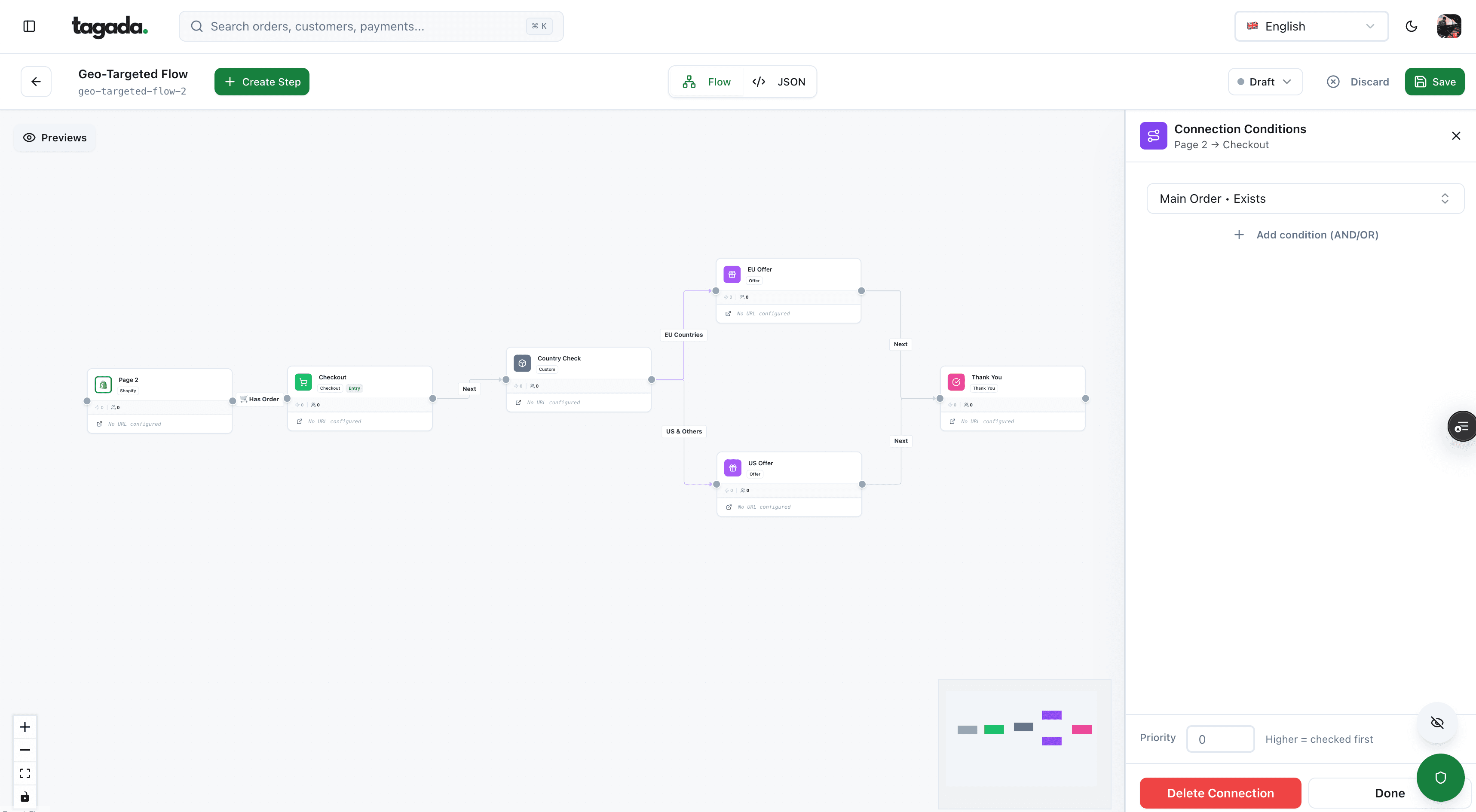
Inside Tagada
Build the funnel once, route every customer to the right offer
Checkout, upsells and subscriptions on one flow, with conditions per country, order or customer.
Server-side tracking tools: the options
Most "server-side tracking tools" are ways to feed the APIs above. Five families:
Fig. 3Who sends the server event
- Server-side Tag Manager, self-hostedYou run the container on Google Cloud or another host. Most control, most upkeep
- Server-side Tag Manager, managed hostA provider runs the container for you. Same tags, less infrastructure
- Meta Conversions API GatewayMeta's no-code option, deployed in a cloud account you own (AWS or GCP)
- Store, checkout or app integrationA plugin, an app or your checkout sends server events itself
- Your own codeYour backend reads payment webhooks and calls each API
pick one owner per event
Meta describes its Conversions API Gateway as "a self-serve configuration option in Events Manager," provisioned in a cloud account owned by the business, set up to need no code.13Meta for Developers, Conversions API Gateway
How to choose: the question isn't the tool, it's which system knows the purchase is paid. If your checkout or payment platform already sends server events, adding a server container on top creates a second sender for the same purchase. If nothing does, a server container fed by the browser recovers blocked pixel events, but purchases still depend on the thank-you page unless you also feed it from the payment webhook. Comparing analytics and attribution tools is a separate topic, covered in conversion tracking tools.
Which events to send server side
Send from the server the events your server is the authority on. Keep browser-only events (scroll, product views, video plays) on the pixel.
| Event | Source of truth | When to send |
|---|---|---|
| Purchase | Payment webhook (succeeded) | When the processor confirms the payment, not when the thank-you page loads |
| Post-purchase upsell | Payment webhook for the second charge | As its own purchase, with its own order or transaction ID |
| Subscription renewal | Billing system | On each successful renewal charge, never on a failed attempt |
| Refund | Refund in your payment system | When issued: GA4 has a refund event that needs the original transaction_id |
| Lead or sign-up | Your database | When the record is created |
| Add to cart, checkout started | Browser, optionally relayed by your server | In real time; the pixel already sees these |
A purchase should exist only after the payment succeeded. With 3D Secure, redirect-based payment methods or a buyer who closes the tab, the confirmation page is the least reliable place to fire it. The order should be created from the payment webhook, and the server event sent from the same place. How the payment, the webhook and the order fit together is explained step by step in our checkout flow guide.
- The payment succeeds. Your processor sends a webhook to your server, for example
payment_intent.succeededat Stripe. - Your server verifies it. Check the signature. Stripe warns that an endpoint "might occasionally receive the same event more than once": log the event IDs you've processed and skip repeats.25Stripe Docs, Receive Stripe events in your webhook endpoint
- Your server creates the order. It now has the order ID, the amount, the currency and the customer's email.
- Your server sends the purchase. To each platform the customer consented to, with the order ID as event ID or transaction ID, and the email hashed.
- Later events follow the order. Refund, renewal, cancellation: each refers back to the same order ID.
Source for webhook behavior: Stripe Docs, Receive Stripe events. Other processors work the same way.
Stripe also doesn't guarantee events arrive in order and retries failed deliveries for up to three days in live mode.25Stripe Docs, Receive Stripe events in your webhook endpoint Don't let a late retry send a second purchase: key everything on the order ID.
Refunds are the event most stores forget. Without them, the ad platform keeps counting revenue you gave back, and optimizes toward buyers who return or dispute. In GA4, the refund event requires the transaction_id of the original purchase.21Google Analytics, Recommended events reference (purchase, refund) If a refund happens because of a dispute, see chargeback vs refund for what you can still do.
Deduplication: one sale, one conversion
When the pixel and the server both report the same purchase, the platform needs a shared key to keep one. Each platform has its own:
Fig. 4One purchase, sent twice, counted once
- Meta pixel eventID
- order_10482
- Meta Conversions API event_id
- order_10482
- TikTok event_id (pixel and Events API)
- order_10482
- Google Ads transaction_id
- 10482
- GA4 transaction_id
- 10482
- Upsell charged after checkout
- order_10482-upsell
Illustrative record.
the order ID is the event ID
- Meta: same event name and
event_id, within 48 hours.9Meta for Developers, Handling Duplicate Pixel and Conversions API Events Meta's fallback method (matching onfbporexternal_id) generally only works when the browser event comes first. - TikTok: same
eventandevent_id, within 48 hours.24TikTok Ads Help, About event deduplication - Google Ads: two conversions with the same transaction ID for the same conversion action: the second isn't counted. IDs from server uploads must match the tag exactly; a different prefix, suffix or extra space breaks deduplication. Using one ID for several orders undercounts.18Google Ads Help, Use a transaction ID to minimize duplicate conversions
- GA4: "Google Analytics deduplicates purchase events with the same transaction ID." Never send an empty transaction ID: all empty IDs are treated as duplicates of each other.20Google Analytics Help, Minimize duplicate key events with transaction IDs
The rule that follows: generate the ID once, when the order is created, and pass it to the thank-you page for the pixel and to the server for the API. An upsell charged after checkout is a separate sale, so it needs its own ID, or it disappears as a "duplicate" of the first order.
Hashing customer data
Server events carry customer data so the platform can match the sale to a person. Meta and Google both require you to normalize, then hash, with SHA-256. The normalization isn't the same:
| Step | Meta Conversions API | Google enhanced conversions |
|---|---|---|
| Trim spaces, lowercase the email | Required | Required |
| Remove dots before the @ | Keep them | Remove, for gmail.com and googlemail.com only |
| Remove "+tag" before the @ | Keep it | Remove, for gmail.com and googlemail.com only |
| Phone format | Digits only, with country code, no leading zeros (16505551212) | E.164 (+16505551212) |
| Hash | SHA-256 | SHA-256, lowercase hex |
| Never hash | IP address, user agent, fbp, fbc | Not listed |
Sources: Meta customer information parameters;11Meta for Developers, Customer Information Parameters Google Ads API, enhanced conversions for web.17Google Ads API, Enhanced conversions for web
So the same address produces two different hashes. John.Smith@gmail.com becomes john.smith@gmail.com for Meta (SHA-256 d0c648bc…0407767a) and johnsmith@gmail.com for Google (SHA-256 3586de92…9338d586). Normalize per destination, in your server, before hashing.
Hashing isn't anonymization
A hashed email still identifies a person once the platform matches it to an account. The EDPB lists hashed emails shared between companies as "unique identifiers" covered by ePrivacy Article 5(3) when collected on the website.6EDPB, Guidelines 2/2023 on the Technical Scope of Art. 5(3) of the ePrivacy Directive, version 2.0, adopted Oct. 7, 2024 Hash to protect the data in transit, not to skip consent.
What can go wrong
| What you see | Likely cause | Fix |
|---|---|---|
| Purchases doubled in Meta or TikTok | Pixel and server send different event IDs, or none | Use the order ID as the event ID on both sides |
| Google Ads counts fewer sales than orders | One transaction ID reused, or IDs that differ by a prefix or a space | One unique ID per order, identical in the tag and the upload |
| Purchases counted before payment | Event fired on "checkout complete" or the thank-you page | Send from the payment webhook, after success |
| A renewal counted twice | Webhook delivered twice, no idempotency | Log processed event IDs and skip repeats |
| EU conversions drop after launch | Consent state not passed to the server, so events are blocked, or sent without the signal | Pass Consent Mode v2 parameters (ad_user_data, ad_personalization) with each request |
| Meta rejects a whole batch | An event_time older than 7 days | Send in real time or close to it |
| Low Event Match Quality | NoHashed email or phone, no IP or user agent | Add the customer data you're allowed to send |
| Revenue in ads higher than in your bank | Refunds never sent | Send refunds with the original transaction ID |
| Server events with no ad attribution | Click ID or browser ID lost before checkout | Store the click ID with the order at first visit, if consent allows |
On consent: Google's Consent Mode v2 has four types. ad_storage and analytics_storage cover cookies; ad_user_data "sets consent for sending user data related to advertising to Google" and ad_personalization "sets consent for personalized advertising."22Google Help, Set up and manage consent (consent mode) When ad_user_data is denied, use of personal data for advertising is off, including user-provided data like enhanced conversions, and conversion export based on click IDs is limited.22Google Help, Set up and manage consent (consent mode) A server container that forwards events without these parameters can't tell Google what the visitor chose.
How to set up server-side tracking
- List your conversion events and, for each, the system that owns it: payment processor, billing system, store, browser.
- Pick one sender per event. A store app, your checkout, a server container or your own code. Two senders for the same purchase is the most common cause of double counting.
- Create a shared ID at order creation, and pass it to the pixel and to the server event.
- Send purchases from the payment webhook, then refunds and renewals with the same order ID.
- Pass consent from your consent banner to every server event, and block destinations the visitor refused.
- Hash customer data with each platform's normalization rules.
- Test with each platform's test tools: Meta's test events in Events Manager, Tag Manager's preview mode for the server container, GA4 DebugView, TikTok's diagnostics.
- Reconcile weekly: paid orders in your payment system against purchases in each platform, by order ID. A gap is either a lost event, a duplicate or a refusal of consent; the order ID tells you which.
Run the pixel and the server side by side until the numbers reconcile.
On WooCommerce or Shopify, the method is the same. What changes is who sends the server event: a plugin or app, a server container you host, or a checkout that sends server events itself. Check which one owns deduplication before adding a second.
Server-side tracking measures the funnel; it doesn't improve it. Once purchases are counted right, use the numbers to fix the steps that lose buyers: see how to build a funnel and how to increase ecommerce conversion rates. For the pixel side of the setup, read what is pixel tracking, and for the event list GA4 expects, GA4 ecommerce events.
Server-side tracking with Tagada
How Tagada helps
Server-side events from the checkout that took the payment
Tagada's checkout sends tracking server side to Meta, Google and TikTok, from the same system that runs the checkout with one-click upsells, order bumps, Apple Pay and Google Pay. It runs standalone, with Shopify, with WooCommerce or headless. Pricing is on the pricing page.
Check before you switch, with Tagada or any tool: which ID it sends as the event ID and whether your pixel uses the same one, whether upsells get their own transaction ID, whether refunds are sent, and how the consent choice reaches each destination.
Frequently asked questions
What is server-side tracking in simple terms?
Is server-side tracking better than client-side tracking?
Is server-side tracking GDPR compliant?
Does server-side tracking bypass ad blockers?
What are the main server-side tracking tools?
Does server-side tracking work with WooCommerce or Shopify?
Sources
Checked October 14, 2026- WebKit, Intelligent Tracking Prevention 2.1 (Feb. 21, 2019)
- WebKit, Intelligent Tracking Prevention 2.2 (Apr. 24, 2019)
- WebKit, Full Third-Party Cookie Blocking and More (Mar. 24, 2020)
- WebKit, CNAME Cloaking and Bounce Tracking Defense (Nov. 12, 2020)
- WebKit, Private Browsing 2.0
- EDPB, Guidelines 2/2023 on the Technical Scope of Art. 5(3) of the ePrivacy Directive, version 2.0, adopted Oct. 7, 2024
- Directive 2002/58/EC (ePrivacy Directive), Article 5(3)
- State of California, Office of the Attorney General, California Consumer Privacy Act (CCPA)
- Meta for Developers, Handling Duplicate Pixel and Conversions API Events
- Meta for Developers, Conversions API Best Practices
- Meta for Developers, Customer Information Parameters
- Meta for Developers, Server Event Parameters
- Meta for Developers, Conversions API Gateway
- Google Tag Manager, An introduction to server-side tagging
- Google Tag Manager, Server-side tagging and consent mode
- Google Ads Help, About enhanced conversions
- Google Ads API, Enhanced conversions for web
- Google Ads Help, Use a transaction ID to minimize duplicate conversions
- Google Analytics, Measurement Protocol (GA4)
- Google Analytics Help, Minimize duplicate key events with transaction IDs
- Google Analytics, Recommended events reference (purchase, refund)
- Google Help, Set up and manage consent (consent mode)
- Google, EU user consent policy
- TikTok Ads Help, About event deduplication
- Stripe Docs, Receive Stripe events in your webhook endpoint
Tagada
Purchase events sent server side, from the checkout that took the payment
Funnels, one-click upsells, subscription billing and payment routing, on one customer record.
- 01Create your free account
- 02Connect your store or build a checkout
- 03Launch funnels, upsells and subscriptions