
What Does Pending Fulfillment Mean on Your Order?
Pending fulfillment means accepted but not shipped. What it means on Shopify, BigCommerce, WooCommerce and NetSuite, how long is too long, what to do.

 Your ordernow
Article summary
TL;DR
Pending fulfillment means the store has accepted your order but hasn't shipped it yet: nothing has been handed to a carrier. Payment is usually confirmed, though some orders wait on a bank payment or a fraud check. In the US, the seller must ship within the time it advertised, or 30 days, or offer you a refund.
- Pending fulfillment, awaiting fulfillment and unfulfilled describe the same stage: accepted, not shipped. No tracking number yet.
- A short wait is normal. A long one usually means a payment still clearing, a fraud review, a hold, a made-to-order item or missing stock.
- US law gives sellers the shipping time they advertised, or 30 days if they gave none. Past that, they must offer a delay or a cancellation with a prompt refund.
- Contact the seller first. Card networks ask cardholders to try the merchant before a not-received dispute.
- For merchants, the payment status decides when to ship: wait for Paid on bank payments, and capture card authorizations before they expire.
 ChatGPT
 Claude
 Perplexity
 Grok
GrokOn this page
"Pending fulfillment" on an order page means the store has your order but hasn't shipped it. There's no tracking number because no carrier has the parcel yet. This guide answers the shopper's question first: what the label means on each platform, how long is normal, and what to do when it stalls. The second half is for merchants: what keeps an order pending and what the law expects.
What does pending fulfillment mean?
Pending fulfillment means the order is accepted and waiting to be picked, packed and handed to a carrier. In most stores, the payment has already gone through. The goods haven't left yet.
Some guides say "the warehouse hasn't touched it". That's not always true. A store can keep an order pending for reasons that have nothing to do with the warehouse: a bank payment that hasn't cleared, a fraud check, an item made to order, or a pre-order with a later ship date.
Fig. 1Where pending fulfillment sits
- Order placedCheckout completed
- Payment confirmedCharged, or authorized on the card
- Pending fulfillmentAccepted, not picked or packed yet
- Awaiting shipmentPacked, waiting for the carrier
- ShippedThe carrier has it: tracking starts
no tracking until the carrier has it
Under US law, an order counts as shipped only when the goods are "physically placed in the possession of the carrier".8eCFR, 16 CFR Part 435, Mail, Internet, or Telephone Order Merchandise Rule A printed label isn't a shipment.
Pending, awaiting, unfulfilled: the same stage under different names
| Status you see | What it means | Next step |
|---|---|---|
| Pending fulfillment | AcceptedNot shipped yet | Picking and packing |
| Awaiting fulfillment | Same as pending fulfillment | Picking and packing |
| Unfulfilled | Shopify's name for the same stage | Fulfillment, partial or full |
| Processing | WooCommerce's name: paid, waiting to be fulfilled | Completed |
| Awaiting shipment | Packed and labeled, waiting for the carrier | Shipped |
| Pending (payment) | The money hasn't cleared yet | Paid, then fulfillment |
The last line is the one that confuses people. "Pending" on its own often refers to the payment, not the shipment. An order can be paid and pending fulfillment, or pending payment and not yet in the shipping queue at all.
What pending fulfillment means on Shopify, BigCommerce, WooCommerce and NetSuite
Each definition below comes from the platform's own help page, read on October 14, 2026.
Shopify: Unfulfilled, In progress, On hold, Scheduled
Shopify doesn't use the words "pending fulfillment". A new order starts as Unfulfilled. The other statuses before shipment are:1Shopify Help Center, Order statuses (read October 14, 2026)
- In progress: the merchant marked the order as being prepared, for example during picking and packing.
- On hold: the merchant or an app paused fulfillment. Shopify notes that upsell offers at checkout also put orders on hold for a short time. Stock can be reserved, but the order can't ship until the hold is released.
- Scheduled: a prepaid subscription order waiting for its fulfillment date. It becomes Unfulfilled on that date.
- Partially fulfilled: some items have shipped, not all.
When a store uses a fulfillment service, requesting fulfillment moves the order to In progress. If the service declines the request, the order goes back to Unfulfilled.3Shopify Help Center, Fulfilling orders with a fulfillment service app (read October 14, 2026)
BigCommerce: Awaiting Fulfillment
Awaiting Fulfillment: Customer has completed the checkout process and payment has been confirmed.
The statuses around it tell you where the order really is. Awaiting Payment means checkout is done but payment isn't confirmed. Manual Verification Required means the order is on hold while something, such as tax-exempt documents, is checked by hand. Awaiting Shipment means the order is packed and waiting for the carrier.4BigCommerce Help Center, Order Statuses (last reviewed November 12, 2024)
WooCommerce: Processing
WooCommerce shows Processing for an order that's paid, with stock already reduced, and waiting to be fulfilled. On hold means the store is waiting to confirm payment, usually for an offline or delayed method. Pending payment means the order exists but no payment has been made.5WooCommerce Docs, Order statuses (read October 14, 2026)
NetSuite: Pending Fulfillment
In NetSuite, Pending Fulfillment is a sales order status, and its meaning depends on the setup. With Advanced Shipping, it means the order "is approved and pending shipment of items ordered". Without it, it means the order "is waiting for an invoice or cash sale to be created".6Oracle NetSuite Help, Viewing the Status of Sales Orders (read October 14, 2026) So for a NetSuite merchant, it can be a billing step, not just a shipping one.
PayPal: a pending eCheck
If you paid with PayPal from your bank account, the payment can go out as an eCheck. It usually takes 4 to 7 business days to clear, sometimes more, and PayPal tells sellers to wait until it clears before shipping.7PayPal Help Center, Why is my incoming eCheck pending? (read October 14, 2026) Your order can sit unshipped for that whole time, by design.
Amazon, eBay, Walmart
Marketplaces use their own order labels and their own buyer protection programs. We didn't find a public help page from them defining "pending fulfillment", so we don't describe it here. Use the order page in your account and the marketplace's customer service.
How long should an order be pending fulfillment?
There's no universal number. It depends on the seller's stock, its warehouse and what you bought. A made-to-order item, a pre-order or a subscription box ships on its own schedule, often stated on the product page.
US law sets the outer limit. The FTC's Mail, Internet, or Telephone Order Merchandise Rule says a seller can't take an order unless it has a reasonable basis to expect to ship:8eCFR, 16 CFR Part 435, Mail, Internet, or Telephone Order Merchandise Rule
- within the time it clearly stated when it advertised the item, or
- within 30 days of receiving a properly completed order, if it stated no time. That becomes 50 days when you apply for credit from the seller to pay.
If the seller can't make it, it must tell you before the deadline and offer you a choice: accept the delay or cancel for a prompt refund.8eCFR, 16 CFR Part 435, Mail, Internet, or Telephone Order Merchandise Rule
Fig. 2The FTC shipping clock, US orders
- Order receivedPayment and all order details in
- Stated date, or day 30Ship by then, or offer delay or cancellation
- Up to 30 days laterSilence counts as consent to a definite new date
- Beyond thatOrder canceled unless you agree or it ships
day 0 = payment and complete order received
Some orders fall outside the rule: subscription deliveries after the first shipment, seeds and plants, cash-on-delivery orders, and prenotification negative option plans.8eCFR, 16 CFR Part 435, Mail, Internet, or Telephone Order Merchandise Rule
My order is stuck in pending fulfillment: what to do
- Check the promised date. Look at the product page, the confirmation email and the shipping policy. Made-to-order and pre-order items often state weeks, not days.
- Check the payment status. If your bank or PayPal still shows the payment as pending, the store may be waiting for it to clear before it ships.
- Contact the seller with the order number. Ask what's holding the order: payment, stock, verification or production. "Still processing" isn't an answer.
- Ask to cancel if the date has passed. In the US, a seller that can't ship on time must offer you the option to cancel for a prompt refund.
- Go to your bank last. If the seller doesn't ship or refund, you can dispute the charge as merchandise not received. Card rules expect you to try the seller first.
Based on 16 CFR 435.2 and Visa Core Rules, Dispute Condition 13.1, April 18, 2026.
Keep the emails and screenshots. If you end up disputing, they show you tried to resolve it with the merchant.9Visa Core Rules and Visa Product and Service Rules, April 18, 2026
What does "fulfillment pending after resolution" mean?
None of the platforms above uses that exact label in their help pages. It usually describes an order that was stopped by a problem, such as an address to confirm, a payment to clear or a fraud review, and has since been released. On Shopify, an order on hold can't ship until the hold is released, and then it's back to Unfulfilled.1Shopify Help Center, Order statuses (read October 14, 2026)
In plain terms: the problem is fixed, and the order is back in the queue. It still hasn't shipped. If the status doesn't move within the time the seller gave you, ask for a ship date.
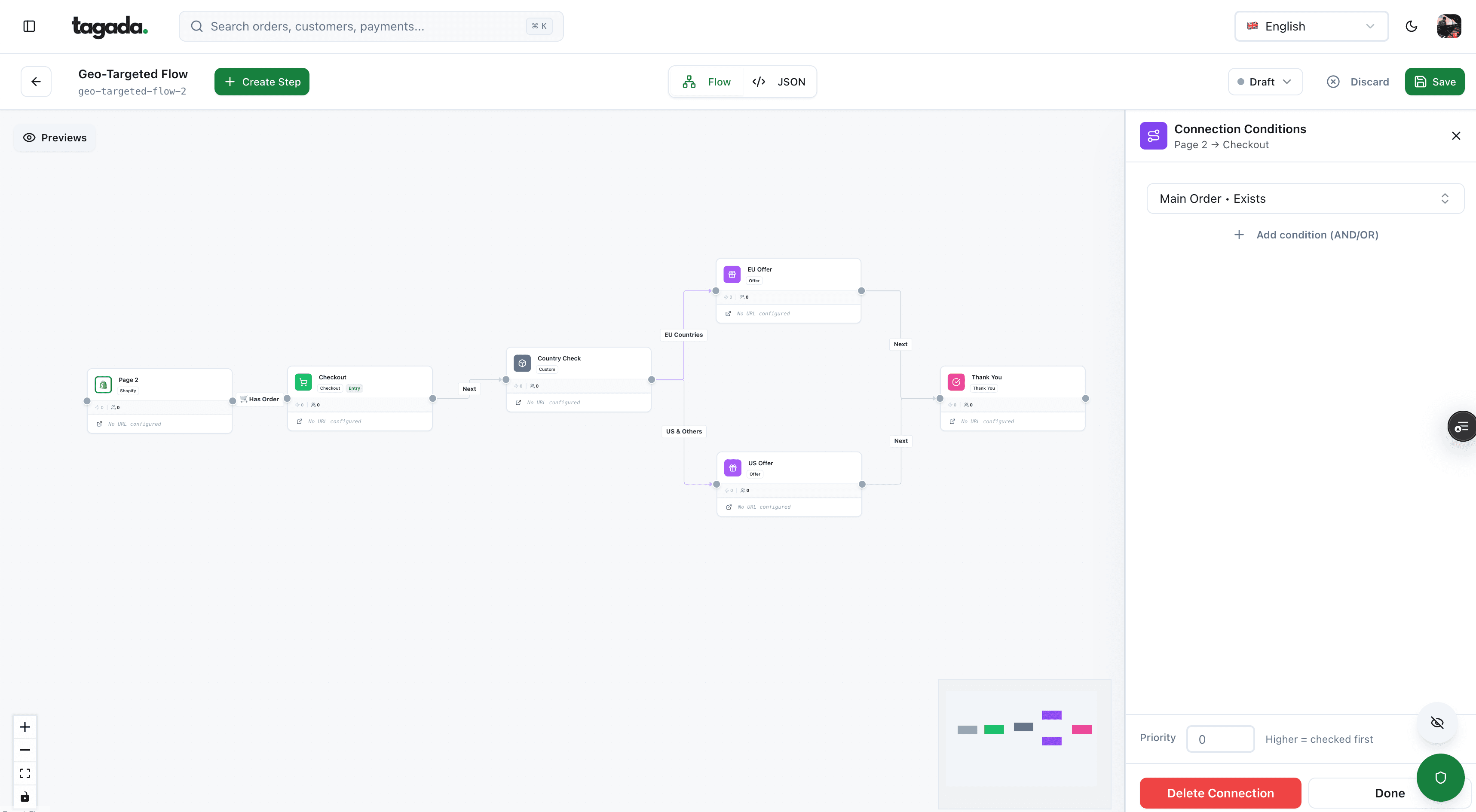
Inside Tagada
Build the funnel once, route every customer to the right offer
Checkout, upsells and subscriptions on one flow, with conditions per country, order or customer.
For merchants: what keeps an order pending
A customer sees one label. Behind it, you can have very different blockers, and most of them start with the payment.
- Payment PendingA bank debit, wire or other delayed method hasn't clearedWait for Paid before you ship
- Payment AuthorizedCard approved, money not captured yetCapture before the authorization expires, or capture at fulfillment
- Fulfillment On holdYou or an app paused it: fraud review, upsell, verificationRelease it or cancel it. Don't let it outlive the authorization
- Fulfillment ScheduledPrepaid subscription order waiting for its dateNothing: it turns Unfulfilled on the date
- Request declined by your 3PLThe fulfillment service refused the orderRead the note, fix stock or address, send it again
- Payment ExpiredNot captured, or not completed, in timeContact the provider, then cancel or take a new payment
The payment and fulfillment statuses are separate fields, and the full lifecycle, including when to capture and how to handle cancellations, is in our guide to order management.
Payment holds that keep orders unfulfilled
Card authorizations not yet captured
If you capture card payments manually, the order sits as Authorized until you collect the money. Shopify Payments gives you 7 days, shows an Expiring badge 2 days before the deadline, and adds a 1.75% charge if you capture after the standard 7 days.10Shopify Help Center, Payment authorization and capture (read October 14, 2026)1Shopify Help Center, Order statuses (read October 14, 2026) You can also capture automatically when the whole order is fulfilled; partially fulfilled orders aren't captured that way.10Shopify Help Center, Payment authorization and capture (read October 14, 2026) The mechanics are in our guide to pre-authorization holds.
Bank payments that take days
Some methods don't confirm right away. Shopify marks those orders Pending: stock is reserved, but payment isn't guaranteed. It doesn't block fulfillment, but advises waiting for Paid before shipping. Pending payments typically expire after about a week.2Shopify Help Center, Pending payments (read October 14, 2026)
| Payment method | Time to confirm | When to ship |
|---|---|---|
| Card, automatic capture | At checkout | When stock and risk checks are clear |
| Card, manual capture | Authorized at checkout, 7 days to capture at Shopify Payments | After review, and capture before the deadline |
| ACH Direct Debit (Stripe) | Up to 4 business days to know if it succeeded | After the payment succeeds |
| SEPA Direct Debit (Stripe) | Stripe says wait at least 6 business days | After that window |
| PayPal eCheck | Usually 4 to 7 business days | After it clears |
Sources: Shopify Help Center; Stripe Docs, ACH Direct Debit and SEPA Direct Debit; PayPal Help Center.10Shopify Help Center, Payment authorization and capture (read October 14, 2026)11Stripe Docs, ACH Direct Debit payments12Stripe Docs, SEPA Direct Debit payments7PayPal Help Center, Why is my incoming eCheck pending? (read October 14, 2026)
Shipping on a bank debit before it clears means shipping goods that may never be paid for. More on these methods in ACH payment processing and local payment methods.
Fraud reviews
A risky order belongs on hold until you've checked it. The cheapest moment to stop it is before capture: an authorization can be canceled without a refund. How to review an order before you ship is covered in ecommerce fraud prevention.
The FTC clock and pending payments
The 30-day clock starts when you receive both the payment and an order with everything you need to ship it. If a payment other than cash or credit is dishonored, the clock starts over when a valid payment arrives.8eCFR, 16 CFR Part 435, Mail, Internet, or Telephone Order Merchandise Rule
How long is too long: the FTC rule for US merchants
The Mail, Internet, or Telephone Order Merchandise Rule applies to orders taken online, by phone or by mail, whatever the payment method.8eCFR, 16 CFR Part 435, Mail, Internet, or Telephone Order Merchandise Rule What it asks of you:
Before you sell
Have a reasonable basis to ship in the time you advertise, or within 30 days if you advertise none. Keep records of the systems that make that possible: without them, the FTC presumes you had no reasonable basis.
When you're late
Before the deadline, offer the customer a choice: consent to the delay or cancel for a prompt refund. Give a definite revised date, or say you can't predict the delay and why.
When they cancel
Refund promptly: within 7 working days, or within one billing cycle when you extended the credit yourself. You can also cancel the order yourself and refund.
A revised date up to 30 days later than the original deadline: the customer's silence counts as consent. A longer delay, or an indefinite one, needs the customer's express consent, or the order is canceled after 30 days.8eCFR, 16 CFR Part 435, Mail, Internet, or Telephone Order Merchandise Rule The rule doesn't replace state laws that give buyers more rights.
Telling customers about a delay
A customer who hears nothing after checkout writes to support, or to the bank. Send a message when the status changes, not just at checkout and shipment. Three cases deserve their own email:
- Payment still clearing: say which method, how long it usually takes, and that the order ships once it clears.
- Order on hold for verification: say what you need from the customer, if anything, and by when.
- Shipping later than promised: give the new date and a one-click way to cancel. For US orders, that's what the FTC rule requires.
What to put in each of these, and how to send them from the payment event rather than the thank-you page, is in our guide to the payment confirmation email.
When pending fulfillment turns into a dispute
An order that never ships ends up as a "merchandise not received" dispute. Visa's Dispute Condition 13.1 covers a cardholder who paid but didn't receive the goods because the merchant was "unwilling or unable" to provide them.9Visa Core Rules and Visa Product and Service Rules, April 18, 2026
What Visa's 13.1 rules say
The cardholder must try to resolve it with the merchant first. If no delivery date was specified, the issuer waits 15 calendar days from the transaction date. The dispute must be filed within 120 days of the processing date or of the last expected delivery date, and no later than 540 days after processing. A cardholder who canceled before the expected delivery date, out of buyer's remorse, can't use this reason.9Visa Core Rules and Visa Product and Service Rules, April 18, 2026
For merchants, the lesson is simple. State a delivery date, keep proof of shipment, and refund an order you can't ship before the customer goes to the bank. A refund costs you the order. A dispute costs the order, a fee and a mark on your dispute rate. The full playbook is in chargeback prevention.
Where Tagada fits
How Tagada helps
Checkout, payments and subscriptions that feed your orders
Tagada runs the part of the order where the money is decided. The checkout handles order bumps, one-click upsells, Apple Pay and Google Pay. TagadaPay runs native 3DS2 with device intelligence and a rules engine, and routes payments across Stripe, Adyen and TagadaPay with one logic, with a cascade on decline. The card vault moves customers between merchant accounts without collecting their cards again, so running subscriptions keep charging. Subscriptions cover trials, billing cycles, dunning and automatic recovery. It runs standalone or with Shopify, WooCommerce or a headless store. See pricing for plans. Tagada follows Visa and Mastercard rules and the laws that apply to payments.
Frequently asked questions
Does pending fulfillment mean I've been charged?
How long does pending fulfillment take?
Can I cancel an order that's pending fulfillment?
Is pending fulfillment the same as awaiting fulfillment?
What does fulfillment pending after resolution mean?
Can I dispute the charge if my order never ships?
Sources
Checked October 14, 2026- Shopify Help Center, Order statuses (read October 14, 2026)
- Shopify Help Center, Pending payments (read October 14, 2026)
- Shopify Help Center, Fulfilling orders with a fulfillment service app (read October 14, 2026)
- BigCommerce Help Center, Order Statuses (last reviewed November 12, 2024)
- WooCommerce Docs, Order statuses (read October 14, 2026)
- Oracle NetSuite Help, Viewing the Status of Sales Orders (read October 14, 2026)
- PayPal Help Center, Why is my incoming eCheck pending? (read October 14, 2026)
- eCFR, 16 CFR Part 435, Mail, Internet, or Telephone Order Merchandise Rule
- Visa Core Rules and Visa Product and Service Rules, April 18, 2026
- Shopify Help Center, Payment authorization and capture (read October 14, 2026)
- Stripe Docs, ACH Direct Debit payments
- Stripe Docs, SEPA Direct Debit payments
Tagada
Checkout, payments and subscriptions in one place
Funnels, one-click upsells, subscription billing and payment routing, on one customer record.
- 01Create your free account
- 02Connect your store or build a checkout
- 03Launch funnels, upsells and subscriptions