
Saved Payment Methods: How to Store Customer Cards by the Rules
How to save customer cards: Visa consent rules, CIT vs MIT, PCI scope, network tokens, card updates, and the setup in Stripe, Adyen, Shopify and wallets.

Article summary
TL;DR
A saved payment method is a customer's card or wallet that you keep, as a token, to charge again without asking for the details. Before saving a card, Visa requires the customer's informed consent and an approved first charge or account check. Reuse is flagged as customer- or merchant-initiated, and the card number stays in a PCI-compliant vault.
- Get express, informed consent before you save a card, and show the terms of use separately from your general terms.
- Run an authorization or a zero-amount account check first. If the bank declines it, Visa says you must not store the card.
- Never keep the card security code after authorization, even with the customer's permission. Keep the card number in a processor or PCI-compliant vault, not your database.
- Network tokens and account updaters keep saved cards working after a reissue. Watch the update events and clean up dead cards.
- Find out who holds your cards before you need them elsewhere. Exports, wallet credentials and Link work differently.
 ChatGPT
 Claude
 Perplexity
 Grok
GrokOn this page
A saved payment method lets a returning customer pay without typing their card again, and lets you charge renewals while they're away. For you as the merchant, it's also a set of obligations: what you tell the customer before saving, where the card number lives, how each later charge is flagged, and what happens when the card changes. This guide covers each one, with the Visa rules and the setup in Stripe, Adyen and Shopify.
What is a saved payment method?
A saved payment method is a card, wallet or bank account that a customer lets you keep so they, or you, can use it again. For cards, the card networks call it a stored credential, or card on file: information, including the card number, kept by a merchant or its agent to process future transactions.1Visa Core Rules and Visa Product and Service Rules, April 18, 2026
In practice, you rarely store the number yourself. Your processor keeps it in its vault and gives you a token, and you keep the token with the customer's profile. What you do with that token later decides which rules apply.
| Use of the saved card | Who starts the payment | Example |
|---|---|---|
| Faster checkout | The customer, who is present and logged in | One-click reorder, upsell after purchase |
| Recurring payments | You, at fixed intervals | Monthly box, yearly membership |
| Unscheduled card on file | You, when an agreed event happens | Top-up when a balance runs low |
| Installments | You, on a set schedule | One order paid in 3 parts |
Recurring billing has its own layer of rules (renewal notices, retries, cancellation). It's covered in subscription payment processing. This article is about the card itself: saving it, protecting it and keeping it usable.
How saving a card works, step by step
- The customer agrees. You show how the card will be used and collect explicit consent, for example with a "Save my card for future purchases" checkbox.
- You check the card. Visa requires an authorization for the amount due or, if nothing is due yet, an account verification (a zero-amount check).
- The processor stores the card. The card number goes to the processor's vault, which returns a token. Your database keeps the token, brand, last four digits and expiry.
- You record the agreement. Keep the terms the customer accepted, with the date, for as long as the agreement runs.
- You reuse the token. Each later payment is flagged as customer-initiated or merchant-initiated.
Steps 1 to 4 happen once, when the card is saved. Step 5 repeats each time you use it.
Step 2 is a hard gate. If that first authorization or account verification isn't approved, Visa says you must not store the card.1Visa Core Rules and Visa Product and Service Rules, April 18, 2026 A declined card saved "just in case" is a card you were never allowed to keep.
What you must tell the customer before you save a card
Visa sets out the agreement in Table 5-20 of its rules. Before you store a card for a future transaction, you need the cardholder's express, informed consent to an agreement that contains:1Visa Core Rules and Visa Product and Service Rules, April 18, 2026
The purchase
What you sell, the total price, and your cancellation and refund policy.
Who you are
Your merchant location, and the address, email and phone number to contact you about these payments.
How the card will be used
Last four digits of the card, amount or how it's set, currency, timing and frequency (or the event that triggers a charge), and when the agreement ends.
Changes and trials
How you'll notify changes to the agreement, and the length of any trial, introductory offer or promotional period.
These terms must be clearly displayed when the customer gives consent, and separately from your general terms and conditions. You keep them for the length of the agreement and hand them over if the customer or the issuer asks in writing.1Visa Core Rules and Visa Product and Service Rules, April 18, 2026 In Europe, a recurring agreement must also be confirmed to the customer within 2 business days.1Visa Core Rules and Visa Product and Service Rules, April 18, 2026
Stripe's compliance checklist says the same in plainer words: add terms that state how you'll save and use the payment method, use it only for the purpose stated, collect explicit consent for this specific use, and keep a record of the customer's written agreement.2Stripe Docs, Save a customer's payment method when they use it for a payment
Fig. 1A save-card block that covers Visa's list
- Checkbox
- Save this card
- Use
- Orders you confirm while logged in
- Changes
- Emailed before they apply
- Remove
- Anytime, in your account
- Contact
- Email, phone, address
Illustrative record.
consent next to the card field
Two Visa rules apply on every screen after that. You can only use a stored credential as agreed with the cardholder. And any payment screen that shows a saved card must display its last four digits, with the Visa brand mark or the word "Visa" next to it.1Visa Core Rules and Visa Product and Service Rules, April 18, 2026
One-off uses are treated differently
Visa's agreement rules don't apply when you use the card again for the same single purchase: a no-show fee, a delayed charge or amended amount, an incremental authorization, or a new authorization request after a decline.1Visa Core Rules and Visa Product and Service Rules, April 18, 2026 They apply as soon as you keep the card for future purchases.
Selling a subscription or a trial? The terms go further, with renewal reminders and easy cancellation. See negative option billing.
Customer-initiated vs merchant-initiated use of a saved card
The same saved card can be used in two ways, and the networks want to know which. A customer-initiated transaction happens when the customer is in your checkout and picks the saved card. A merchant-initiated transaction happens when you charge it on your own, under the agreement.
Fig. 2One saved card, two kinds of payment
Customer-initiated
- LoginVisa requires you to validate the customer's identity first
- Picks the saved cardLast four digits and brand shown
- Authorization3-D Secure possible where requiredApproved
Customer present, logged in, can authenticate
Merchant-initiated
- Your system triggers itBilling date or agreed event
- Stored tokenFlagged recurring or unscheduled
- Issuer decisionApprove, or decline with a code
Customer absent, the charge rests on the agreement
the flag tells the bank who's there
Before a customer pays with a saved card, Visa says you must validate who they are, for example with a login and password.1Visa Core Rules and Visa Product and Service Rules, April 18, 2026 That's why a guest checkout can't show saved cards: there's no account to log into. Every stored-credential transaction also carries its own point-of-sale code, plus a recurring, installment or unscheduled indicator when it applies, and the authorization can't exceed the amount of that payment.1Visa Core Rules and Visa Product and Service Rules, April 18, 2026
Your processor fills in those fields. You only tell it which case you're in:
| What you're doing | Stripe | Adyen |
|---|---|---|
| Save a card during a payment | setup_future_usage on the PaymentIntent (on_session or off_session) | storePaymentMethodMode: askForConsent (checkbox) or enabled (no checkbox), with a unique shopperReference |
| Save a card without charging | SetupIntent, with usage set to on_session or off_session | Zero-value authorization |
| Customer pays again with the saved card | Payment with the saved PaymentMethod, customer in session | recurringProcessingModel: CardOnFile, shopperInteraction: ContAuth |
| You charge a subscription renewal | off_session=true on a new PaymentIntent | recurringProcessingModel: Subscription, ContAuth |
| You charge on an agreed event | off_session=true | recurringProcessingModel: UnscheduledCardOnFile, ContAuth |
Sources: Stripe2Stripe Docs, Save a customer's payment method when they use it for a payment3Stripe Docs, The Setup Intents API and Adyen.11Adyen Docs, Drop-in tokenization (storePaymentMethodMode)12Adyen Help Center, How can I choose the Recurring Processing Model? Stripe's usage setting matters in Europe: off_session authenticates the card when it's saved so later off-session payments don't need the customer, while on_session postpones authentication until they next check out. A card saved for on-session use can still be charged off-session, but banks are more likely to decline and ask for authentication.3Stripe Docs, The Setup Intents API The authentication rules themselves are in payment authentication.
Where the card lives: PCI DSS and tokenization
Anyone who stores, processes or transmits card data falls under PCI DSS. How much of it applies to you depends on whether raw card numbers ever touch your systems. Stripe puts it bluntly: a business that handles card data directly might have to meet more than 300 security controls, while its low-risk integrations send card details straight to Stripe without passing through your servers.6Stripe Docs, Integration security guide
300+
PCI DSS controls you may face if raw card numbers touch your servers, according to Stripe
0
Card security codes you may keep after authorization, even with the customer's permission
Level 1
PCI DSS level Stripe requires of the processor receiving your exported cards
The security code is the clearest rule. The PCI Security Standards Council says card verification codes can't be kept once the transaction they were collected for is authorized, aren't needed for card-on-file or recurring payments, and that a customer's request or approval to keep them has no validity under PCI DSS. Encryption doesn't change it.14PCI Security Standards Council, FAQ 1280: Can card verification codes be stored for card-on-file or recurring transactions? You can still ask for the code again when a returning customer checks out; Stripe offers that as an option on saved cards.2Stripe Docs, Save a customer's payment method when they use it for a payment
What you can keep is the rest: Stripe says the card type, last four digits and expiry date it returns aren't subject to PCI compliance and can sit in your database.6Stripe Docs, Integration security guide That's all your account page needs.
| Where the card number lives | Who holds it | Your PCI exposure | Moving to another processor |
|---|---|---|---|
| Your own database | You | Full assessment, the "300+ controls" case | Simple technically, heavy to secure |
| Your processor's vault (Stripe, Adyen, Shopify) | The processor | Reduced, with hosted payment fields | Through the processor's export or forwarding process |
| An independent PCI-compliant vault | The vault provider | Reduced | The vault sends the card to whichever processor you choose |
The difference between a token and an encrypted card number is explained in tokenization vs encryption, and what to check in a provider in PCI-compliant payment gateways.
Network tokens: Visa Token Service and Mastercard MDES
A processor token only means something to that processor. A network token is issued by the card network itself and replaces the card number in the payment.
Visa Token Service substitutes Visa card numbers with tokens.15Visa, Visa Token Service Mastercard runs the Mastercard Digital Enablement Service. Mastercard describes the card-on-file flow: when a customer saves a card with an online merchant, the merchant sends a tokenization request; once approved, the token service provider stores the card data and keeps it up to date, even when details like the expiry date change, and the merchant gets a token for future payments. For each card-on-file payment, the merchant obtains a cryptogram from Mastercard.16Mastercard Newsroom, What is tokenization? A primer on card tokenization (March 2024)
You rarely integrate this yourself. Adyen requests network tokens automatically for stored cards when possible, with no extra integration.10Adyen Docs, Tokenization In some countries it's no longer optional: Visa requires a Visa token for stored-credential transactions in a list of CEMEA and Latin America markets, including Saudi Arabia, the UAE, Colombia and Mexico, some already in force and others phased in through July 2026.1Visa Core Rules and Visa Product and Service Rules, April 18, 2026
Fig. 3The life of a saved card
- SavedConsent, approved first charge, token issued
- UsedCustomer-initiated or merchant-initiated, flagged
- ReissuedNew expiry or new number at the bank
- UpdatedNetwork token or account updater refreshes it
- RemovedCustomer deletes it, or the account closes
the token outlives the plastic
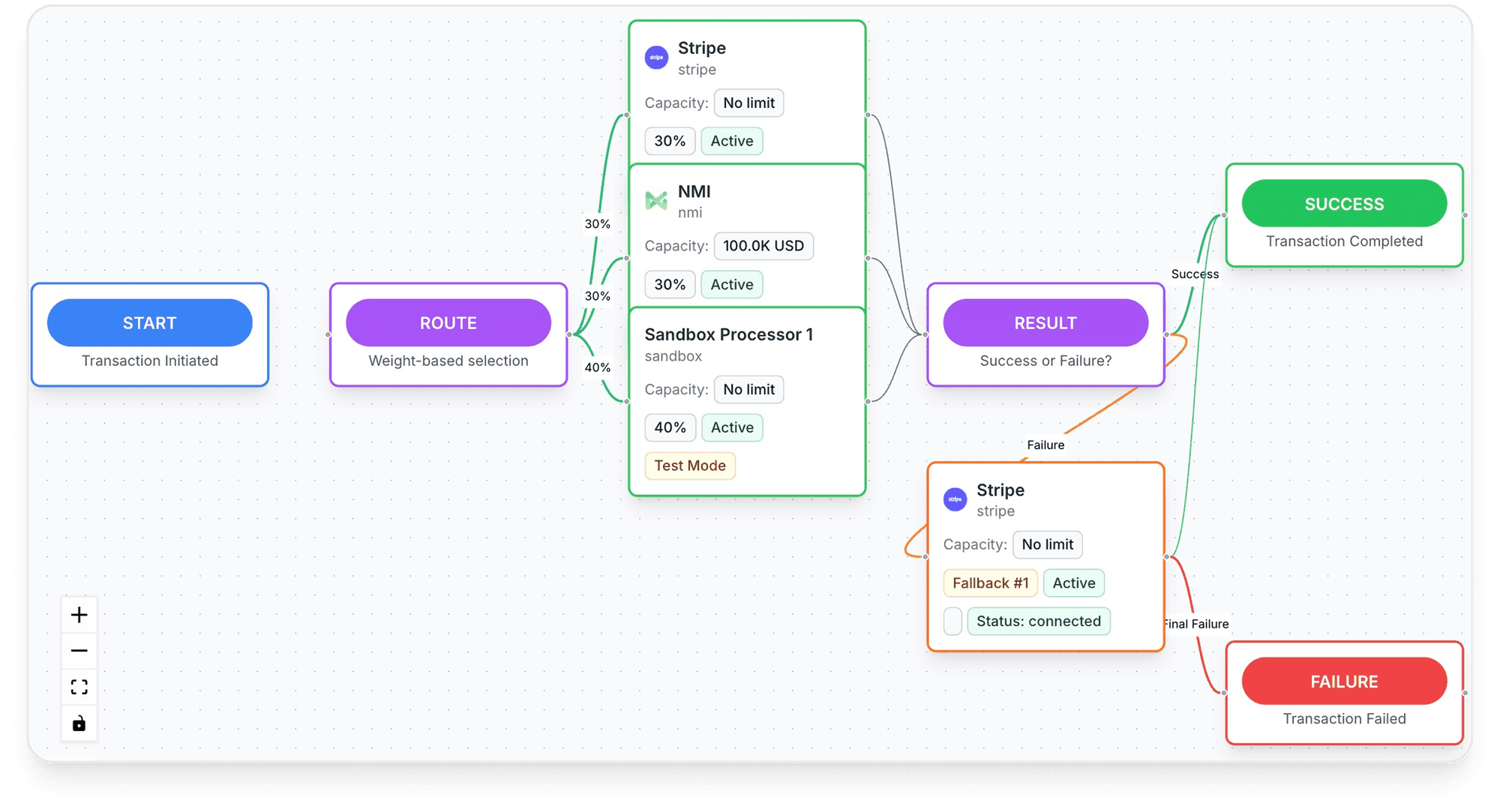
Inside Tagada
See every payment's route, processor by processor
Set the order your processors are tried in, per store, per country or per product.
Keeping saved cards valid: account updaters and expiry
Cards expire, get lost, get replaced. Without an update, the next payment on the saved card fails. A card account updater fetches the new details from the network, and processors run it for you:
- Stripe automatically tries to update saved cards when a customer gets a new card. It's widely supported in the US for American Express, Visa, Mastercard and Discover; international support varies, and you can't tell in advance which cards are covered. The
payment_method.automatically_updatedwebhook gives you the new expiry and last four digits, and the card's fingerprint changes if the number changed.5Stripe Docs, How cards work (automatic card updates) - Adyen runs Account Updater with the card schemes. With the real-time version, the token stays the same; with the batch version, you get a results file and run a zero-value transaction with the new details.10Adyen Docs, Tokenization13Adyen Docs, Manage tokens
- Shopify Payments works with the major networks to update saved cards when customers get new ones, widely in the US with international support varying. On other gateways, Shopify warns customers may need to update their card by hand.18Shopify Help Center, Considerations and payment gateways for subscription products
Not every update is good news. An issuer can report a closed account, or decline to share the new details. Visa's updater answers and the retry limits that go with each decline are detailed in subscription payment processing, and the causes of failed renewals in subscription payment failures.
Practical rule
Treat every update event as a record change: refresh the last four digits and expiry on the customer's account page. When no update comes and the card fails, email a link to replace the card before the next charge, not after.
How to save cards in Stripe, Adyen and Shopify
The three platforms store cards in their own vaults. They differ in who controls the consent screen and how much you can do with the cards later.
| Stripe | Adyen | Shopify | |
|---|---|---|---|
| Consent checkbox | Payment Element with payment_method_save shows a save checkbox | storePaymentMethodMode: askForConsent shows a checkbox | Handled by Shopify checkout; Shop Pay prompts customers who enter an email |
| Save without a payment | SetupIntent | Zero-value authorization | Admin API customer payment method mutations |
| Show saved cards at checkout | allow_redisplay: always, or limited for cards tied to one subscription | Stored payment methods returned for the shopperReference | Shop Pay autofill |
| Card updates | Automatic, payment_method.automatically_updated webhook | Account Updater, network tokens | Automatic on Shopify Payments |
| Full card number visible to you | No | No | No |
Sources: Stripe,2Stripe Docs, Save a customer's payment method when they use it for a payment3Stripe Docs, The Setup Intents API4Stripe API reference, The PaymentMethod object (allow_redisplay)5Stripe Docs, How cards work (automatic card updates) Adyen10Adyen Docs, Tokenization11Adyen Docs, Drop-in tokenization (storePaymentMethodMode)13Adyen Docs, Manage tokens and Shopify.18Shopify Help Center, Considerations and payment gateways for subscription products19Shopify Help Center, Managing customers (edit a customer's subscription payment information)
A few details worth knowing:
- Stripe sets
setup_future_usageandallow_redisplayautomatically from the checkbox. If you force saving withsetup_future_usage, the card is saved even when the customer didn't tick anything, so your terms must say so. Not every payment method can be saved; you can limit saving to cards withpayment_method_options[card][setup_future_usage].2Stripe Docs, Save a customer's payment method when they use it for a payment - Adyen requires a unique
shopperReferencefor each customer, because the token is linked to it. Its Token Groups feature can share tokens across several of your merchant accounts, but it's off by default and enabled by Adyen Support.10Adyen Docs, Tokenization - Shopify stores customer payment information itself; you can't see full card numbers once entered.18Shopify Help Center, Considerations and payment gateways for subscription products From a customer profile, you can send a "Send link to update card" email or replace the card yourself.19Shopify Help Center, Managing customers (edit a customer's subscription payment information)
Saved cards in wallets: Apple Pay, Link and Shop Pay
Wallets save the card on the customer's side, with a third party. You get a payment, sometimes a reusable credential, but the stored card belongs to the wallet's network, not to you.
| Wallet | Owner | Where the card is saved | What you can reuse |
|---|---|---|---|
| Apple Pay | Apple | The customer's Apple Wallet | For recurring, deferred or automatic-reload payments, a merchant token (MPAN) that isn't tied to one device and keeps working after a card is reissued |
| Link | Stripe | The customer's Link account, recognized by email, phone or browser cookie and a one-time code | Link payment methods can be set up for future payments in Stripe; they can't be exported to another processor |
| Shop Pay | Shopify | The customer's Shop Pay profile, usable on any Shopify store with Shop Pay | Payments through Shopify Payments; a card deleted from Shop Pay leaves linked subscriptions running until cancelled separately |
Sources: Apple,17Apple Pay for merchants, Merchant tokens (MPANs) Stripe8Stripe Docs, Increase conversion and reduce costs with Link7Stripe Docs, Request a payment data export and Shopify.21Shopify Help Center, Shop Pay18Shopify Help Center, Considerations and payment gateways for subscription products For Apple Pay merchant tokens, Apple asks you to store the token with the original transaction ID and to receive lifecycle notifications through a web service.17Apple Pay for merchants, Merchant tokens (MPANs)
What wallets give you
- No card entry for customers who already saved a card with Apple, Stripe or Shopify
- The card number stays with the wallet, outside your systems
- Updates handled by the wallet's network where supported
What they don't
- The saved credential belongs to the wallet's owner, not to you
- Link credentials are excluded from Stripe's card exports
- A customer can remove the card in their wallet without telling you
The trade-off between wallets is compared in Apple Pay vs PayPal, and where they fit at checkout in ecommerce checkout optimization.
The save checkbox: getting the customer experience right
The checkbox is where consent and conversion meet. The rules leave little room: consent must be explicit and specific to how the card will be used.2Stripe Docs, Save a customer's payment method when they use it for a payment1Visa Core Rules and Visa Product and Service Rules, April 18, 2026
- Ask at the right moment. On the payment step, next to the card field, in one plain sentence. Adyen's
askForConsentand Stripe'spayment_method_saveboth render the checkbox there.11Adyen Docs, Drop-in tokenization (storePaymentMethodMode)2Stripe Docs, Save a customer's payment method when they use it for a payment - Save without a checkbox only when the purchase needs it. A subscription can't renew without a stored card. Adyen's
enabledmode and Stripe'ssetup_future_usagesave the card without a checkbox; the subscription terms the customer accepts must then cover storage.11Adyen Docs, Drop-in tokenization (storePaymentMethodMode)2Stripe Docs, Save a customer's payment method when they use it for a payment - Keep subscription-only cards out of one-click checkout. Stripe's
allow_redisplay: limitedmarks a card that can only be shown in a specific context, such as one subscription.4Stripe API reference, The PaymentMethod object (allow_redisplay) A customer who agreed to renewals didn't necessarily agree to one-click shopping. - Ask for a login before showing saved cards. It's a Visa requirement, not just good practice.1Visa Core Rules and Visa Product and Service Rules, April 18, 2026
- Show the card the Visa way. Last four digits and the brand, on every screen that displays it.1Visa Core Rules and Visa Product and Service Rules, April 18, 2026
- Let customers delete cards themselves. Stripe's Payment Element can show a remove option for saved methods.2Stripe Docs, Save a customer's payment method when they use it for a payment
Pre-ticked boxes don't make consent
A checkbox ticked by default doesn't show the customer chose anything. Visa asks for express, informed consent, and Stripe for explicit consent to the specific use.1Visa Core Rules and Visa Product and Service Rules, April 18, 20262Stripe Docs, Save a customer's payment method when they use it for a payment If a dispute arrives on a saved-card charge, the consent record is part of your evidence. See chargeback prevention.
How saved cards fit with declines and retries is covered in payment acceptance rate.
Deleting, expiring and moving saved cards
A saved card has an end. Plan for the three ways it gets there.
- Customer deletes the cardConsent withdrawn for future useDetach it at the processor, remove your copy of the token, and check no subscription still points to it
- Card expires or is replacedThe bank issued new detailsRely on the updater or network token. If nothing arrives, send a link to replace the card
- Account closedThe card will never work againStop using it and ask for another payment method
- You change processorThe token only works where it was createdPlan the card export or use a vault you control
Deleting. At Stripe, detaching a payment method is permanent: it can no longer be used for payments or re-attached to a customer.9Stripe API reference, Detach a PaymentMethod from a Customer At Adyen, you delete the token with a DELETE /storedPaymentMethods request, and Adyen says you must also delete any remaining shopper details from your own servers.13Adyen Docs, Manage tokens On Shopify, a card the customer deletes from Shop Pay doesn't cancel the subscriptions linked to it; they continue until cancelled separately.18Shopify Help Center, Considerations and payment gateways for subscription products
Moving. Tokens don't travel between processors. Stripe will transfer card data only to another PCI DSS Level 1 processor, which must show its attestation of compliance or Visa registry listing and a PGP key of at least 4096 bits; credentials saved through Link are excluded, and subscriptions and payment history aren't exported.7Stripe Docs, Request a payment data export Adyen can forward stored details to a PCI-compliant third party.10Adyen Docs, Tokenization Shopify distinguishes cases: if cards are vaulted in Shopify, changing your primary gateway may need no migration (Shopify Support confirms it); if subscriptions use a secondary gateway's tokens, the cards must be migrated.20Shopify Help Center, Migrating payment methods to your Shopify account More on the process in token vault migration.
Verdict
Save cards with consent you can prove, keep only the token, and know before you need it how your cards would leave your processor.
Saved cards across several processors
A card saved in one processor's vault only works through that processor. If that account is reviewed, paused or closed, the customers' saved cards stay behind, and every subscriber has to type their card again somewhere new. A vault that sits above the processors avoids that: the card is stored once, and each payment goes to whichever account you route it to. How that layer works is explained in what payment orchestration is.
How Tagada helps
A card vault that isn't tied to one processor
With the TagadaPay card vault, you move customers between MIDs without re-collecting cards, and running subscriptions keep charging. Payments route across Stripe, Adyen and TagadaPay with one logic, with a cascade on decline, and the checkout supports Apple Pay and Google Pay. See pricing for plans. Tagada follows Visa and Mastercard rules and the laws that apply to payments.
Frequently asked questions
What is the difference between a saved payment method and card on file?
Do I need customer consent to save a card?
Can merchants store the CVV with a saved card?
Is it safe to let customers save their card on my site?
What happens to a saved card when it expires?
Can I move saved cards to another payment processor?
Sources
Checked October 14, 2026- Visa Core Rules and Visa Product and Service Rules, April 18, 2026
- Stripe Docs, Save a customer's payment method when they use it for a payment
- Stripe Docs, The Setup Intents API
- Stripe API reference, The PaymentMethod object (allow_redisplay)
- Stripe Docs, How cards work (automatic card updates)
- Stripe Docs, Integration security guide
- Stripe Docs, Request a payment data export
- Stripe Docs, Increase conversion and reduce costs with Link
- Stripe API reference, Detach a PaymentMethod from a Customer
- Adyen Docs, Tokenization
- Adyen Docs, Drop-in tokenization (storePaymentMethodMode)
- Adyen Help Center, How can I choose the Recurring Processing Model?
- Adyen Docs, Manage tokens
- PCI Security Standards Council, FAQ 1280: Can card verification codes be stored for card-on-file or recurring transactions?
- Visa, Visa Token Service
- Mastercard Newsroom, What is tokenization? A primer on card tokenization (March 2024)
- Apple Pay for merchants, Merchant tokens (MPANs)
- Shopify Help Center, Considerations and payment gateways for subscription products
- Shopify Help Center, Managing customers (edit a customer's subscription payment information)
- Shopify Help Center, Migrating payment methods to your Shopify account
- Shopify Help Center, Shop Pay
TagadaPay
Change processor without asking customers for their cards again
Tell us what you sell and how you sell it. Each application is underwritten, and approval is not guaranteed.
- 01Tell us what you sell and how
- 02Underwriting reviews your business
- 03Process through TagadaPay alongside your other processors