
How to Sell Digital Products Online: From First File to Paid Download
Pick a product, choose where to sell, price it, deliver files and license keys automatically, then handle EU VAT, the withdrawal waiver and disputes.

Article summary
TL;DR
To sell digital products online, pick one product people already search for, sell it from a marketplace, a hosted platform or your own store, and price it as a one-time sale, a subscription or a bundle. Then automate delivery from the payment event, register for VAT where your buyers are, and collect the EU withdrawal waiver at checkout.
- Where you sell decides who owns the customer, the checkout and the tax filing. A marketplace or merchant of record carries more of it; your own store gives you control and the work.
- Deliver from the payment event, not the thank-you page. Stripe requires webhooks for fulfillment because a buyer can pay and never load your landing page.
- Shopify's Digital Products app takes up to 50 files and 5 GB per variant and lets you cap downloads per link. License keys are for software, not for e-books or video.
- EU consumers lose the 14-day withdrawal right on a download only if they consented, acknowledged the loss, and you confirmed it on a durable medium.
- Non-EU sellers owe EU VAT from the first sale to a consumer. The One Stop Shop lets you file one quarterly return for every EU country.
 ChatGPT
 Claude
 Perplexity
 Grok
GrokOn this page
A digital product is cheap to copy and expensive to sell well. The file takes a weekend; the store, the checkout, the delivery, the tax registrations and the refund policy take the rest. This guide walks through each step in order, with the rules that apply from Shopify, Stripe, Visa and EU law, so you know what to set up before the first sale.
What counts as a digital product?
A digital product is anything the buyer receives electronically: a file, a key, or access to an account. The type you sell changes how you deliver it and how you bill for it.
| Type | What the buyer gets | Usual billing | Watch out for |
|---|---|---|---|
| Downloads (e-books, music, presets, stock media) | A file or a download link | One-time | Link sharing; add download limits |
| Templates (Notion, Canva, spreadsheets, themes) | A file or a duplicate link | One-time, bundles | Usage rights: personal or commercial |
| Software and plugins | A file plus a license key | One-time or yearly license | Key verification, seat limits |
| Memberships and content libraries | An account with gated access | Subscription | Renewal rules, cancellation |
| Online courses | Lessons in a player, often with a community | One-time, installments, subscription | Access length, completion tracking |
Courses have their own playbook in how to sell online courses.
Step 1: Pick one product and check demand
The guides that rank for this query agree on one point: validate before you build. A digital product costs little to make, so the main risk isn't the money, it's months spent on something nobody searches for.
- Start from a problem you can solve. A template you already use, a process you've taught, a tool you built for yourself.
- Look for proof people pay. Similar products on marketplaces, with reviews and real prices.
- Check search demand. What buyers type, which questions come up in forums and communities.
- Pre-sell or build a waitlist. A landing page with the promise, the price and a sign-up form tells you more than a survey.
- Ship a narrow first version. One outcome, one buyer. Expand once people buy.
Start with one product. A catalog comes after the first one sells.
Step 2: Choose where to sell
There are three ways to sell digital products online, and the choice is about who owns what: the customer, the checkout, the tax filing and the disputes.
| Marketplace | Hosted platform or merchant of record | Your own store and checkout | |
|---|---|---|---|
| Examples | App stores, stock sites, template marketplaces | Gumroad, Lemon Squeezy, Paddle | Shopify, WooCommerce, a custom checkout |
| Traffic | Theirs | Yours | Yours |
| Customer data | Mostly theirs | Shared | Yours |
| Checkout, upsells, pricing | Their rules | Their options | Fully yours |
| VAT and sales tax | Usually handled | Handled if they are merchant of record | Your job, or a tax tool |
| Disputes and fraud | Handled | Usually handled | Your job |
A merchant of record sells in its own name, files the tax and takes the disputes, then pays you what's left. That suits a small catalog sold worldwide. Your own store suits a brand that wants control over checkout, upsells and payment processors. For a platform-by-platform comparison, see ecommerce platforms for digital products.
Step 3: Price it
Price by the model before the number. The model decides what the buyer expects after paying.
One-time purchase
For a contained result: an e-book, a template pack, a preset. Simple to explain; revenue depends on new buyers and upsells.
Subscription
For value that keeps coming: a library, a membership, software updates. Needs renewal rules and a cancellation path.
Bundles
Several products for less than their total. Raises order value and moves slow sellers.
Tiers and licenses
Personal, commercial, team. Price rises with the rights or seats the buyer gets.
Tiered structures are covered in tiered pricing strategy, and bundle math in bundle pricing strategy. Whatever you pick, put the usage rights in writing on the product page: a template sold for personal use and resold by an agency is a pricing problem you can only fix before the sale.
How to sell subscriptions online
A subscription is a card stored with the customer's consent and charged on a schedule. Card networks have specific rules for it, and they apply to digital memberships as much as to shipped boxes. Visa's April 2026 rules require:10Visa Core Rules and Visa Product and Service Rules, April 18, 2026
- Sign-upPrice, frequency and trial terms shown at consent, separate from the general terms
- ConfirmationIn Europe, the recurring agreement confirmed within 2 business days
- 7 days beforeReminder before a trial, intro offer or promo ends, with amount, date and a cancel link
- RenewalCharged on the terms the customer agreed to
- CancelSimple, and online if the sign-up was online
Visa also lets a cardholder dispute for misrepresentation when digital goods were bought through a trial, promotion, introductory offer or one-off purchase and the further charges weren't made clear.10Visa Core Rules and Visa Product and Service Rules, April 18, 2026 A one-time download that quietly becomes a monthly charge is a dispute you will lose.
How stored cards and renewals work is in subscription payment processing. Failed renewals are handled by dunning. The legal limits on billing until the customer cancels are in negative option billing.
Inside Tagada
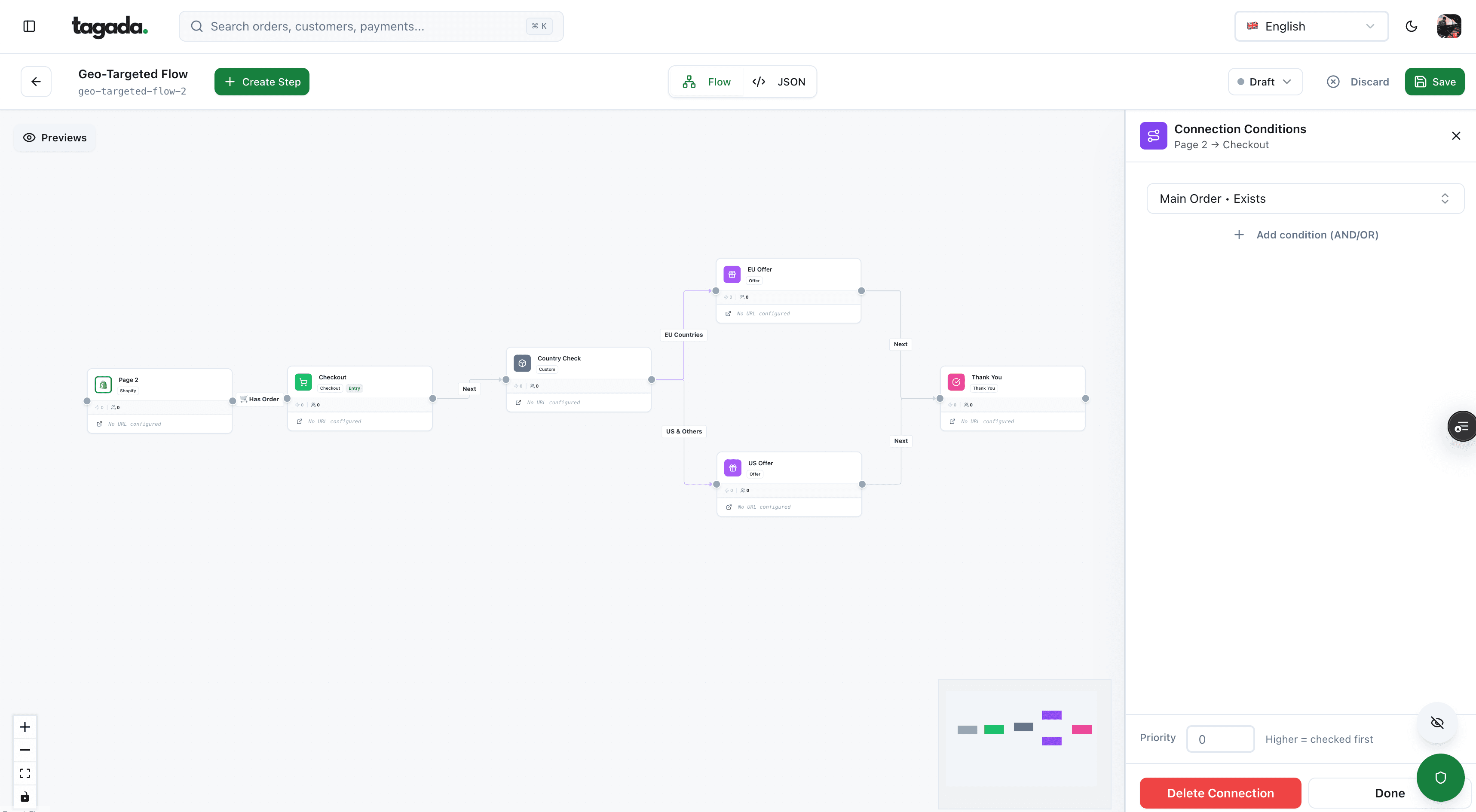
Build the funnel once, route every customer to the right offer
Checkout, upsells and subscriptions on one flow, with conditions per country, order or customer.
Step 4: Set up checkout and delivery
The buyer pays, and the product has to arrive within seconds. Delivery should follow the payment, not a page view.
Fig. 1From payment to access
- CheckoutBuyer pays
- thenPayment confirmedProcessor sends a webhookApproved
- triggersFulfillmentLink, key or account access, once per order
- sendsDelivery emailPlus a download on the thank-you page
the webhook is the trigger, the thank-you page is a bonus
If you build your own checkout
Stripe's documentation is explicit: you can't rely on the checkout landing page alone to trigger fulfillment, because a customer can pay and lose their connection before the page loads. Webhooks are required for subscriptions and for payment methods with delayed confirmation.2Stripe Docs, Fulfill orders (Checkout)
- A 'checkout session completed' event is sent when someone paysThe reliable signal that the order is paidSend the link or unlock access from this event
- Delayed methods send an 'async payment succeeded' event laterACH and bank transfers aren't paid when checkout endsDeliver only when this second event arrives
- Fulfillment may be called several times, even at onceDuplicate keys or emails if you don't guard itRecord each fulfilled session and skip repeats
- Checkout waits up to 10 seconds for your webhook before redirectingA fast handler lets the thank-you page show the downloadRespond quickly, then do heavy work in the background
Source: Stripe Docs, Fulfill orders.2Stripe Docs, Fulfill orders (Checkout) The event names in the API are checkout.session.completed and checkout.session.async_payment_succeeded.
If you sell on Shopify
Shopify's Digital Products app attaches files or links to a product variant. The limits worth knowing before you upload:1Shopify Help Center, Digital Products app
50
Files per variant in the Digital Products app
5 GB
Combined size per variant
500 MB
Per file when added from the product page in the admin
The buyer gets an email after purchase, and the Thank you and Order status pages show a download once you enable digital downloads at checkout and add the Digital Products block. Access is unlimited by default; you can set a number of times per customer, and the limit counts per link the customer receives, not per customer overall. Opening the email doesn't count as a use. Folders can't be uploaded, so zip them.1Shopify Help Center, Digital Products app
License keys for software
A license key lets your software check that a copy was paid for. Gumroad's documentation is a clear example of how it works:3Gumroad Help Center, License keys
- one key is issued per purchase, and multi-seat licenses can cover several seats per key;
- your app calls a verify endpoint with the product ID and the key; each check increments a usage count unless you turn that off;
- the response says whether the sale was refunded or disputed, so you can revoke access;
- enforcement is entirely up to you: Gumroad does no extra verification.
Gumroad also states that license keys won't limit access to audio, video or e-book files.3Gumroad Help Center, License keys For those, use download limits, files behind a login instead of a public link, and the buyer's email stamped on PDFs.
Step 5: Taxes on digital sales
Tax on a digital product usually follows the buyer, not you.
European Union. Since July 1, 2021, the One Stop Shop (OSS) lets a seller register in one EU country and declare VAT on cross-border services to consumers in every EU country.4European Commission, VAT One Stop Shop portal
Seller based in the EU
- Union schemeRegister in your own country
- thenOne quarterly returnCovers every EU country
Home VAT below EUR 10,000 a year of cross-border sales; customer's country rate above it
Seller based outside the EU
- Non-Union schemeRegister in any EU country you choose
- thenOne quarterly returnCovers every EU country
Customer's country rate from the first sale, no threshold
Sources: European Commission OSS portal.4European Commission, VAT One Stop Shop portal5European Commission, Register to OSS6European Commission, Declare and pay in OSS The return is due by the end of the month after each quarter, and a nil return is still required in a quarter with no sales.6European Commission, Declare and pay in OSS The EUR 10,000 threshold is EU-wide and replaced the old per-country thresholds.4European Commission, VAT One Stop Shop portal
United States. There is no federal sales tax; each state decides whether digital products are taxable. New Jersey, for example, taxes "specified digital products" (electronically transferred audio-visual works, audio works and digital books) whether they're sold for permanent use or not.7New Jersey Division of Taxation, Sales and use tax amendments (specified digital products) Check each state where you have buyers with a tax advisor or a tax tool.
The full breakdown, with the definition of electronically supplied services, is in our digital goods merchant guide.
Step 6: Refunds and the EU right of withdrawal
A download can't be sent back, so your refund policy does the job a return policy does for physical goods. In the EU, the law sets the floor.
EU consumers have 14 days to withdraw from an online purchase. For digital content not supplied on a tangible medium, that right ends once delivery has started, but only if three conditions are met when the buyer pays. Since May 28, 2022, Article 16(m) of the Consumer Rights Directive reads:8Directive (EU) 2019/2161, Article 4(12) and recital 38
contracts for the supply of digital content which is not supplied on a tangible medium if the performance has begun and, if the contract places the consumer under an obligation to pay, where: (i) the consumer has provided prior express consent to begin the performance during the right of withdrawal period; (ii) the consumer has provided acknowledgement that he thereby loses his right of withdrawal; and (iii) the trader has provided confirmation in accordance with Article 7(2) or Article 8(7).
The confirmation in Article 8(7) is sent on a durable medium, such as the order email, and must include the consumer's consent and acknowledgment.9Directive 2011/83/EU on consumer rights, Article 8(7) Miss a step and the sanction is steep: the consumer doesn't have to pay for the digital content already consumed.8Directive (EU) 2019/2161, Article 4(12) and recital 38
Fig. 2What the waiver looks like in practice
- Checkbox 1 (unticked by default)
- I want immediate access to the download.
- Checkbox 2 (unticked by default)
- I understand I lose my 14-day right of withdrawal once the download starts.
- Order email
- Confirms the purchase, the consent and the acknowledgment
- First download
- 2 minutes after payment, same IP as checkout
Illustrative record.
three records, all kept with the order
Outside the EU, refunds follow your published policy. A money-back guarantee is a marketing choice, not an obligation. Keep in mind that a refused refund often comes back as a chargeback, which takes the amount plus a fee. See chargeback vs refund for when refunding is the cheaper option.
Step 7: Fraud and disputes
Digital products attract fraud for a simple reason: delivery is instant and there's no address to check. Three patterns cover most of the risk.
- Many small failed payments in a short timeCard testing: scripts check stolen cards on cheap productsCAPTCHA and rate limits on the payment form
- 'Product not received' disputesNo tracking number to prove deliveryLog purchase IP, logins and downloads tied to the account
- Fraud disputes weeks after a saleA stolen card was cashed out on an instant download3-D Secure on risky orders, screening before delivery
The evidence that wins a digital dispute, the card network codes for digital goods, and what processors check before they approve you are all in digital goods merchant. Screening layers are in ecommerce fraud prevention, and the definition of card testing is in the glossary.
Step 8: Market it and sell more to each buyer
Traffic for a digital product usually comes from content, email and paid ads. What turns that traffic into revenue is the path after the click.
- Landing page. One buyer, one problem, one outcome. A preview, a sample page or a short demo.
- Lead magnet. A free chapter or a mini template in exchange for an email, for buyers who aren't ready yet.
- Checkout. Few fields, the payment methods your buyers use, and an order bump: a small add-on ticked before paying.
- One-click upsell. A related offer after payment, accepted without re-entering the card.
- Delivery email. The product, how to start, and where to get help.
- Follow-up. The next product, the bundle, or the annual plan.
Measure each step separately: a weak page and a weak checkout look the same in total revenue.
Upsells work best when they complete the first purchase: implementation templates after a guide, a community after a course, an annual plan after a monthly one. The mechanics are in 1-click upsell, and the full sequence in building a funnel.
Practical rule
Before launch, buy your own product with a real card, on mobile, from a country where you sell. Check the receipt, the download, the waiver checkboxes and the tax line. Then refund yourself and check that access is revoked.
Where Tagada fits
How Tagada helps
Your own checkout for digital products, more than one processor behind it
Tagada runs the checkout and the post-purchase path for brands that sell on their own store: one-click upsells, order bumps and A/B tests, Apple Pay and Google Pay, standalone or alongside Shopify, WooCommerce or a headless setup. Subscriptions come with trials, billing cycles, retries and automatic recovery. Payments route across Stripe, Adyen and TagadaPay with one logic, with a cascade when a payment is declined, and the card vault moves customers between merchant accounts without collecting their cards again. Native 3DS2, device intelligence and a rules engine screen orders before delivery. Every TagadaPay account is underwritten. See pricing for plans. Tagada follows Visa and Mastercard rules and the laws that apply to payments.
Frequently asked questions
How do I sell subscriptions online?
Where is the best place to sell digital products?
Do I have to charge sales tax or VAT on digital products?
Do I have to give refunds on digital downloads?
How do I stop customers from sharing my files?
How do I deliver digital products automatically after payment?
Sources
Checked October 14, 2026- Shopify Help Center, Digital Products app
- Stripe Docs, Fulfill orders (Checkout)
- Gumroad Help Center, License keys
- European Commission, VAT One Stop Shop portal
- European Commission, Register to OSS
- European Commission, Declare and pay in OSS
- New Jersey Division of Taxation, Sales and use tax amendments (specified digital products)
- Directive (EU) 2019/2161, Article 4(12) and recital 38
- Directive 2011/83/EU on consumer rights, Article 8(7)
- Visa Core Rules and Visa Product and Service Rules, April 18, 2026
Tagada
Selling downloads or subscriptions? Own the checkout behind them
Funnels, one-click upsells, subscription billing and payment routing, on one customer record.
- 01Create your free account
- 02Connect your store or build a checkout
- 03Launch funnels, upsells and subscriptions