
What Is a CRM Database? What an Ecommerce Brand Should Store, and What Not
What a CRM database is for an ecommerce brand: the data model, what to store and never store (card data), GDPR and CCPA rights, consent, dedup and exports.

Article summary
TL;DR
A CRM database is the store of everything a business knows about its customers: one record per person, linked to their orders, payments, subscriptions, messages and consent. For an ecommerce brand it is the memory behind segments, emails and support. It holds payment tokens and statuses, never card numbers or CVV.
- A database stores rows. A CRM database organizes them around the customer, and the CRM adds the tools that act on them.
- An ecommerce CRM is built around orders, payments and subscriptions. A sales CRM is built around deals moving through a pipeline.
- Keep one record per customer, matched on email and phone, with clear merge rules.
- Store payment tokens, card brand and last four digits. Never the full card number or the CVV: PCI DSS forbids keeping the CVV even with the customer's approval.
- GDPR and CCPA give customers rights to access, delete and take their data. Build the CRM so you can answer within one month (GDPR) or 45 days (CCPA).
 ChatGPT
 Claude
 Perplexity
 Grok
GrokOn this page
A CRM database is where your brand remembers its customers. For a store, that memory is mostly orders, payments and subscriptions, not sales calls. This guide covers what goes in it, how the pieces link, what must stay out of it, and the privacy rules that decide how long anything stays.
What is a CRM database?
A CRM database is the data layer of a customer relationship management system. Salesforce describes it as a single reference point for customer data: contact details, purchase history, communication records, service requests and preferences.1Salesforce, What Is a CRM Database? (read October 14, 2026) Every team reads from the same record, so the support agent, the email flow and the finance report see the same customer.
For an ecommerce brand, one customer record usually looks like this:
Fig. 1One customer, one record
- jane@example.com
- Phone
- +1 415 555 0134
- Orders
- 6 orders · last one September 28, 2026
- Subscription
- Monthly refill, active, next renewal November 1
- Card
- Visa ending 4242, expires 08/27, stored as a processor token
- Last payment
- Renewal declined October 1, retried and paid October 4
- Consent
- Email: yes, July 2025 checkout box · SMS: no
- Messages
- Welcome flow, 3 order confirmations, 1 payment failed email
- Support
- 1 ticket, shipping delay, closed
Illustrative record.
everything else hangs off it
Notice what's missing: no full card number, no CVV. The card stays with the payment processor. The CRM keeps a reference to it.
CRM vs database: what's the difference?
Every CRM runs on a database. The difference is what sits on top.
| A plain database | A CRM database | |
|---|---|---|
| What it holds | Any rows: products, logs, contacts | Customers and everything linked to them |
| Organized around | Tables you design | The customer record and its timeline |
| Who uses it | Developers, analysts with SQL | Marketing, support, finance, sales |
| Acting on the data | Queries and exports | Segments, automations, tasks, messages |
| Access control | Per database or table | Per team, per field, per record |
| Example | A Postgres table of orders, a spreadsheet of emails | Salesforce, HubSpot, a Shopify customer profile, the customer side of your email tool |
Verdict
If you can only store and query the data, you have a database. If the data drives what someone sees, receives or does next, you have a CRM.
What an ecommerce CRM database stores
The SERP guides list contacts, interactions, purchases and preferences. For a store, the list is more concrete, and payment data is the part most often missing.
| Object | Key fields | Where it comes from |
|---|---|---|
| Customer | Email, phone, name, addresses, language, created date, source | Checkout, account sign-up, forms |
| Orders | Items, amounts, discounts, shipping, status, returns | Store or checkout |
| Payments | Status (paid, declined, refunded, disputed), decline reason, processor, payment token, card brand and last four | Payment processor events (webhooks) |
| Subscriptions | Plan, cycle, next renewal, status (trial, active, past due, paused, canceled) | Subscription or billing system |
| Consent | Channel, yes or no, date, where it was given, wording shown | Checkout boxes, opt-in forms, preference center |
| Messages | Emails and SMS sent, opens, clicks, unsubscribes | Email and SMS tools |
| Events | Pages viewed, carts, checkouts started | Site tracking, ideally server side |
| Support | Tickets, reasons, outcomes | Help desk |
Shopify's own customer profile shows the commerce version of this: orders and draft orders, addresses, email, phone, language, marketing consent for email, SMS and WhatsApp, tags, internal notes, and a timeline of events.3Shopify Help Center, Managing customers (read October 14, 2026)
The data model: how the pieces link
Think of the CRM as one customer at the center and a set of tables pointing at it. Every order, payment, subscription and message carries the customer ID. A payment also carries the order or subscription it belongs to.
Fig. 2The ecommerce CRM data model
- OrdersEach order belongs to one customer. Holds items, totals, status
- PaymentsEach payment belongs to an order or a subscription renewal. Holds status, decline reason, refund, dispute
- SubscriptionsPlan, cycle, next renewal, status. Each renewal creates an order and a payment
- Payment methodsProcessor tokens only, with brand, last four, expiry
- ConsentOne row per channel and change: what, when, where, which wording
- MessagesWhat was sent, when, and what triggered it
every arrow is a customer ID
One record per customer
The model only works if each person exists once. Duplicates appear when a shopper checks out as a guest, later creates an account with another email, or gives a phone number at one checkout and not at the next. Pick your matching rules and write them down:
- Normalize before matching. Lowercase emails and trim spaces. Store phone numbers in international format (+1…).
- Match on email first. Same normalized email, same customer.
- Then on phone. Same phone and no conflicting email: suggest a merge, don't force it.
- Decide which record survives. Usually the one with orders or an active subscription. Keep the other's email as a secondary address.
- Merge the links, not just the fields. Orders, payments, subscriptions, consent and messages must all point to the surviving ID.
- Keep a merge log. Who merged what and when, so a mistake can be traced.
Match on exact identifiers first. Fuzzy matching on names and addresses creates wrong merges, which are harder to undo than duplicates.
Merges are often irreversible. Shopify, for example, says a merge of customer profiles can't be reversed, and blocks merges of profiles that have subscriptions or vaulted cards, among other cases.3Shopify Help Center, Managing customers (read October 14, 2026) Expect similar limits in other tools, and test on a copy first.
Ecommerce CRM vs sales CRM
Both are called CRM, but they model different businesses.
Sales CRM: built to close deals
- LeadA contact from a form or a list
- qualifiedDealMoves through pipeline stages
- closedWon or lostForecast by stage probability
Ecommerce CRM: built for repeat purchases
- VisitorBrowses, starts a checkout
- paysCustomerOrder and payment recorded
- comes backRepeat buyerRenewals, reorders, messages
What each vendor says about its own model, read on official pages on October 14, 2026:
- HubSpot describes pipelines as a way to visualize a process "through stages", and gives each stage of the default sales pipeline a probability of closing.2HubSpot Knowledge Base, Set up and customize pipelines (read October 14, 2026) Its pipelines also cover orders and tickets.
- Salesforce describes its CRM database as storing contact details, purchase history, communications, service requests and preferences, for sales, service and marketing teams.1Salesforce, What Is a CRM Database? (read October 14, 2026)
- Shopify organizes the customer profile around orders, addresses, marketing consent, tags and notes.3Shopify Help Center, Managing customers (read October 14, 2026)
A brand can run a sales CRM for an ecommerce business, but it has to bring in orders, payments and subscription states itself. That's the hard part, and the one that decides whether your emails go to the right people.
How payment data enriches the CRM
Most CRM guides stop at "purchase history". The payment layer tells you much more: whether the customer can still pay, whether they're unhappy, whether they're at risk of leaving. Each of these events should reach the customer record within minutes, not in a nightly batch.
- Renewal declined, insufficient fundsThe customer still wants the product, the card couldn't pay todayStart dunning: retries and a payment update email. Pause upsell emails
- Card expired or replacedInvoluntary churn coming at the next renewalAsk for a new card before the renewal date
- Refund issuedProduct or delivery problemTag the reason. Hold review requests and cross-sells
- Dispute openedThe customer went to their bank instead of youStop renewals and marketing for that customer. Gather order, delivery and consent evidence
- Payment recovered after retryThe customer is back to normalClear the past-due status and resume flows
How to run the recovery part is covered in what is dunning and subscription payment failures. For disputes, the customer record is your evidence file: at Stripe, a cardholder generally has up to 120 days to dispute a payment,9Stripe Docs, How disputes work so the order, delivery proof, consent and messages must still be there months later. See chargeback prevention for what to keep.
These events also make better segments and triggers: a "past due" segment, a "refunded twice" segment, a win-back flow for canceled subscribers. That's the ground of behavioral targeting and triggered email campaigns. For the reports built on the same data, see analytics in ecommerce.
Inside Tagada
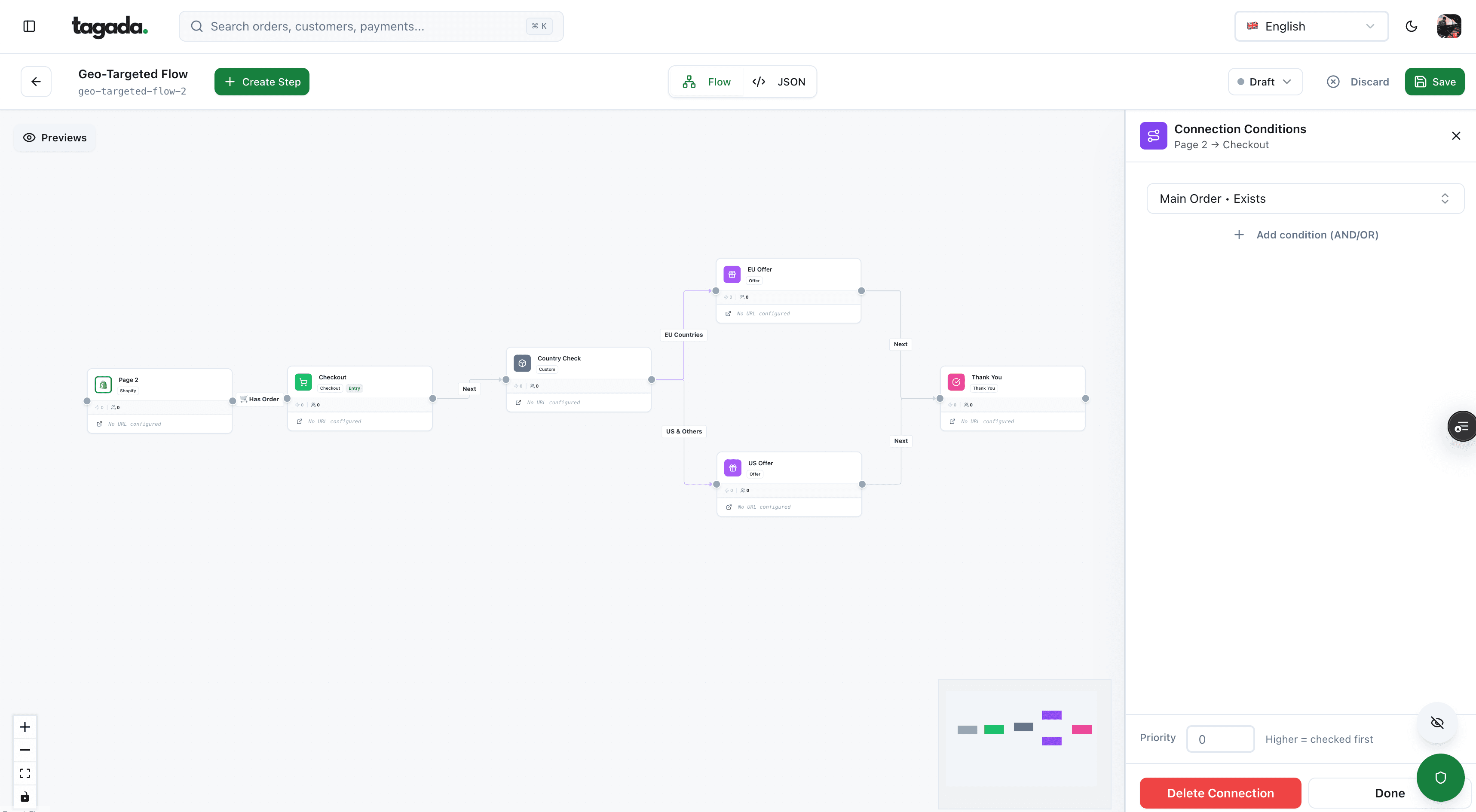
Build the funnel once, route every customer to the right offer
Checkout, upsells and subscriptions on one flow, with conditions per country, order or customer.
What to store, and what never to store
Payment data is where a CRM can turn into a compliance problem. Card numbers belong in the processor's vault. Your CRM keeps a pointer.
| Data | In the CRM? | Why |
|---|---|---|
| Processor token or payment method ID | Yes | It's how you charge a saved card again without holding the card number |
| Card brand, last four digits, expiry month and year | Yes | Enough to show "Visa ending 4242" and to warn before a card expires |
| Payment status, decline reason, refund, dispute | Yes | Drives dunning, support and segments |
| Full card number (PAN) | No | Leave it in the processor's vault. Holding it puts your CRM in PCI DSS scope |
| CVV or card verification code | No | PCI DSS forbids keeping it after authorization, even with the customer's approval |
| Bank login, passwords | No | Never needed for marketing or support |
| Health details shared in tickets or quizzes | Conditional | Special category data under GDPR. Store only if you truly need it, with explicit consent |
The CVV rule is absolute. The PCI Security Standards Council answers it directly:4PCI Security Standards Council, FAQ 1280: Can card verification codes be stored for card-on-file or recurring transactions?
Card verification codes are not needed for card-on-file or recurring transactions, and PCI DSS prohibits storage for these purposes. A customer's request or approval for an entity to retain a card verification code has no validity for PCI DSS.
How saved cards work without you ever holding the number is explained in saved payment methods and tokenization vs encryption.
Free-text fields leak card data
Support notes, chat transcripts and order comments are where card numbers end up: a customer pastes their card to "fix" a payment. Mask or delete them when they appear, and tell agents never to ask for card details by email or chat.
Data protection: GDPR and CCPA
If you sell to people in the EU or in California, privacy law shapes the CRM itself: what you collect, how long you keep it, and how fast you can find and delete one person's data.
The GDPR principles that apply to a CRM
Article 5 of the GDPR sets six principles, plus accountability: you must be able to show you follow them.5Regulation (EU) 2016/679 (GDPR), Articles 5, 7, 9, 12, 15, 16, 17, 20 and 21, EUR-Lex
Data minimization
Collect what you need for the purpose. A date of birth for an age check, yes. "Just in case" fields, no.
Accuracy
Keep records correct and up to date. Duplicates and stale emails are a GDPR issue, not only a deliverability one.
Storage limitation
Keep personal data only as long as the purpose needs. Set a retention period per data type and apply it.
Integrity and confidentiality
Access by role, logs, encryption. Not every agent needs every field.
Customer rights you must be able to answer
| Right | GDPR (EU) | CCPA (California) |
|---|---|---|
| Access: a copy of the data you hold | Article 15 | Right to know |
| Deletion | Article 17, with exceptions such as legal obligations | Right to delete, with some exceptions |
| Correction | Article 16 | Right to correct |
| Portability: data in a reusable format | Article 20 | Not listed as a separate right on the Attorney General's page |
| Stop marketing use | Article 21: objection to direct marketing | Right to opt out of the sale or sharing of personal information |
| Deadline to answer | One month, extendable by two more months if complex | 45 calendar days, extendable to 90; opt-outs within 15 business days |
Sources: GDPR Articles 12, 15, 16, 17, 20 and 21;5Regulation (EU) 2016/679 (GDPR), Articles 5, 7, 9, 12, 15, 16, 17, 20 and 21, EUR-Lex California Attorney General's CCPA page.6State of California, Department of Justice, California Consumer Privacy Act (CCPA), updated August 28, 2026 The CCPA applies to for-profit businesses doing business in California that meet one of its thresholds, such as gross annual revenue over $25 million or buying, selling or sharing the personal information of 100,000 or more California residents or households.6State of California, Department of Justice, California Consumer Privacy Act (CCPA), updated August 28, 2026
Deleting without breaking your books
Erasure doesn't always mean wiping the order. GDPR Article 17(3)(b) lets you keep data needed to comply with a legal obligation,5Regulation (EU) 2016/679 (GDPR), Articles 5, 7, 9, 12, 15, 16, 17, 20 and 21, EUR-Lex and tax and accounting rules usually require keeping invoices. The common pattern is to erase the person and keep the transaction. Shopify works this way: an erasure request removes personal details such as name and address, while what was sold and when stays in the admin. It also cancels subscriptions with remaining payments, and the merchant must contact any other company it shared the data with.8Shopify Help Center, Processing customer data requests (read October 14, 2026)
Practical rule
For every tool the CRM sends data to (email, SMS, ads, help desk, analytics), know how to delete one customer there too. A deletion that stops at the CRM isn't one.
Consent records
Consent is data, and it belongs in the CRM next to the customer. Under the GDPR, when you rely on consent you must be able to prove it, and withdrawing must be as easy as giving it.5Regulation (EU) 2016/679 (GDPR), Articles 5, 7, 9, 12, 15, 16, 17, 20 and 21, EUR-Lex In the US, marketing texts sent with an automated system need prior express written consent, which can't be a condition of purchase.747 CFR 64.1200 (TCPA rules), eCFR
For each consent, store:
- Channel: email, SMS, WhatsApp, phone.
- Status and date: given, withdrawn, and when.
- Where: checkout box, popup, account page, with the URL or form ID.
- What the customer saw: the wording, or a version number that points to it.
- How it ended: unsubscribe link, STOP reply, support request.
Keep the history, not only the current value: a dispute or a complaint may ask what the customer agreed to a year ago. How to collect it cleanly is the topic of opt-in forms.
Keeping the CRM clean
Data decays. People change email, cards expire, guests come back with accounts. Two decisions keep it under control.
One source of truth per field
For each field, decide which system owns it, and let the others only read it. The payment processor owns payment status. The subscription system owns renewal dates. The email tool owns unsubscribes, and must push them back.
When one system owns the field
- No conflicting values between tools
- Clear answer to "which one is right?"
- Deletions and corrections happen once, then flow out
When several tools sync both ways
- Two-way syncs overwrite each other, often silently
- A late batch sync leaves "active" on a customer whose card failed
- Every new tool adds another place to fix and delete data
A monthly cleanup routine
- Merge duplicates found by your email and phone rules.
- Flag hard bounces and invalid phone numbers.
- Check that every payment and subscription points to an existing customer.
- Apply retention periods: delete or anonymize what's past them.
- Spot-check free-text fields for card numbers and health details.
Exports and portability
Your customer data should never be locked in a tool. Two reasons to plan exports from day one:
- Customer requests. GDPR Article 20 gives customers the right to receive the data they provided "in a structured, commonly used and machine-readable format" when processing is based on consent or a contract and done by automated means.5Regulation (EU) 2016/679 (GDPR), Articles 5, 7, 9, 12, 15, 16, 17, 20 and 21, EUR-Lex Shopify, for example, lets a merchant request a customer's data from the profile.8Shopify Help Center, Processing customer data requests (read October 14, 2026)
- Switching tools. When you change CRM, email tool or subscription system, you need customers, orders, consent history and subscription states, with their IDs, in a format you can load elsewhere.
Before signing with any vendor, check what a full export contains (custom fields? consent history? event timeline?), in which format, and whether it has a limit or a cost. Payment methods are the special case: card numbers live with the processor, so moving saved cards means a processor-to-processor transfer, not a CSV.
Where Tagada fits
How Tagada helps
The checkout, subscription and payment events your CRM needs
Tagada runs the checkout (one-click upsells, order bumps, A/B tests, Apple Pay and Google Pay) and subscriptions with trials, billing cycles, dunning and automatic retries, standalone or with Shopify, WooCommerce or headless. Payments route across Stripe, Adyen and Tagada's own processor, TagadaPay, with one logic and a cascade on decline. Its card vault moves customers between MIDs without re-collecting cards, so running subscriptions keep charging. Server-side tracking sends conversions to Meta, Google and TikTok. Pricing is on the pricing page. Tagada follows Visa and Mastercard rules and the laws that apply to payments.
Frequently asked questions
What is a CRM database in simple terms?
Is a CRM the same as a database?
What are examples of CRM databases?
Can I store credit card numbers in my CRM?
How long can I keep customer data in a CRM?
What's the difference between a CRM and a CDP?
Sources
Checked October 14, 2026- Salesforce, What Is a CRM Database? (read October 14, 2026)
- HubSpot Knowledge Base, Set up and customize pipelines (read October 14, 2026)
- Shopify Help Center, Managing customers (read October 14, 2026)
- PCI Security Standards Council, FAQ 1280: Can card verification codes be stored for card-on-file or recurring transactions?
- Regulation (EU) 2016/679 (GDPR), Articles 5, 7, 9, 12, 15, 16, 17, 20 and 21, EUR-Lex
- State of California, Department of Justice, California Consumer Privacy Act (CCPA), updated August 28, 2026
- 47 CFR 64.1200 (TCPA rules), eCFR
- Shopify Help Center, Processing customer data requests (read October 14, 2026)
- Stripe Docs, How disputes work
Tagada
Checkout, subscriptions and payments feeding one customer view
Funnels, one-click upsells, subscription billing and payment routing, on one customer record.
- 01Create your free account
- 02Connect your store or build a checkout
- 03Launch funnels, upsells and subscriptions