
What Is Behavioral Targeting in Ecommerce? Segments, Data and the Rules
Behavioral targeting for ecommerce: the signals that matter, segments to build, first vs third-party data, and EU, US and Meta rules on sensitive data.

Article summary
TL;DR
Behavioral targeting in ecommerce means choosing what to show or send a shopper based on what they did: pages viewed, carts and checkouts abandoned, orders, subscription status, failed payments. A store uses it in its own email, SMS and site, and on ad platforms through customer lists. In the EU, tracking and profiling for marketing need consent and an opt-out.
- Behavioral targeting acts on what a shopper did, not on who they are (demographics) or the page they're reading (contextual).
- For a store, the strongest signals are first-party: checkout started, order placed, subscription status, payment failed. They come from your own systems, not from cookies.
- Chrome kept third-party cookies: Google dropped its phase-out in April 2025 and retired most Privacy Sandbox ad APIs in October 2025.
- In the EU, non-essential tracking needs consent (ePrivacy 5(3)), and customers can object at any time to profiling for direct marketing (GDPR art. 21).
- Health-adjacent brands face extra limits: Meta blocks audiences and events that imply a health condition, and Google doesn't allow Customer Match for health ads.
 ChatGPT
 Claude
 Perplexity
 Grok
GrokOn this page
Behavioral targeting means deciding what a shopper sees or receives based on what they did. For an online store, that's less about tracking people across the web and more about using your own data: who viewed what, who left at checkout, who bought twice, whose renewal just failed. This guide covers the signals worth using, the segments to build, where to activate them, and the rules that limit what you can do, especially if you sell anything close to health.
What is behavioral targeting?
Behavioral targeting is choosing an ad, a message or an on-site experience for a person based on their past actions. The GDPR has a name for the underlying technique, profiling: using personal data "to analyse or predict aspects concerning that natural person's [...] personal preferences, interests, reliability, behaviour, location or movements".1Regulation (EU) 2016/679 (GDPR), Articles 4(4), 9, 21 and 22, EUR-Lex In ecommerce, the actions are concrete: products viewed, searches, carts, checkouts, orders, subscriptions and payments.
It's easiest to understand next to the other ways of choosing who sees what.
| Method | Based on | Store example | Needs data about the person |
|---|---|---|---|
| Behavioral | What the person did | Reminder email to people who started checkout and didn't pay | YesTheir history |
| Demographic | Who the person is (age, location) | Free shipping banner for one country | Some, usually declared |
| Contextual | The page being viewed now | Ad for running socks on a marathon article | None |
| Zero-party | What the person told you | Product quiz answer: "dry skin" | Declared by the person |
Behavioral targeting tends to work because actions say more about intent than traits do. Someone who added a product to the cart twice is closer to buying than anyone a demographic filter will find. That's also why it's regulated: the same history can reveal things people would rather keep private.
How behavioral targeting works in an online store
- Collect the event, with consent where it's required. A product view, an add to cart, a checkout started, an order, a renewal, a failed payment. On-site events come from your site or tag; order and payment events come from your checkout and billing system.
- Attach it to a customer. Anonymous browsing becomes useful once the visitor gives an email or logs in. From then on, past and future events land on one customer record.
- Build the segment. A rule over events and time: "started checkout in the last 24 hours and no order since", "two orders, none in 90 days", "renewal failed, subscription still active".
- Activate it. Send the email or SMS, change what the site shows, or sync the list to an ad platform as a customer list.
- Measure against a holdout. Keep a random share of the segment out of the campaign and compare orders, not clicks.
The order matters: consent first, activation last. Skip a step and the segments are wrong or unusable.
The holdout is what keeps the work honest. People who abandon a checkout often come back on their own, so "orders from people who got the reminder" overstates what the reminder did. Only the gap with the group that got nothing tells you the effect. Vendor case studies quote large lifts; your own holdout is the only number that applies to your store.
The behavioral signals that matter for a store
Most guides list browsing signals: pages viewed, time on page, scroll depth. Those are the weakest. The strongest signals for a store come from the checkout and the billing system, because they're closer to money and they don't depend on a browser cookie.
| Signal | Where it comes from | What it tells you | Typical use |
|---|---|---|---|
| Product or category viewed | Site tag or pixel | Interest, often weak | On-site recommendations, browse reminders |
| Search on your site | Site search | Explicit need, in the shopper's words | Results, "back in stock" alerts |
| Added to cart | Site or cart | Real intent | Cart reminder |
| Checkout started, email entered | Checkout | Strongest intent before payment | Abandoned checkout email or SMS |
| Order placed | Checkout or order system | What, when, how much | Cross-sell, replenishment, review request |
| Subscription active, paused or canceled | Billing system | Relationship status | Retention, win-back, exclusion from acquisition ads |
| Renewal payment failed | Billing system | Involuntary churn risk, not lost interest | Card update request, retries |
| Refund or dispute | Payment processor | Unhappy customer | Exclude from promotions, service follow-up |
| Email or SMS clicked | Messaging tool | Engagement | Frequency and channel choice |
Two lines in that table are usually missing from behavioral targeting guides: failed payments and disputes. A subscriber whose renewal failed didn't decide to leave; their card did. They need a card update link and smart retries, not a "we miss you" discount (see subscription payment failures and what dunning is). A customer with an open dispute shouldn't receive a promotion for the product they're contesting.
Exclusions are segments too
Half of good behavioral targeting is who you leave out: recent buyers from acquisition ads, active subscribers from "first order" discounts, customers with a refund or dispute from upsell campaigns. Exclusion lists cost nothing and stop the messages that annoy people most.
Behavioral segments you can build this week
These segments use only first-party data and fit any store with an email platform and an order history. The rules are starting points: adjust windows to your buying cycle. A full method for segmentation, including RFM, is in our guide to segmenting customers.
| Segment | Rule | Channel | What to send | Leave out |
|---|---|---|---|---|
| Abandoned checkout | Checkout started with email, no order within 1 hour | Email, then SMS if opted in | Reminder with the cart, shipping cost and returns policy | Anyone who ordered since |
| Browse abandonment | Same product viewed twice in 7 days, no cart | Email, on-site | The product, reviews, alternatives | Recent buyers of that product |
| First-time buyer | First order in the last 14 days | How to use it, then a review request | Anyone with a refund request | |
| Replenishment due | Consumable bought, typical reorder time almost reached | Email, SMS | Reorder link, subscription offer | Active subscribers to that product |
| Lapsing customer | 2+ orders, nothing for 2× their usual gap | Email, ad customer list | New products, a reason to come back | Customers with an open dispute |
| Failed renewal | Renewal declined, subscription still active | Email, SMS, account page | Card update link, no discount | Nobody: this is a service message |
| Canceled subscriber | Canceled 30 to 90 days ago | Email, ad customer list | What changed, a return offer | People who canceled after a dispute |
| VIP | Top spend over 12 months | Email, site | Early access, not discounts by default | None |
The failed-renewal row has a legal angle too. Under CAN-SPAM, a message that notifies someone of a change in their standing in a subscription or account can count as transactional or relationship content, but the FTC reads those categories narrowly: add a promotion and lead with it, and the message becomes commercial.17Google Ads Help, Personalized advertising policy Keep the card update email about the card. Lifecycle flows built on these segments are covered in triggered email campaigns and SMS marketing for ecommerce.
Where behavioral segments get used
Fig. 1One segment, four places to act
- EmailReminder flow, with marketing consent
- SMSOnly with prior written consent in the US
- On-siteCart restored, product shown on return
- Ad platformsCustomer list audience, hashed identifiers
the segment lives in your systems; each channel receives only what it needs
Your own channels (email, SMS, site, account page) are where behavioral targeting is cheapest and most precise. You hold the data and choose the message. US SMS marketing needs prior express written consent under the TCPA, and buying can't be made conditional on giving it.
Ad platforms receive segments as customer lists. Meta describes a customer list custom audience as one made of identifiers such as email, phone number and address that you provide; Meta hashes them before use and matches them to its profiles.15Meta Business Help Center, About customer list custom audiences That's how a store reaches lapsed customers or excludes current buyers without depending on browser cookies. Two limits apply: the list itself must not reveal sensitive information (see the health section below), and hashing doesn't make it anonymous.
Site pixels and server events feed the platforms' own behavioral audiences (website visitors, add to cart). Sending them from your server makes them more complete, but it doesn't change the consent rule: see what server-side tracking is and how pixel tracking works.
Inside Tagada
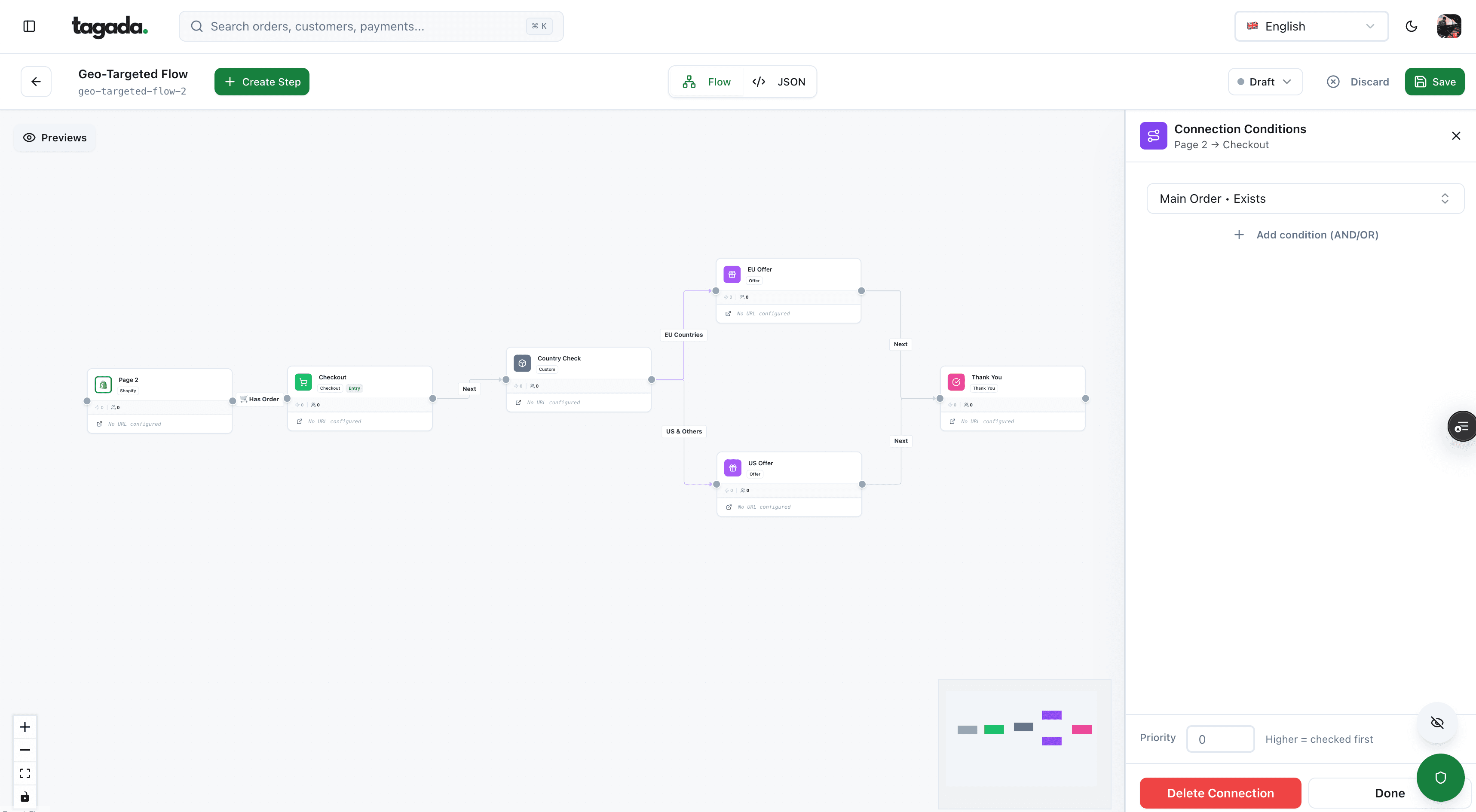
Build the funnel once, route every customer to the right offer
Checkout, upsells and subscriptions on one flow, with conditions per country, order or customer.
First-party vs third-party behavioral data
First-party behavioral data
- Collected by your storeSite events, checkout, orders
- savedStored in your systemsCRM, billing, email platform
- activatedUsed in your channelsOr shared as a customer list
Yours: accurate, durable, tied to a customer record
Third-party behavioral data
- Collected across other sitesThird-party cookies, data brokers
- pooledHeld by an ad tech vendorInterest segments you can't inspect
- rentedBought per campaignNo customer record on your side
Rented: partial, opaque, dependent on browsers and vendors
For years, behavioral targeting guides announced the end of third-party cookies. In Chrome, it didn't happen. On April 22, 2025, Google said it would "maintain our current approach to offering users third-party cookie choice in Chrome" and would not roll out a new standalone prompt; third-party cookies remain blocked by default in Incognito.5Google Privacy Sandbox, Next steps for Privacy Sandbox and tracking protections in Chrome, April 22, 2025 On October 17, 2025, it went further and retired most Privacy Sandbox technologies meant to replace cookies for ads, including Topics, Protected Audience and the Attribution Reporting API.6Google Privacy Sandbox, Update on Plans for Privacy Sandbox Technologies, October 17, 2025
- Before 2025Chrome plans to phase out third-party cookies
- April 22, 2025Google keeps cookie choice, no new prompt
- October 17, 2025Topics, Protected Audience and others retired
- October 2026Third-party cookies still available in Chrome
For a store, this changes less than the headlines suggest. Third-party cookies still work in Chrome, but they still need consent in the EU, and the data they carry is still someone else's. The segments that matter most (checkout, orders, subscriptions, payments) never depended on them.
Is behavioral targeting legal? The EU rules
Behavioral targeting is legal in the EU, inside four sets of rules. The first two apply to your store directly; the DSA applies to the platforms you advertise on.
| Rule | What the text says | What it means for a store |
|---|---|---|
| ePrivacy Directive, art. 5(3) | Storing or reading information on a user's device requires consent, except where strictly necessary for the service the user asked for2Directive 2002/58/EC (ePrivacy Directive), consolidated text, Article 5(3), EUR-Lex | Ad and analytics cookies and pixels need consent before they fire. The EDPB says this covers tracking pixels and links, not only cookies3EDPB, Guidelines 2/2023 on Technical Scope of Art. 5(3) of ePrivacy Directive, version 2.0, adopted October 7, 2024 |
| GDPR, art. 21(2) and (3) | People can object "at any time" to direct marketing, "which includes profiling to the extent that it is related to such direct marketing"; after that, the data "shall no longer be processed for such purposes"1Regulation (EU) 2016/679 (GDPR), Articles 4(4), 9, 21 and 22, EUR-Lex | An opt-out must remove the person from marketing segments, not only from one email list |
| GDPR, art. 9 and 22 | Data concerning health is a special category, prohibited unless an exception applies, such as explicit consent. Art. 22 limits decisions based solely on automated profiling that have legal or similarly significant effects1Regulation (EU) 2016/679 (GDPR), Articles 4(4), 9, 21 and 22, EUR-Lex | Segments that reveal a health condition need explicit consent. Automated decisions with real consequences, like refusing a customer, need a human route |
| Digital Services Act, art. 26(3) and 28(2) | Online platforms may not show ads based on profiling using special categories of data, or based on profiling when they know with reasonable certainty the user is a minor4Regulation (EU) 2022/2065 (Digital Services Act), Articles 26 and 28, EUR-Lex | Platforms will refuse or strip some targeting. Don't build audiences around health, religion or minors |
Providers of online platforms shall not present advertisements to recipients of the service based on profiling as defined in Article 4, point (4), of Regulation (EU) 2016/679 using special categories of personal data referred to in Article 9(1) of Regulation (EU) 2016/679.
Server-side tracking doesn't remove the consent step: if the event exists because of a cookie or pixel on the device, Article 5(3) still applies. Your GDPR basis for email marketing (consent, or the existing-customer rules of your country) is a separate question from cookie consent.
The US rules: sensitive data and health data
The US has no federal law equivalent to the GDPR, but the FTC has made sharing health data with ad platforms an enforcement priority.
- GoodRx (February 2023). The FTC's first action under its Health Breach Notification Rule: a $1.5 million civil penalty for sharing users' prescription medications and health conditions with advertising platforms including Facebook and Google. The order permanently bans sharing health information for advertising.7FTC, FTC Enforcement Action to Bar GoodRx from Sharing Consumers' Sensitive Health Info for Advertising, February 1, 2023
- BetterHelp (March 2023). $7.8 million for consumer refunds over sharing email addresses, IP addresses and health questionnaire information with Facebook, Snapchat, Criteo and Pinterest for advertising, including retargeting.8FTC, FTC to Ban BetterHelp from Revealing Consumers' Data, Including Sensitive Mental Health Information, to Facebook and Others for Targeted Advertising, March 2, 2023
- Health Breach Notification Rule (April 2024). The FTC clarified that the rule covers health apps and similar technologies not covered by HIPAA, and that an unauthorized disclosure, not only a hack, counts as a breach.9FTC, FTC Finalizes Changes to the Health Breach Notification Rule, April 26, 2024
- Washington's My Health My Data Act. "Consumer health data" includes the "use or purchase of prescribed medication" and information "derived or extrapolated from nonhealth information", such as inferences. Collecting it needs consent, and sharing it needs a consent "separate and distinct" from the one to collect, unless necessary for the service the consumer asked for.10Washington State, My Health My Data Act, RCW 19.373.010 and 19.373.030
The Washington definition matters for behavioral targeting specifically: a segment like "bought a product for a condition" can itself be consumer health data, even if no one typed a diagnosis.
Health-adjacent brands: what Meta and Google restrict
If you sell supplements, skincare for a condition, sleep or weight products, or anything a platform may read as health, the ad platforms' own rules bite before any regulator does.
- An event or parameter is blocked in Events ManagerMeta prohibits sharing health information through its Business Tools, including in URLs, event names and custom dataRemove condition names from URLs, product parameters and event names
- Your pixel is placed in core setupCustom parameters and everything in the URL after the domain stop being sharedRebuild audiences that relied on URL rules or custom parameters
- Purchase or AddToCart can't be usedMeta may restrict mid and lower-funnel standard events for some data source categoriesUse upper-funnel events; check your category in Events Manager
- A custom or lookalike audience is flaggedAudiences can't reference specific health conditionsRebuild the audience on behavior, not on condition
- Customer Match isn't available for a campaignGoogle doesn't support advertiser-curated audiences in sensitive interest categories, which include healthRely on your own channels for those segments
Meta's list of prohibited information covers diseases and medical conditions, sexual and reproductive health, mental health, medical treatments and testing, "prescription medications, and over-the-counter (OTC) and supplements for specific medical conditions", and body specifications and cycles. It adds that "the names you choose and criteria you establish for your events, conversions, and Custom Audiences must not reflect, imply, or be based on any prohibited information".11Meta Business Help Center, About prohibited information Meta may place a data source in core setup, restrict certain standard events, or fully restrict event sharing for some categories, by region or globally.12Meta Business Help Center, Understand data sharing restrictions based on data source categories13Meta Business Help Center, About core setup Flagged custom audiences can't be used in new campaigns, and a flagged seed audience blocks its lookalikes.14Meta Business Help Center, Understand restrictions on certain custom audiences
Google's personalized advertising policy lists health among sensitive interest categories and marks Customer Match, your data segments, audience expansion and lookalike segments as not supported for them.16Meta Advertising Standards, Privacy Violations and Personal Attributes And the ad copy itself can't imply that the platform knows the person's condition: Meta disallows "Do you have diabetes?" but allows "New diabetes treatment available".18FTC, CAN-SPAM Act: A Compliance Guide for Business
The practical rule for health-adjacent stores
Name segments after behavior, never after a condition. "Bought product X in the last 60 days" is a behavioral segment. "Joint pain customers" is a health segment, for Meta, for Google and possibly for Washington State law. Keep condition-based logic inside your own email and site, with explicit consent where the law asks for it.
How to measure behavioral targeting
Measure each segment against a holdout and against revenue, not clicks:
- Incremental orders. Orders in the targeted group minus orders in the holdout, per 1,000 people in the segment.
- Margin after discounts. A win-back coupon that brings back people who would have reordered anyway loses money.
- Unsubscribes and complaints. Behavioral messages that feel invasive cost you the channel.
- For failed renewals: recovered subscriptions. Count subscriptions still active 30 days after the failure, not emails opened.
Behavioral targeting is also what keeps acquisition spend clean. Excluding current customers and subscribers from prospecting campaigns is a behavioral segment, and often the one with the clearest effect on cost.
Where Tagada fits
How Tagada helps
The checkout and billing events behind your best segments
Tagada runs the checkout (one-click upsells, order bumps, A/B tests, Apple Pay and Google Pay) and subscriptions (trials, billing cycles, dunning and automatic retries), and sends tracking server side to Meta, Google and TikTok. It works standalone, with Shopify, with WooCommerce or headless. Pricing is on the pricing page.
Whatever tool you use, check three things before building segments on it: which events it records (checkout started, renewal failed, refund), whether it can pass consent choices to each destination, and whether event names and URLs it sends to ad platforms stay free of condition names.
Frequently asked questions
What is an example of behavioral targeting in ecommerce?
What is the difference between behavioral targeting and retargeting?
What is the difference between behavioral and contextual targeting?
Is behavioral targeting legal?
Does behavioral targeting still work without third-party cookies?
What data is used for behavioral targeting?
Sources
Checked October 14, 2026- Regulation (EU) 2016/679 (GDPR), Articles 4(4), 9, 21 and 22, EUR-Lex
- Directive 2002/58/EC (ePrivacy Directive), consolidated text, Article 5(3), EUR-Lex
- EDPB, Guidelines 2/2023 on Technical Scope of Art. 5(3) of ePrivacy Directive, version 2.0, adopted October 7, 2024
- Regulation (EU) 2022/2065 (Digital Services Act), Articles 26 and 28, EUR-Lex
- Google Privacy Sandbox, Next steps for Privacy Sandbox and tracking protections in Chrome, April 22, 2025
- Google Privacy Sandbox, Update on Plans for Privacy Sandbox Technologies, October 17, 2025
- FTC, FTC Enforcement Action to Bar GoodRx from Sharing Consumers' Sensitive Health Info for Advertising, February 1, 2023
- FTC, FTC to Ban BetterHelp from Revealing Consumers' Data, Including Sensitive Mental Health Information, to Facebook and Others for Targeted Advertising, March 2, 2023
- FTC, FTC Finalizes Changes to the Health Breach Notification Rule, April 26, 2024
- Washington State, My Health My Data Act, RCW 19.373.010 and 19.373.030
- Meta Business Help Center, About prohibited information
- Meta Business Help Center, Understand data sharing restrictions based on data source categories
- Meta Business Help Center, About core setup
- Meta Business Help Center, Understand restrictions on certain custom audiences
- Meta Business Help Center, About customer list custom audiences
- Meta Advertising Standards, Privacy Violations and Personal Attributes
- Google Ads Help, Personalized advertising policy
- FTC, CAN-SPAM Act: A Compliance Guide for Business
Tagada
Checkout, subscriptions and server-side events in one system
Funnels, one-click upsells, subscription billing and payment routing, on one customer record.
- 01Create your free account
- 02Connect your store or build a checkout
- 03Launch funnels, upsells and subscriptions