
What Is an Ecommerce Recommendation Engine? Placements, Data and Setup
How an ecommerce recommendation engine works: where it shows products, the data behind it, rules vs machine learning, Shopify and Klaviyo setup, and testing.

Article summary
TL;DR
An ecommerce recommendation engine is software that picks which products to show each shopper, using your catalog and behavior such as views, carts and past orders. It fills blocks like "You might also like" on product pages, suggestions in the cart, order bumps, post-purchase offers and product grids in emails. It can run on simple rules or on machine learning.
- A recommendation engine answers one question at each placement: which few products should this shopper see next? Product page, cart, checkout, post-purchase and email each need a different answer.
- The strongest data is your own: purchase history, products bought together, cart contents and subscription status. Browsing data is weaker but available earlier.
- Shopify generates related products for free, from purchase history first, then product descriptions (English storefronts only), then collections. Complementary products are picked by hand.
- Exclusions matter as much as the ranking: sold-out items, products already bought, refunded or disputed items, and anything that implies a health condition.
- Measure against a holdout on revenue per visitor. Clicks on a recommendation block prove nothing on their own.
 ChatGPT
 Claude
 Perplexity
 Grok
GrokOn this page
A recommendation engine decides which products a shopper sees next: on the product page, in the cart, at checkout, after payment and in emails. This guide covers where those recommendations go, the data that drives them, rules versus machine learning, what Shopify and Klaviyo actually do, what never to recommend, and how to prove it works. By industry: selling routines for skincare brands.
What is a recommendation engine in ecommerce?
An ecommerce recommendation engine is software that picks a short list of products for a given shopper at a given moment. It works like a good sales assistant: it knows the catalog, notices what the customer is looking at, remembers what they bought last time and suggests one or two things that fit. The difference is that it does this for every visitor, on every page, and can be tested.
It does two jobs. It filters, removing what shouldn't be shown (sold out, already in the cart, already bought). Then it ranks what's left, so the most likely purchase comes first. Most guides talk only about the ranking; in a real store, the filtering causes most of the complaints.
The engine produces different kinds of recommendations, each suited to a placement:
| Recommendation | What it shows | Main data | Typical placement |
|---|---|---|---|
| Similar products | Alternatives to the item viewed | Product attributes, co-views | Product page, "You might also like" |
| Complementary products | Items that go with the item viewed or carted | Products bought together, or a list you set | Product page "Pair it with", cart, order bump |
| Recently viewed | Products this shopper looked at | Browsing history | Homepage, browse reminder email |
| Best sellers | What sells most over a period | Orders | Homepage, new visitors, fallback |
| Personalized picks | Products ranked for this shopper | Views, carts and orders, theirs and similar shoppers' | Homepage, email |
| Replenishment | The same consumable again | Order date and usual reorder time | Email, account page |
Recommendations are one part of personalization, and the ecommerce use is mostly cross-selling: adding the right second item to an order.
Where recommendations show up in a store
Fig. 1One engine, five moments
- Product pageSimilar and complementary items
- Cart drawerOne add-on tied to the cart
- CheckoutOrder bump, unticked
- Post-purchaseOne-click offer after payment
- EmailProduct grid in flows and campaigns
each placement asks a different question
Each placement comes at a different point in the purchase, so it suits a different kind of recommendation:
| Placement | When | What works there | How it's paid |
|---|---|---|---|
| Product page | Before add to cart | Alternatives if the item isn't right, add-ons if it is | Part of the first order |
| Cart drawer | Right after add to cart | One to three items that complete the cart | Part of the first order |
| Checkout (order bump) | On the payment page | A single low-priced add-on the shopper ticks | Part of the first order |
| Post-purchase | After payment, before the thank-you page | One offer on the card just used | A second charge, see 1-click upsell |
| Days or weeks later | Complementary items, replenishment, back in stock | A new order |
The further down the funnel, the fewer products to show. A product page can carry a row of four to eight. A checkout should carry one. Stacking the same suggestion at every step annoys more than it sells: a shopper who declined the refill pack in the cart shouldn't meet it again as an order bump and again after payment. When a pair of products sells together often, a fixed bundle with its own price can work better than a recommendation.
Emails are where recommendations reach people who left. A post-purchase email suggesting the complementary product, or a replenishment email timed to the usual reorder gap, are both triggered email campaigns with a recommendation block inside.
What data drives recommendations
Most guides list browsing data first. For a store, the most useful data comes from orders and the customer record, because it's tied to money and it doesn't disappear with a cookie.
| Signal | Where it comes from | What it's good for | Watch out |
|---|---|---|---|
| Product attributes (category, price, material, use) | Your catalog | Similar items, new products with no sales yet | Thin or messy product data gives poor matches |
| Products viewed, searches | Site events | Recently viewed, early interest | Weak intent, needs consent for tracking in the EU |
| Cart contents | Cart | Complementary items in the drawer and at checkout | Don't recommend what's already in the cart |
| Purchase history | Orders in your CRM or store | Cross-sell, replenishment, "you already own this" | Older orders say less about current needs |
| Bought together | Orders with several items | "Frequently bought together", bundles | Needs enough multi-item orders |
| Subscription status | Billing system | Don't sell a product someone already receives | Often missing from recommendation tools |
| Refunds and disputes | Payment processor | Exclusions | Rarely connected, yet the clearest "don't" |
| Stock level | Inventory | Exclusions, low-stock rules | Recommending sold-out items wastes the slot |
The last three rows are what separates a store's recommendations from a generic model. A subscriber who receives a product every month doesn't need it suggested again. A customer who refunded or disputed an item shouldn't see it in the next email. Both facts live in your billing and payment systems, not in your browsing data, so they need to be connected on purpose. Building segments from these signals is covered in how to segment customers.
Rule-based vs machine learning recommendations
Rule-based
- You set the logicPair this serum with this cleanser
- listsEngine applies itSame suggestion for everyone in the case
- by handYou review itWhen the catalog changes
Predictable, works from day one, needs upkeep
Machine learning
- Model learns from behaviorViews, carts, orders
- scoresRanks for each shopperDifferent list per person
- automaticallyRetrains on new dataFalls back when data is thin
Adapts by itself, needs data and a fallback
Rules are lists you write: "show the cleanser with the serum", "show best sellers in this collection", "show the refill 25 days after the first order". They're easy to explain and they work for a small catalog or a launch. Their limit is upkeep: every new product needs new rules.
Machine learning engines learn the pairings from behavior. They come in three families, which every guide on the topic describes:
| Family | How it picks | Strength | Weakness |
|---|---|---|---|
| Collaborative filtering | "Shoppers who bought this also bought that": patterns across customers or across items | Finds pairings you wouldn't have guessed | Needs history; can't place new products or new visitors (the cold start) and favors items that already sell |
| Content-based filtering | Products with attributes similar to what the shopper liked | Works for new products with good data | Recommends more of the same |
| Hybrid | Combines both, or switches depending on available data | Covers each family's gaps | More complex to run and to explain |
In practice, most stores use both: hand-picked complementary products where you know the right answer, and generated suggestions everywhere else. Shopify's own setup works this way.
How Shopify handles the cold start
Shopify generates related products automatically with three strategies, in order: purchase history ("the product needs previous sales"), then the product description (only for English storefronts), then related collections when neither is available.1Shopify Help Center, Search & Discovery: Product recommendations A new product with no sales falls back to its description or collections. Klaviyo does the same in email: when it can't personalize, it falls back to a secondary recommender such as best-selling or most viewed products.5Klaviyo Help Center, How to use product feeds and recommendations
Inside Tagada
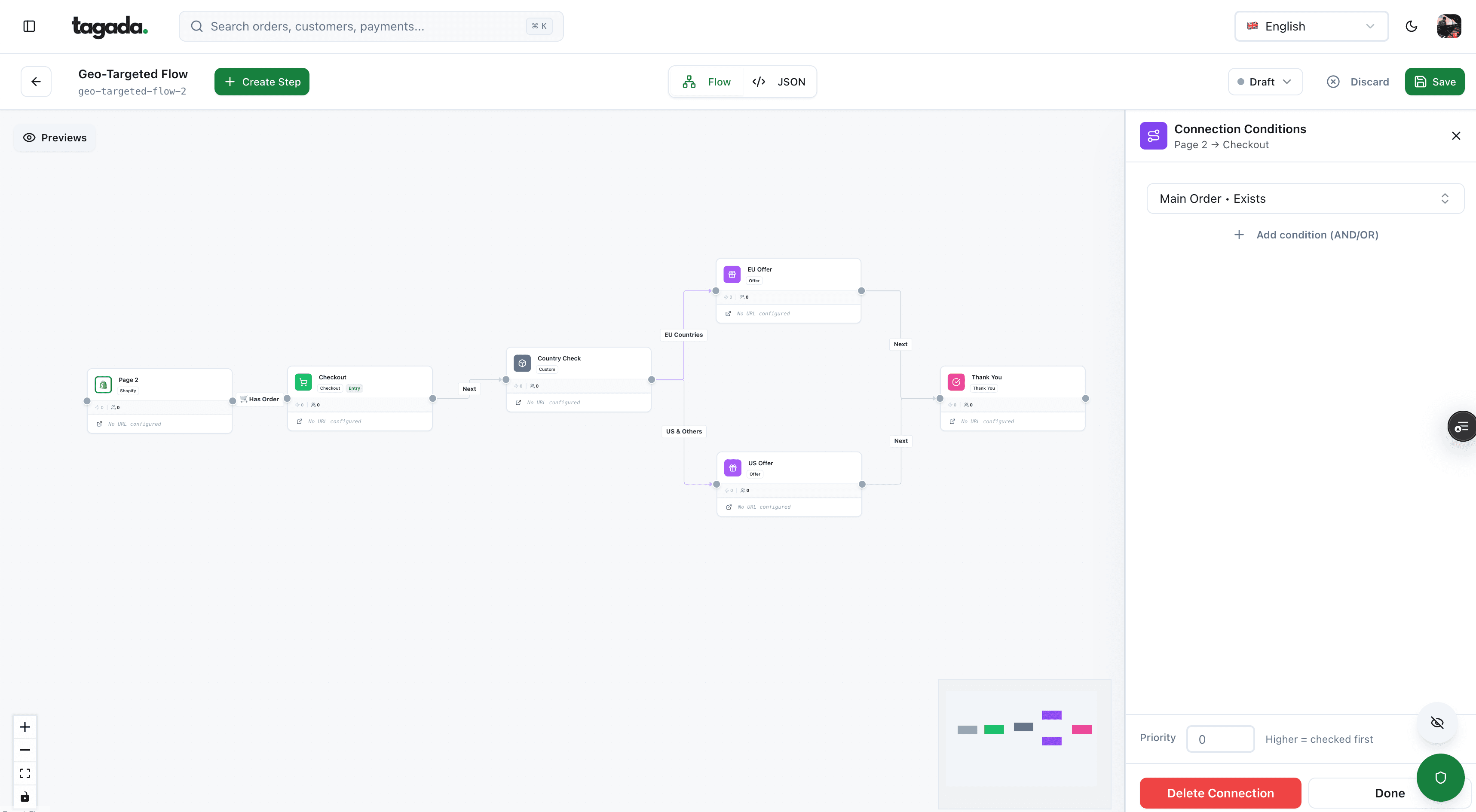
Build the funnel once, route every customer to the right offer
Checkout, upsells and subscriptions on one flow, with conditions per country, order or customer.
Build or buy a recommendation engine
Most brands don't need to build one. The tools they already use include recommendations, and the official documentation states what each one does.
Shopify Search & Discovery
Free app made by Shopify. Lets you add related and complementary products on product pages, alongside search filters, synonyms, boosts and analytics.
Shopify Product Recommendations API
For theme developers: returns related or complementary products for a product, to place them anywhere, such as the cart drawer.
Klaviyo product feeds
Product blocks in emails, filled from your catalog and each customer's views and purchases, with best-seller and personalized options.
Custom build
Your own data pipeline and model. Only worth it when the catalog, traffic and team make off-the-shelf rules too limiting.
The details that matter when you set them up:
| Tool | What it does | Limits from the official docs |
|---|---|---|
| Shopify Search & Discovery | Related products generated automatically (you can't edit them, only add your own); complementary products chosen by hand; app developed by Shopify and free4Shopify App Store, Shopify Search & Discovery | Up to 10 related and 10 complementary products chosen by hand; a block shows 1 to 10 products; only one complementary block per product page; your theme must include the sections1Shopify Help Center, Search & Discovery: Product recommendations |
| Shopify Product Recommendations API | Returns products for a product_id, with intent set to related (default) or complementary2Shopify Dev, Ajax API: Product Recommendations | limit from 1 to 10; only related recommendations are auto-generated, complementary ones come from Search & Discovery2Shopify Dev, Ajax API: Product Recommendations3Shopify Dev, Product recommendations (themes) |
| Klaviyo product feeds | Classic options such as newest or best-selling products (over the last 3 or 90 days), and options personalized for each customer: recently viewed, added to cart, "Products customer may also like"5Klaviyo Help Center, How to use product feeds and recommendations | Recently viewed and added to cart look back 90 days; the model typically takes 2 days to a week to train; product blocks work only in the drag-and-drop and hybrid editors5Klaviyo Help Center, How to use product feeds and recommendations |
Specialized personalization vendors exist for larger catalogs. Judge them on the same points: which placements they cover, how they handle new products and visitors, which exclusions they apply, whether you can pin products by hand and whether they support a proper holdout. Their published case studies come from their own customers; your test is the only number that counts.
A custom build makes sense for a large catalog with heavy traffic and a data team. It means collecting events, computing pairings or training a model, serving results fast enough not to slow the page, and keeping a fallback for when it fails. For most DTC brands, the time is better spent on the inputs: clean product data, connected order and subscription data, and good exclusions.
What a recommendation engine should never show
A bad recommendation costs more than an empty slot. Shopify and Klaviyo already exclude some items by default: Shopify won't display a product that's sold out (related products can show if "continue selling when out of stock" is on; complementary products need inventory above zero), unlisted, priced at $0.00, a gift card, unpublished, or already in the visitor's cart.1Shopify Help Center, Search & Discovery: Product recommendations Klaviyo leaves out items without images, items the recipient already bought, out-of-stock items and the item that triggered the flow.5Klaviyo Help Center, How to use product feeds and recommendations The rest is up to you.
- A sold-out item in a recommendation blockThe slot is wasted, and the shopper may pick something they can't getKeep the stock filter on, and check custom placements and emails too
- A customer is offered what they just boughtDurable goods aren't bought twice; it reads as a machine not paying attentionExclude past purchases, except consumables on a replenishment schedule
- A refunded or disputed product comes back in an emailThe customer already told you it didn't work for themFeed refunds and disputes into your exclusion list
- A subscriber is offered a one-off purchase of their subscription productIt suggests they're overpaying, or that you don't know themExclude products from active subscriptions
- An email suggests a product tied to a health conditionThe recommendation reveals what you inferred about the personBase suggestions on products, not conditions; keep this out of ad audiences
The last line matters for anything health-adjacent: supplements, skincare for a condition, sleep or weight products. A recommendation like "since you bought X for joint pain" turns a purchase into a health inference. Some US state laws treat information inferred from purchases as health data, and ad platforms restrict audiences built on conditions; the rules are covered in what behavioral targeting is. Keep recommendations product-to-product ("goes well with X") rather than condition-based.
The same care applies to how an add-on is sold. A recommended item should never be added to the cart for the shopper or offered with a pre-ticked box; the shopper adds it. The rules are in cart drawer upsells.
How to measure recommendations
A recommendation block always gets clicks. The question is whether it adds revenue that wouldn't have happened anyway. Shoppers who click "You might also like" are often the ones who were going to buy more regardless, so comparing them with everyone else overstates the effect.
- Keep a holdout. Show the recommendations to a random share of visitors (or email recipients) and nothing, or the old version, to the rest.
- Pick revenue per visitor as the decision metric. It combines conversion rate and average order value. A higher AOV with fewer orders is a loss.
- Track attach rate per placement. Orders containing a recommended item, divided by orders where it was shown. It tells you which block is relevant, not whether it pays.
- Count after refunds and returns. An add-on that comes back costs you shipping and handling. Record the recommendation on the order line so returns show up.
- Split by device and by new versus returning customers. A block that helps returning customers can distract first-time buyers on mobile.
- Change one thing at a time. The algorithm, the placement, the number of products or the wording, not all at once.
The holdout is the only number that applies to your store. Vendor benchmarks don't.
How to size and read the test is in what is A/B testing, and the other levers that move conversion are in how to increase ecommerce conversion rates.
Where Tagada fits
How Tagada helps
The checkout placements where recommendations turn into orders
Tagada runs the checkout, with one-click upsells, order bumps, A/B tests, Apple Pay and Google Pay, and subscriptions with trials, billing cycles, dunning and automatic retries. Purchases are tracked server side to Meta, Google and TikTok. It runs standalone, on Shopify, on WooCommerce or headless. Pricing is on the pricing page.
Whatever runs your recommendations, the order of work stays the same: decide what each placement is for, connect order, subscription and refund data, set the exclusions, and keep a holdout to prove the result.
Frequently asked questions
What is a recommendation engine in ecommerce?
How does a product recommendation engine work?
What are the main types of recommendation engines?
Does Shopify have a built-in recommendation engine?
How do you choose a product recommendation engine?
What is an example of a recommendation engine?
Sources
Checked October 14, 2026Tagada
Checkout with one-click upsells, order bumps and A/B tests
Funnels, one-click upsells, subscription billing and payment routing, on one customer record.
- 01Create your free account
- 02Connect your store or build a checkout
- 03Launch funnels, upsells and subscriptions