

The most common WooCommerce checkout advice is incomplete. Removing fields, enabling guest checkout, and forcing everything onto one page can improve the interface, but none of those changes can approve a transaction that times out, fails authentication, or gets routed through an unreliable processor.
WooCommerce checkout optimization is a payment problem as much as it's a UX problem. A shorter form helps only when the backend can calculate totals, validate addresses, authorize payment, create the order, and recover from failure without losing the shopper. For high-risk merchants, international sellers, and subscription brands, the hidden revenue leak often appears after the customer clicks Place order.
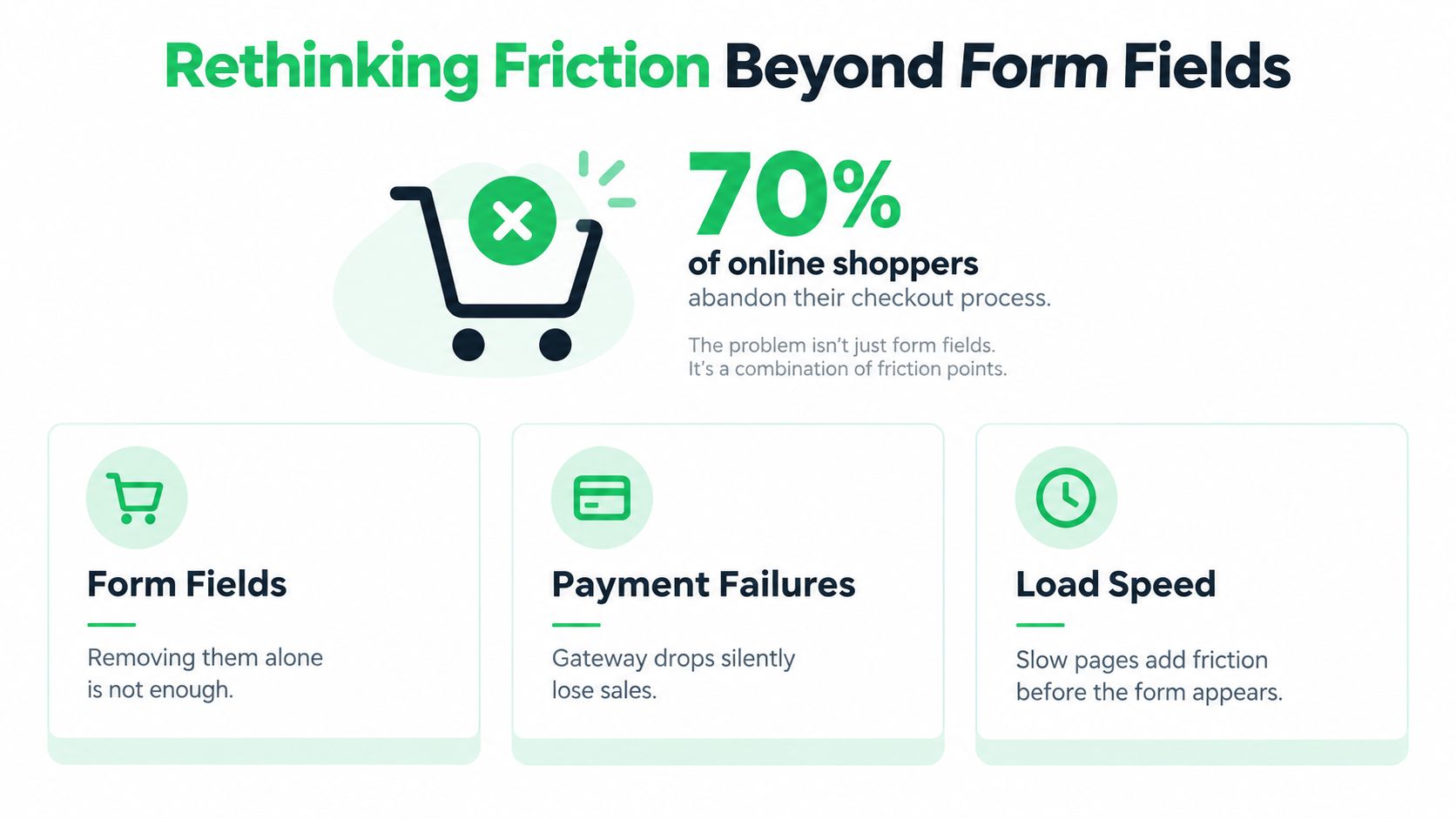
Rethinking Friction Beyond Form Fields
A one-page checkout isn't automatically a fast checkout. Heavy JavaScript, unstable AJAX recalculations, third-party wallet scripts, and payment gateway errors can make a short page slower and less dependable than a well-structured multi-step flow. The shopper doesn't care how many fields your template contains if the payment spinner never resolves or the order fails without a useful explanation.
Baymard Institute reports a global average cart-abandonment rate of 70.19%, based on tracking conducted over 14 years, with 17% of online shoppers abandoning an order because checkout was too long or complicated. Those figures establish a prioritization baseline, not a guaranteed loss rate for every store. The practical question is which part of that abandonment belongs to form friction and which part belongs to payment, performance, pricing, or recovery failures. Baymard's checkout usability research provides the broader context.
Segment the leak before changing the layout
Start with completed orders, not clicks on the checkout button. Segment abandonment and payment outcomes by:
- Device type: Compare mobile browsers, tablets, and desktop sessions. A form can appear clean on desktop while keyboard behavior or layout shifts make it difficult on a phone.
- Traffic source: Paid social, branded search, affiliates, and returning customers often arrive with different levels of intent and different payment expectations.
- Payment method: Measure card, wallet, bank, local, and buy-now-pay-later outcomes separately. A healthy overall conversion rate can conceal a broken method.
- Geography and currency: Cross-border authentication, address formats, currency handling, and issuer behavior can create failures that never appear in domestic traffic.
- Product and order type: One-time purchases, high-ticket orders, digital products, and subscriptions carry different fraud and authorization patterns.
Practical rule: Don't call a checkout “optimized” because the form is shorter. Call it optimized when customers can complete payment reliably and the business can explain every failure.
The historical shift matters. Checkout optimization used to mean rearranging labels and hiding optional fields. It now includes transparent totals, guest access, mobile performance, gateway monitoring, decline classification, and post-failure recovery. Merchants looking for a broader UX framework can also review practical guidance on how to fix checkout friction, but the frontend should remain only one part of the diagnosis.
Streamlining the Input Experience
Field reduction remains one of the highest-impact WooCommerce changes, provided you remove the right fields. Baymard's benchmark found that the average checkout contained 11.3 form fields in 2024, while effective guest flows can require 6 to 8 fields. The research also indicates that total fields matter more than the number of steps. See the underlying checkout form field benchmark for the methodology and context.
Audit every field before hiding anything
WooCommerce fields can come from core, the theme, checkout-field plugins, tax extensions, shipping tools, fraud systems, subscriptions, and custom snippets. Create an inventory in a staging environment, then classify every field as mandatory, conditional, or removable.
- Mandatory fields support an operational decision. Country, name, shipping address, email, and payment data may be necessary for fulfillment, tax, fraud screening, customer communication, or gateway requirements. Removing them can create downstream failures rather than conversion gains.
- Conditional fields appear only when the customer needs them. Show billing fields when billing differs from shipping. Reveal company information for business buyers, not every shopper. Display address details that match the selected delivery method and destination.
- Removable fields don't justify their place in the purchase path. Marketing preferences, redundant confirmations, unnecessary account fields, and duplicate address inputs should not interrupt payment.
Guest checkout deserves special attention. Baymard's research found that 24% of U.S. online shoppers abandoned because the site prompted them to create an account, while a later survey found 18% abandoned because they didn't want to create one. Those figures come from Baymard's checkout UX statistics. Let the customer buy first, then invite account creation after the order, when the value exchange is clear.
Make the remaining fields easier to complete
Browser autofill works only when fields use recognizable names, labels, and autocomplete attributes. Address autocomplete can reduce typing, but it must preserve the customer's ability to correct suggestions and support localized address formats. Test postal codes, apartment numbers, province fields, and nonstandard addresses instead of assuming one country's pattern works globally.
Inline validation should explain the correction without clearing valid data. Coupon errors must preserve cart contents. Failed AJAX recalculations must keep the entered address and payment selection. On mobile, check that the correct keyboard appears for email, phone, postal code, and card inputs.
Use the accompanying video as a practical visual reference for the input experience:
<iframe width="100%" style="aspect-ratio: 16 / 9;" src="https://www.youtube.com/embed/TFwJYscOgoI" frameborder="0" allow="autoplay; encrypted-media" allowfullscreen></iframe>
Finally, test plugin interactions rather than trusting the field count. Checkout-field editors, one-page checkout tools, payment gateways, subscriptions, and tax plugins can each attach validation or trigger total recalculation. Monitor JavaScript errors, failed order creation, gateway responses, and completion rate after every change.
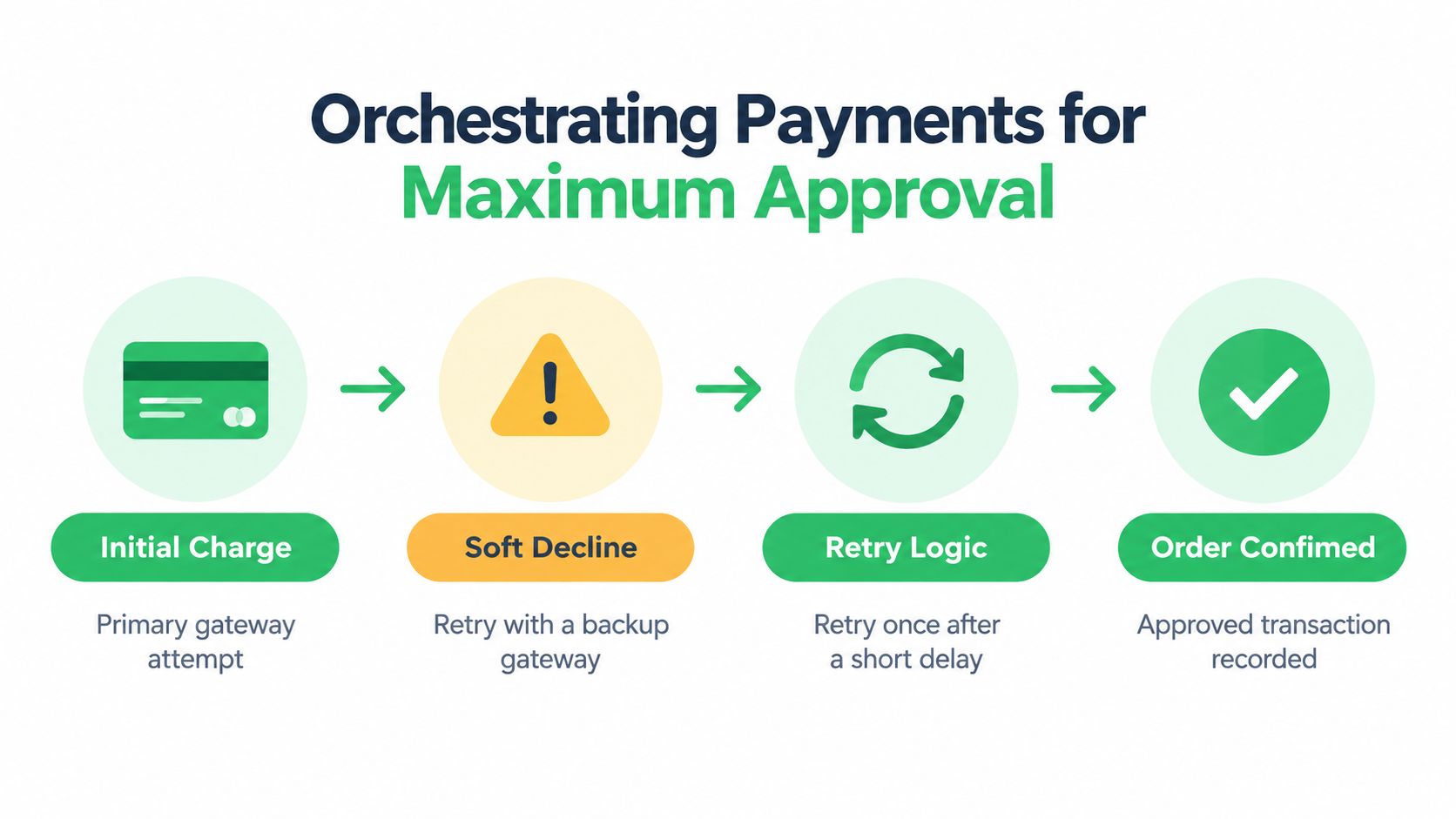
Orchestrating Payments for Maximum Approval
A polished checkout can still lose the order at authorization. A recent WooCommerce and Stripe survey of more than 1,400 shoppers found that failed transactions were the largest checkout-related abandonment reason, cited by 28% of respondents. The finding is documented in WooCommerce's checkout trends research.
Separate hard declines from recoverable failures
A hard decline usually needs customer or issuer action. The card may be canceled, blocked, expired, or rejected for a reason another processor can't resolve. A soft decline can result from a timeout, processor routing issue, authentication interruption, temporary issuer response, or a missed retry opportunity.
That distinction should drive the recovery path. Don't display the same generic message for every failure, and don't retry every decline blindly. A recoverable event may justify a controlled retry, alternate routing, or a request for authentication. A non-retryable event should move the customer toward a new payment method.
Payment orchestration turns the gateway into a measurable reliability layer. It can route by country, currency, card region, product risk, processor capability, and historical approval behavior. For high-risk businesses, routing also has to respect processor rules, underwriting constraints, dispute exposure, and the product being sold. A backup processor isn't useful if it can't legally or operationally support the transaction.
Measure the payment path, not only the button
Your dashboard should connect the frontend session to the processor response and the final order status. At minimum, track:
- Authorization rate: Separate attempted payments from approved payments.
- Soft-decline rate: Identify failures that may be recoverable.
- Retry recovery rate: Measure how many failed attempts become paid orders.
- Payment-method conversion: Compare cards, wallets, local methods, and alternative rails.
- Processor-specific errors: Preserve gateway codes instead of collapsing them into “payment failed.”
- Authentication outcomes: Distinguish successful, abandoned, and failed challenges.
Wallets can reduce input friction, but they don't replace orchestration. Apple Pay, Google Pay, PayPal, and local methods still depend on correct merchant configuration, device support, currency coverage, and reliable event handling. Test the complete sequence, including webhook delivery, duplicate events, delayed confirmations, and sandbox edge cases. Practical guidance on handling webhooks and sandbox testing is useful when validating those integrations.
For teams evaluating routing architecture, dynamic payment routing offers a useful framework for thinking about processor selection as a live decision rather than a fixed plugin setting. The goal isn't to add complexity for its own sake. It's to recover transactions that a single static route would abandon.
Securing Recurring Revenue and Renewals
Subscription checkout doesn't end when the first order succeeds. The initial payment establishes permission, payment-method eligibility, customer authentication, and the renewal path. If those pieces aren't preserved, the store can acquire a customer successfully and still lose the recurring revenue later.
WooCommerce Subscriptions distinguishes retryable card failures from non-retryable failures. Its default configuration uses five retry rules over seven days, creating a defined recovery window rather than immediately canceling the subscription. The documented behavior is detailed in WooCommerce's failed payment retry documentation.
Classify failures before scheduling recovery
Insufficient funds may be retryable. A card canceled by the customer or issuer generally isn't. The retry engine should preserve an idempotent state, meaning the same renewal event can't create duplicate charges or conflicting subscription transitions.
A reliable implementation records:
- The renewal order and subscription identifiers.
- The original processor response and decline classification.
- Whether a retry is pending, running, succeeded, or exhausted.
- The next scheduled attempt and the rule that created it.
- Any customer notification already sent.
- Whether the payment method remains eligible for automatic billing.
On each attempt, confirm that the retry is still pending, the renewal order still requires payment, and the subscription and order statuses still match the rule. If a customer has already paid through a recovery link, the scheduled process must stop. Simple retry scripts create duplicate charges and support tickets in this scenario.
Build an authenticated recovery path
When a renewal fails, WooCommerce's default behavior places the subscription on hold and can send a payment-failure notification when the relevant customer invoice setting is enabled. The customer can pay the failed renewal through My Account or the subscription view, and only gateways that support payment-method changes appear during recovery. The details are covered in WooCommerce's renewal process documentation.
The recovery screen should explain what failed, what the customer can do, and whether future renewals will resume automatically. Let the subscriber replace the payment method without recreating the subscription or placing a new one-time order. Preserve the product, cadence, tax context, and entitlement state.
For larger subscription programs, dunning management software can help coordinate reminders, retries, account access, and payment updates. The important design principle is simple: every message should reflect the actual payment state. Don't tell a customer their subscription is canceled when a retry remains pending, and don't continue delivering indefinitely after the recovery window has ended.
Optimizing for Real Devices and Accessibility
A checkout that passes on a modern desktop browser may fail on an older phone, a congested mobile connection, or a screen reader. One-page designs often load more scripts at once, including dynamic validation, address lookup, wallet SDKs, analytics, fraud tools, and personalization. The visual result can look minimal while the interaction remains slow and difficult.
Separate 2025 web-performance benchmarking reported that reducing mobile load time by one second increases mobile conversions by 3%. The claim appears in Baymard's current checkout UX research. Treat it as a reason to measure real-device behavior, not as permission to promise the same lift for every store.
Test completion, not just page speed
Run checkout tests on physical devices and real mobile networks. Measure the time from interaction to the next usable state, not only the initial page-load score. A page may render quickly but freeze when the customer changes the country, enters a postal code, applies a coupon, or selects a wallet.
Accessibility checks should include:
- Focus order: Keyboard users should move through fields and controls in a logical sequence.
- Error announcements: Screen readers should receive validation messages when errors appear.
- Label association: Every field needs a programmatically connected label, not only placeholder text.
- Visible focus and contrast: Customers must be able to identify the active control and read its contents.
- Error recovery: The checkout must preserve valid entries and return the customer to the failed field.
- Localized addresses: Country-specific formats, postal rules, right-to-left languages, and apartment details require real testing.
A loading indicator should communicate progress without trapping the customer. Disable duplicate submissions while the request is active, but provide a clear route to retry when the request fails. If a payment confirmation arrives late, reconcile the order server-side rather than asking the customer to submit again.
Preserve attribution when browser data disappears
Client-side pixels can miss events because of ad blockers, browser privacy settings, network restrictions, or interrupted redirects. Server-side tracking should connect order creation, payment approval, refund, renewal, and chargeback events to the appropriate marketing and analytics systems.
That connection needs careful event design. Send a purchase only after the order reaches the correct paid state, use stable event identifiers to prevent duplicates, and update downstream systems when a payment later fails or is refunded. Accurate attribution is part of checkout reliability because it tells you which traffic sources produce approved revenue rather than merely initiating checkout.
Unifying the Ecommerce Nervous System
A checkout assembled from disconnected plugins creates more than maintenance work. Each extension can add scripts, validation hooks, AJAX requests, webhook handlers, and competing order-state logic. The stack may function during normal orders and fail under the combinations that matter most, such as international subscriptions, wallet payments, tax changes, or processor timeouts.
The alternative isn't to remove every plugin. It's to assign clear ownership for the revenue path. The checkout layer should own the customer experience, the payment layer should own authorization and routing, and the messaging layer should react to verified events. A single source of truth should explain whether an order is pending, paid, failed, refunded, disputed, or awaiting customer action.
Replace feature accumulation with operating discipline
A scalable WooCommerce architecture should provide:
- A controlled checkout surface: Keep templates, scripts, validation, and experiments from competing with one another.
- Payment routing and observability: Route transactions across suitable processors and retain processor-level responses.
- Subscription state management: Keep renewals, retries, payment-method updates, and entitlements synchronized.
- Revenue-aware messaging: Trigger email and SMS from payment events, not from assumptions based on page behavior.
- Tax and compliance connections: Validate business details and regional tax requirements without forcing unnecessary fields into the purchase path. Merchants that need to connect WooCommerce to VAT validation can treat that check as part of the transactional workflow.
- Server-side measurement: Reconcile marketing events with paid orders, refunds, renewals, and disputes.
This is the case for a unified commerce layer, not a demand for one vendor in every stack. A store can build these capabilities internally, combine specialized services, or evaluate an option such as Tagada, which provides a WooCommerce integration, custom checkout, multi-processor payment routing, smart retries, subscription management, dunning, and server-side tracking. The broader architecture is described in unified commerce solutions.
Start with evidence. Export payment failures, classify the declines, map plugin ownership, and test the checkout on real devices. Then remove redundant scripts, preserve required data, introduce recovery paths, and measure approved revenue by device, country, payment method, processor, and order type. That sequence produces a stronger WooCommerce checkout optimization program than another cosmetic redesign.
Tagada helps subscription, high-volume, international, and high-risk merchants coordinate WooCommerce checkout, payment routing, smart retries, renewals, and revenue-aware messaging from one orchestration layer. Visit Tagada to see how the platform can help you diagnose hidden payment failures and recover more of the orders your checkout already earns.