
How to Read a Merchant Statement and Find What You Really Pay
Read your merchant statement line by line: effective rate, markup vs interchange, assessments, downgrades, cost per payment, processor comparison.

Article summary
TL;DR
To read a merchant statement, start with two totals: card volume and total fees. Divide fees by volume to get your effective rate. Then sort every fee line into interchange, network assessments and your processor's markup, check for downgrades and monthly fees, and match the net deposits with your bank account.
- Your effective rate is total fees divided by card volume for the same period. Calculate it yourself; don't rely on a summary figure.
- Every fee line is either wholesale (interchange, network fees) or markup. Only the markup is negotiable, and only interchange-plus statements show it.
- On interchange-plus, network costs can arrive up to two months after the payment, so a single month can look cheaper than it is.
- In the EU, your acquirer must show the interchange of each transaction separately, unless you agreed in writing to a blended rate.
- Compare processors on cost per successful payment, using your own past transactions, not on headline rates.
 ChatGPT
 Claude
 Perplexity
 Grok
GrokOn this page
Your merchant statement tells you what accepting cards really cost you last month, but only if you read it in the right order. This guide goes through it line by line: what each section is, which fees you can negotiate, how to calculate your effective rate and markup, and how to compare processors on your own transactions. What each fee is and what processors charge is covered in what is a transaction fee; here, the job is checking your own numbers.
What is a merchant statement?
A merchant statement is the record your payment processor gives you for a period, usually a month: what you processed, what was refunded or disputed, the fees taken, and the net amount paid into your bank account. It's not a bill. The fees have already been deducted.
Not the trading kind of transaction cost analysis
In finance, transaction cost analysis (TCA) measures how well trades were executed. This article is about payment processing: what a merchant pays to accept cards, and how to check it.
Ecommerce merchants rarely receive the classic printed statement. Payment platforms give you the same information as reports and exports:
| Processor | Where the statement lives | What it shows per transaction |
|---|---|---|
 Stripe Stripe | Reports > All fees, downloaded as Itemized | One or more fee rows per charge, refund or payout, with a description, amount and tax |
 Shopify Payments Shopify Payments | Settings > Payments > View payouts > View transactions > Export | Amount, Fee and Net for each transaction, with the card brand |
 Adyen Adyen | Payment accounting report | Commission, or Interchange, Scheme Fees and Markup as separate columns |
Stripe's itemized Fees report lists fees from Stripe, the card networks and other partners, and becomes available within 96 hours after a fee hits your balance.2Stripe Docs, Fees report Each Stripe balance transaction carries a gross amount, a fee and a net, where net equals amount minus fee.3Stripe API reference, The Balance Transaction object Shopify's payout export has the same three columns.4Shopify Help Center, Viewing and exporting your Shopify Payments payout details Adyen splits its commission into Markup, Scheme Fees and Interchange when the acquirer provides interchange-level data, and shows a single Commission figure otherwise.5Adyen Docs, Payment accounting report
The six parts of a merchant statement
Layouts differ from one processor to the next, but the content is the same.
Account and period
Business name, merchant ID and statement period. Check the dates first: fees for one month sometimes appear on the next statement.
Summary
Gross sales, refunds, chargebacks, total fees and net deposits. Use it to get your bearings, not as the final word on what you paid.
Deposits or batches
One line per batch or payout: sales, fees deducted and the net amount sent to your bank. This is what you reconcile.
Card brand summary
Volume and transaction count by Visa, Mastercard, Amex and Discover. It shows your card mix, which drives your interchange.
Fee detail
Every charge: interchange, network fees, the processor's markup, per-transaction fees and monthly fees. The section that matters most.
Notices
Messages about fee changes and new terms, usually on the first or last page. A price increase is often announced here and nowhere else.
Sort every fee line: wholesale or markup
Each line on a statement belongs to one of two families. Wholesale costs go to the card networks and the customer's bank, and every processor pays the same. Markup is what your processor keeps, and it's the part you can negotiate.
| Fee line | Who keeps it | Can you negotiate it? | How to check it |
|---|---|---|---|
| Interchange | The customer's bank | Not the rate; you can qualify for a lower one | Against Visa's and Mastercard's published tables |
| Assessments, network or scheme fees | Visa, Mastercard, other networks | Rarely | Hard: the networks don't publish them |
| Discount rate or percentage markup | Your processor | Often, with volume | Against your contract |
| Per-transaction or authorization fee | Your processor | Often | Count the fees against your count of attempts, not of sales |
| Batch, gateway, statement or PCI fees | Your processor or gateway | Often, or avoidable | Against the fee schedule in your agreement |
| Monthly minimum | Your processor | Often | Applies only when your fees fall below a set amount |
| Chargeback fee | Your processor | Rarely | One per dispute; see chargeback fees |
| Downgrade or non-qualified surcharge | Mostly the customer's bank, sometimes your processor | You can avoid it | Look for sales charged at the non-qualified rate |
Statement labels vary by processor, and a fee named after a card brand isn't always charged by the card brand. Look at the amount and ask who receives it. Common labels include CHBK or C/B for chargebacks, RTN or RFD for refunds, AUTH for authorization fees, AVS for address verification, and STD or non-qualified for downgraded sales.
Step 1: calculate your effective rate
Your effective rate is everything you paid divided by everything you processed, for the same period. It's the single number that tells you whether your costs moved.
- Card volume (gross, before refunds)
- $82,400
- All fees in the period
- $2,761
- Effective rate
- $2,761 ÷ $82,400 = 3.35%
- Headline rate in the contract
- 2.9% + 30¢
Illustrative example.
Three rules make the number reliable:
- Count every fee. Processing, network, international and currency conversion fees, dispute fees, payout fees, monthly and gateway fees. A summary box may leave some out.
- Use the right dates. On interchange-plus at Stripe, card networks can bill fees for a payment up to two months after it was processed, and the fees are attributed to the original transaction date.1Stripe Support, Reviewing IC+ fees: Stripe fees and Network Costs Run the report on the date the fee was incurred, and look at two or three months together before drawing conclusions.
- Keep the same volume basis. Gross volume before refunds, or net after refunds, but the same one every month. Fees on refunded orders usually stay with the processor.10Stripe Docs, Refund and cancel payments
Then compare the effective rate with your headline rate. A gap of a few tenths of a point usually comes from foreign cards, currency conversion, premium cards or disputes. A gap that grows month after month while your sales mix stays the same is a reason to read the fee detail line by line.
Step 2: identify your pricing model from the statement
The statement tells you how you're billed, even if you've forgotten what you signed.
- One fee per transaction, same percentage on every cardFlat-rate (blended)Your effective rate against the headline rate; you can't see the markup
- Interchange lines by card category, network fees, then a fixed markupInterchange-plus or IC++Your effective markup, and late network fees
- Qualified, mid-qualified and non-qualified ratesTieredHow many sales fall outside the qualified tier, and why
- Extra charges for last month's sales, often marked BB or ERRBillback on top of tieredRead two statements together to get the real cost of one month
- A monthly membership fee and a small per-transaction feeSubscription pricingDivide the membership by your transaction count
Flat-rate pricing is what most ecommerce platforms use by default, such as Stripe's standard 2.9% + 30¢ for domestic cards in the US.7Stripe, Pricing (United States), October 2026 Interchange-plus pricing passes the wholesale costs through and adds a markup. Tiered pricing lets the processor decide which bucket each sale falls into, which is why it's the hardest model to audit.
Step 3: find your effective markup
On an interchange-plus statement, you can isolate what your processor really earns:
Effective markup = (total fees − interchange − network fees) ÷ card volume
With the month above on interchange-plus terms, $1,690 of interchange and $205 of network fees leave $866 of markup, or 1.05% of volume. That's the number to compare between processors and to negotiate. It's illustrative; your statement gives you the real lines.
Fig. 1Where the fee columns are in your exports
- InterchangeStripe: fee_name interchange, under network_cost. Adyen: Interchange column
 Network feesStripe: card_scheme and non_transactional_card_scheme. Adyen: Scheme Fees column
- Processor markupStripe: volume_fee and per_auth_fee, under stripe_fee. Adyen: Markup column
same three parts, different names
At Stripe, the transaction-level Payments fees report splits IC+ fees into Stripe fees (a percentage volume_fee and a fixed per_auth_fee) and network costs (interchange, card_scheme, non_transactional_card_scheme and discount), and its plan_name column names the interchange plan applied.1Stripe Support, Reviewing IC+ fees: Stripe fees and Network Costs At Adyen, the Markup column is "the fee charged by the acquiring bank," Scheme Fees are charged by networks such as Visa or Mastercard, and Interchange by the issuing bank.5Adyen Docs, Payment accounting report
If your statement blends interchange into one rate, you can't calculate your markup. Track the effective rate instead, and ask your processor for an interchange-plus quote.
What are assessment fees on a merchant statement?
Assessments, also called network or scheme fees, are what Visa, Mastercard and the other networks charge to use their network. Your acquirer pays them and passes them on. On interchange-plus statements, they show up as a set of small lines per network: some per transaction, some as a percentage of volume, some not tied to a single payment.
They're the hardest line to verify. Interchange has public tables; network fees mostly don't. Stripe's own guide to IC+ fees notes that card networks generally don't publish scheme fees.1Stripe Support, Reviewing IC+ fees: Stripe fees and Network Costs What you can check is consistency: the same lines, at similar amounts relative to volume, month after month. A new line, or one that grows faster than your sales, is a question for your processor.
Pass-through doesn't mean wholesale
A processor can label its own charges as "network" or "pass-through" fees. Ask for the list of lines that go to the card networks unchanged. Everything else is markup, whatever its name.
Inside Tagada
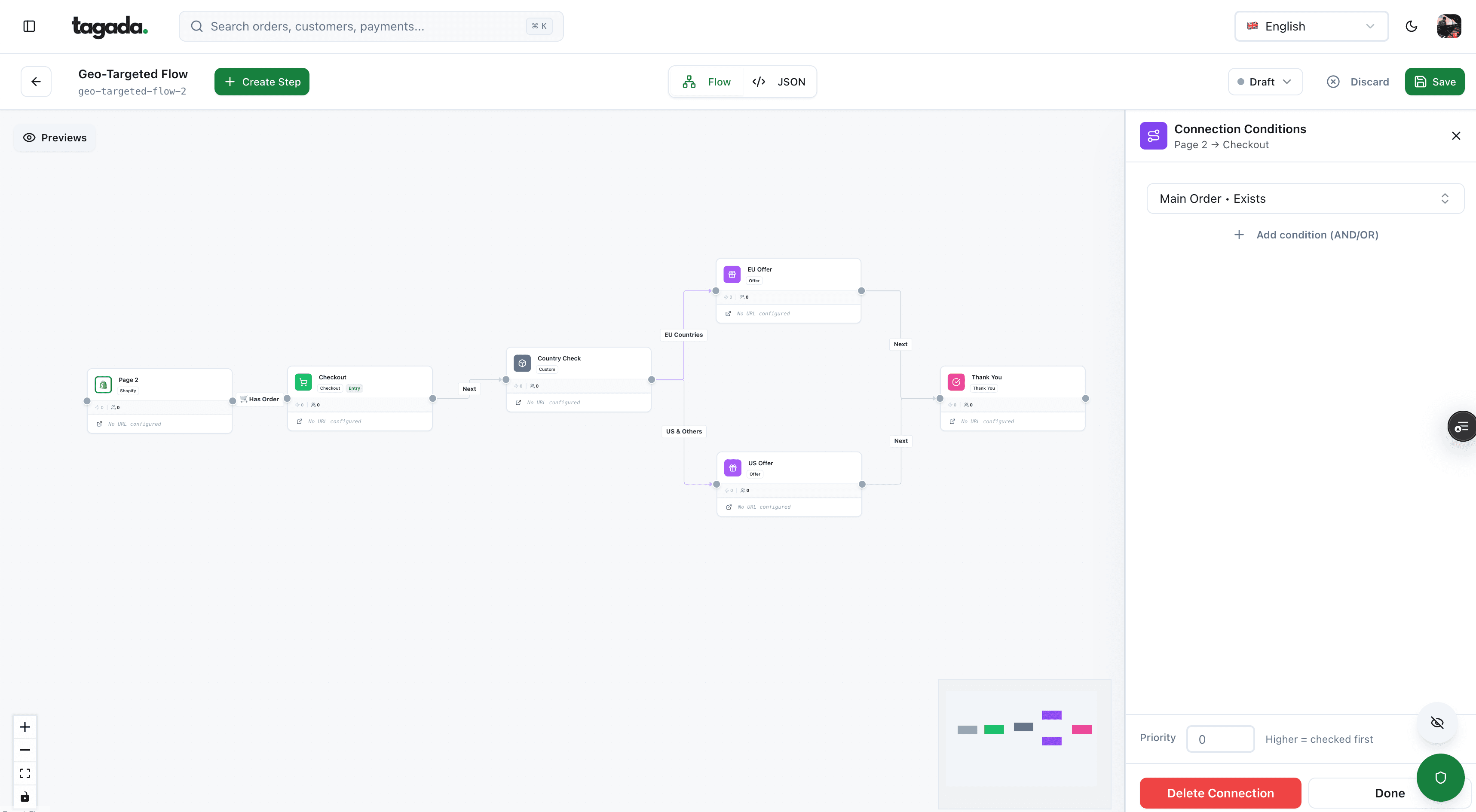
Build the funnel once, route every customer to the right offer
Checkout, upsells and subscriptions on one flow, with conditions per country, order or customer.
Step 4: check interchange for downgrades
You can't negotiate interchange, but you can check that each sale was charged the rate it qualified for. A sale that misses the network's requirements is downgraded to a more expensive rate.
Fig. 2Visa interchange on a $100 online sale, consumer credit
same card, different treatment
On Visa's April 2026 US table, a qualifying online sale on a basic consumer credit card costs 1.89% + $0.10, and the same sale downgraded to non-qualified costs 3.15% + $0.10. A subscription renewal on a rewards card, flagged as recurring, costs 1.53% + $0.05 instead of 2.04% + $0.10.8Visa, Visa USA Interchange Reimbursement Fees, rates effective April 18, 2026 On an interchange-plus statement, look at the plan names: a large share of sales on a non-qualified or "standard" plan usually means missing data, such as the recurring indicator or address details. The fixes are in our guide to interchange fees, including interchange optimization and Level 2 and Level 3 data for business cards.
On a flat-rate statement, downgrades don't show and don't change your fee. The processor absorbs them, which is part of what the flat rate pays for.
In the EU, you have a right to the itemized version
The EU interchange regulation makes the breakdown a legal requirement for consumer cards. Acquirers must quote and charge separate merchant service charges by card category and brand, unless you ask them in writing for a blended rate, and must list the interchange and scheme fees for each category in your agreement (Article 9).9Regulation (EU) 2015/751 on interchange fees for card-based payment transactions, Articles 9 and 12
After the execution of an individual card-based payment transaction, the payee's payment service provider shall provide the payee with the following information: … the amount of any charges for the card-based payment transaction, indicating separately the merchant service charge and the amount of the interchange fee.
The same article lets the acquirer group this information by brand, application, card category and interchange rate, but only with your prior and explicit consent, and allows it to be provided at least once a month in a format you can store.9Regulation (EU) 2015/751 on interchange fees for card-based payment transactions, Articles 9 and 12 If your EU statement shows one blended number and you never asked for one in writing, ask your acquirer for the itemized version.
Step 5: calculate the cost per successful payment
The effective rate divides fees by volume. It doesn't show what failed attempts, refunds and disputes cost you. The cost per successful payment does: everything you paid, divided by the payments you actually kept.
- Count the attempts. 1,000 authorization requests at $60, including declines and retries. At $0.20 per authorization: $200.
- Add the volume fee on approved payments. 900 approved, $54,000 at 0.45%: $243.
- Add what refunds and disputes cost. 20 orders refunded, their fees not returned. 2 disputes at $15: $30.
- Divide by the payments you kept. 900 − 20 − 2 = 878 payments. $473 ÷ 878 = $0.54 per kept payment, against $0.47 on a single approved $60 sale.
Illustrative example, processor markup only. Rates from Stripe's IC+ worked example (0.45% + $0.20) and Stripe's US dispute fee ($15). Interchange and network fees come on top.
Failed attempts aren't free everywhere. At Stripe, on IC+ pricing, the per-authorization fee applies to every request sent to a payment method, including declined authorizations, voids, reversals and card validations.1Stripe Support, Reviewing IC+ fees: Stripe fees and Network Costs Retrying a declined card many times adds to that line. Refunds usually leave the original fee with the processor, while canceling an uncaptured payment costs nothing.10Stripe Docs, Refund and cancel payments At Stripe in the US, a dispute costs $15, plus $15 more if you respond, returned if you win.11Stripe Docs, Respond to disputes
This is why a cheaper rate can cost more. A processor with a lower markup that approves fewer of your customers' cards gives you fewer payments to spread the cost over, and fewer sales. To measure approvals, see our guide to payment acceptance rate.
Step 6: compare processors on the same transactions
A quote is a rate card. To compare it with what you pay now, run your own past transactions through both. Take last month's itemized export, and for each transaction, calculate what it would have cost under each offer.
| Same $40 online sale, Visa | Stripe standard (2.9% + 30¢) | Adyen published terms (interchange + 0.60% + $0.13), before scheme fees |
|---|---|---|
| Regulated debit card | $1.46 | $0.24 + $0.37 = $0.61 |
| Basic consumer credit card | $1.46 | $0.86 + $0.37 = $1.23 |
| Visa Signature Preferred | $1.46 | $1.10 + $0.37 = $1.47 |
| Downgraded to non-qualified | $1.46 | $1.36 + $0.37 = $1.73 |
Verdict
On debit and basic cards, the interchange-plus offer is cheaper even before scheme fees. On premium and downgraded cards, the flat rate wins. Which one costs less depends on your card mix and on how many of your sales qualify, so the comparison has to run on your own transactions.
Rates: Stripe's standard US pricing; Adyen's published pricing, which is indicative and comes with a minimum invoice that depends on the industry; Visa's April 2026 interchange table.6Adyen, Pricing7Stripe, Pricing (United States), October 20268Visa, Visa USA Interchange Reimbursement Fees, rates effective April 18, 2026 Scheme fees aren't published, so add an estimate from your current interchange-plus statement if you have one. Then add the parts that don't show on a rate card: foreign card and conversion fees, dispute fees, monthly minimums, and the approval rate each processor gets on your traffic. For the other criteria, see our payment processor comparison.
Step 7: reconcile the statement with your bank account
The last check: what the statement says was paid out must match what reached your bank.
- List the payouts or batches for the period, with their net amount and expected date.
- Match each one to a bank deposit. Payouts take a few business days to arrive, so look at the days after the batch date.
- Rebuild each payout. Sales minus refunds, minus chargebacks, minus fees, minus any reserve. Net should equal amount minus fee on each line.
- Find the fees taken outside payouts. Monthly, PCI or statement fees are sometimes debited separately, at month-end or year-end. A lower-than-usual deposit is often one of them.
- Note the refunds and chargebacks. A sudden rise is a business problem, not just a cost line. See chargeback vs refund.
Shopify Payments exports Amount, Fee and Net per transaction; Stripe gives gross amount, fee and net on each balance transaction.
Sources: Shopify Help Center; Stripe API reference.4Shopify Help Center, Viewing and exporting your Shopify Payments payout details3Stripe API reference, The Balance Transaction object Stripe also documents how to reconcile its Fees report with the balance reports: set the date basis to the balance transaction date and use the same range in both.2Stripe Docs, Fees report
Common mistakes when reading a merchant statement
- Reading the discount rate as a discountIt's the processing fee, not a reductionTreat discount lines as fees
- Trusting the summary boxSome fees are billed later or elsewhereRebuild the total from the fee detail
- Reading one month aloneLate network fees and billbacks shift costs between monthsLook at two or three months together
- Ignoring vague feesService, admin or misc fees are usually markupAsk what each one is and where it's in your contract
- Skipping the noticesFee increases are announced thereRead the first and last page every month
- Comparing headline ratesThey ignore your card mix, declines and disputesCompare cost per successful payment on your own transactions
None of this needs special software. A spreadsheet with your itemized export, a monthly effective rate and, when your statement allows it, a monthly effective markup are enough to see a change the month it happens. For surcharging as a way to pass the cost on, read our guide to credit card surcharges first: it moves the cost, it doesn't lower it.
Where Tagada fits
How Tagada helps
Several processors, one checkout
Once you've compared processors on your own transactions, you may want more than one. Tagada routes payments across Stripe, Adyen and its own processor, TagadaPay, with one set of rules and a cascade on decline. Its card vault moves customers between merchant accounts without collecting their cards again, so running subscriptions keep charging. Read how routing works in dynamic payment routing. Pricing is on the pricing page. Tagada follows Visa and Mastercard rules and the laws that apply to payments.
Frequently asked questions
How do I read a merchant processing statement?
What are assessment fees on a merchant statement?
What is a good effective rate for card processing?
How do I know if my processor's markup is too high?
What does a downgrade mean on a merchant statement?
Is transaction cost analysis the same as analyzing a merchant statement?
Sources
Checked October 14, 2026- Stripe Support, Reviewing IC+ fees: Stripe fees and Network Costs
- Stripe Docs, Fees report
- Stripe API reference, The Balance Transaction object
- Shopify Help Center, Viewing and exporting your Shopify Payments payout details
- Adyen Docs, Payment accounting report
- Adyen, Pricing
- Stripe, Pricing (United States), October 2026
- Visa, Visa USA Interchange Reimbursement Fees, rates effective April 18, 2026
- Regulation (EU) 2015/751 on interchange fees for card-based payment transactions, Articles 9 and 12
- Stripe Docs, Refund and cancel payments
- Stripe Docs, Respond to disputes
Tagada
Running several processors? Keep them in one checkout
Funnels, one-click upsells, subscription billing and payment routing, on one customer record.
- 01Create your free account
- 02Connect your store or build a checkout
- 03Launch funnels, upsells and subscriptions