
How to Cut Course Access Automatically When a Payment Fails
How to suspend and restore course or membership access automatically when a payment fails: which events to use, when to cut, what your terms say.

Article summary
TL;DR
Let billing events drive access. Keep access while the card is being retried, suspend it when retries run out or the plan is cancelled, and restore it the moment a payment clears. Revoking access does not stop billing on most platforms, so end the subscription too. Write the rule into the terms the buyer accepts at checkout.
- Stripe advises: "When a subscription changes to `canceled` or `unpaid`, revoke access to your product", not on the first failure (read November 2, 2026).
- Kajabi warns that "revoking access for a recurring subscription or multi-pay Offer will not deactivate future payments".
- With Stripe on Kajabi, failed payers keep access unless the subscription is set to cancel after all retries (September 2026).
- No Visa rule we found forbids cutting access; Visa does require your cancellation policy in the agreement the buyer accepts.
 ChatGPT
 Claude
 Perplexity
 Grok
On this page
This guide is part of our playbook on the best ecommerce platform for info product businesses. The general guide, for any business: subscriptions and churn.
Which event should trigger what
Access should follow the billing status, never a manual check.
| Billing event | Stripe1Stripe Docs, Using webhooks with subscriptions, read November 2, 2026 | Tagada6Tagada docs, Subscriptions (Node SDK), read November 2, 20267Tagada docs, Webhooks and events, read November 2, 2026 | Access action |
|---|---|---|---|
| Payment succeeds | invoice.paid, status active | order/paid, subscription/rebillSucceeded | Grant or extend access |
| Payment fails, retries running | invoice.payment_failed, status past_due | subscription/rebillDeclined, subscription/pastDue | Keep access, send a card update request |
| Retries exhausted | Status canceled or unpaid (your setting) | subscription/canceled after the last retry | Suspend access |
| Payment recovered | invoice.paid, back to active | subscription/rebillSucceeded, back to active | Restore access automatically |
| Refund or dispute | charge.refunded, charge.dispute.created | order/refunded | Remove access to what was refunded |
Fig. 1One failed payment, four access states
- Payment failsStatus past_due, card update request sent
- Retries runningKeep access
- Retries exhaustedStatus canceled or unpaid: suspend access
- Payment recoveredBack to active: restore access automatically
Access stays during retries, goes when they run out.
Cut now or after retries?
Three policies are common. The middle one fits most courses and memberships.
| Policy | How it works | Risk |
|---|---|---|
| Cut on first failure | Access goes the moment a charge fails | You lock out students whose card failed for a temporary reason; more support tickets |
| Suspend after retries | Access stays during retries, goes when they run out | Short window of unpaid access |
| Never cut automatically | You review each case | Students keep access for months without paying |
Fig. 2Three policies and their risk
- Cut on first failureAccess goes the moment a charge fails.You lock out students whose card failed for a temporary reason; more support tickets.
- Suspend after retriesAccess stays during retries, goes when they run out.Short window of unpaid access.
- Never cut automaticallyYou review each case.Students keep access for months without paying.
The middle one fits most courses and memberships.
Stripe treats unpaid this way: "Revoke access to your product when the subscription is unpaid because Stripe already attempted and retried payment while the subscription was past_due"1Stripe Docs, Using webhooks with subscriptions, read November 2, 2026.
Watch out
On Kajabi, PayPal subscriptions keep access after a failed recurring payment until the subscription is cancelled or you revoke access manually2Kajabi Help Center, What happens when a customer subscription payment fails, updated September 28, 2026. Check each payment method, not only cards.
Payment plans and memberships are not the same
| Payment plan (fixed installments) | Membership (renews until cancelled) | |
|---|---|---|
| What the student paid for | Part of a fixed program | Access for the current period |
| On a missed installment | Suspend unpaid content; keep what was paid for, if your terms say so | Suspend access to the membership |
| On recovery | Restore and continue the schedule | Restore and continue billing |
| Ending | Plan ends after the last installment; access stays | Access ends with the last paid period |
Plan design and the rules on charging interest: payment plans for info product businesses.
How to set it up
- Native automations first. On Kajabi, add an Offer automation with the trigger "Subscription payment failed" or a cancellation trigger, and the action "Revoke an offer"3Kajabi Help Center, Revoke Offer access when payment fails or cancels, read November 2, 2026.
- Stop billing too. On Kajabi, use "deactivate from Offer (discontinue payment & access)" in Advanced Automations3Kajabi Help Center, Revoke Offer access when payment fails or cancels, read November 2, 2026; in Stripe, cancel the subscription or let your retry settings move it to
canceled1Stripe Docs, Using webhooks with subscriptions, read November 2, 2026. - Connect separate tools with webhooks or Zapier. A billing tool sends the event; the course platform runs the action.
- Suspend, don't delete. On Memberspot via Zapier, "Revoke" keeps the student's progress, while "Delete access" deletes it4Zapier, Revoke access in Memberspot when payments fail in Stripe, read November 2, 2026.
- Test the full loop: a failed test card, the retries, the suspension, then a successful payment and the restored access.
Suspend and restore from billing events, then test the whole loop once.
Recovering the payment itself (retries, emails, card updates) is covered in failed payment recovery for info product businesses.
Write it in your terms
Visa requires the buyer's express consent to an agreement that includes your cancellation and refund policy before you store a card for installments or renewals5Visa Core Rules and Visa Product and Service Rules, edition of October 24, 2026, Tables 5-19 and 5-21, and Table 11-7. Put the access rule there, in plain words:
When access is suspended
"If a payment is not received after retries, access to unpaid content is paused."
How to restore it
By updating the card, with a link.
What happens to progress
Kept while access is paused.
What is refunded
If the plan ends early.
Keep the login history even after you suspend access. For a Visa fraud dispute on digital goods, proof the buyer used your site "on or after the Transaction Date" counts as evidence5Visa Core Rules and Visa Product and Service Rules, edition of October 24, 2026, Tables 5-19 and 5-21, and Table 11-7. More on info product chargebacks.
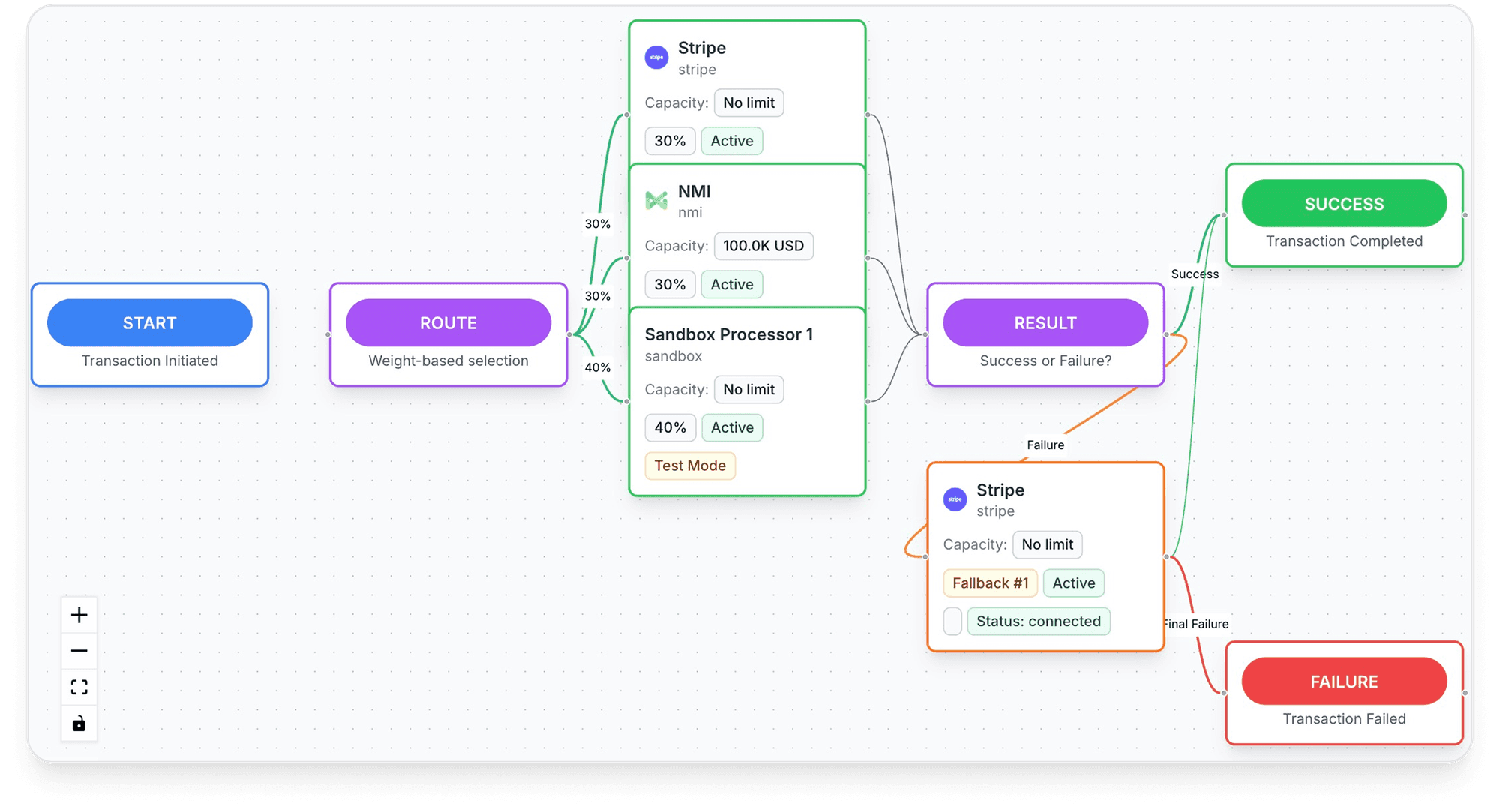
How Tagada helps
Billing events your course access can follow
"If you sell something real, we will get you paid." TagadaPay lists info products, coaching and online courses among its industries, with "enhanced review for regulated verticals." "Most merchants are live under 24 hours."9TagadaPay, homepage, read November 2, 2026
- Billing statuses you can act on:
active,past_due("Last rebill failed, retrying automatically"),pausedandcanceled6Tagada docs, Subscriptions (Node SDK), read November 2, 2026. - Webhooks for each step:
subscription/rebillDeclined,subscription/pastDue,subscription/rebillSucceeded,subscription/canceled,subscription/rebillUpcoming,payment/failedandorder/refunded, plusclub/membershipActivatedandclub/membershipDeactivatedfor memberships; each event is retried up to 6 times over about 1 hour 15 minutes if your endpoint is down7Tagada docs, Webhooks and events, read November 2, 2026. - Automatic retries: 5 attempts over 21 days, then cancellation6Tagada docs, Subscriptions (Node SDK), read November 2, 2026.
- A customer portal where the student updates the card and pays a past-due subscription right away8Tagada docs, Customer portal (Headless SDK), read November 2, 2026.
- Routing: "Route to the processor most likely to approve it, retry on decline. No engineering required." TagadaPay reports a "+18% approval uplift"9TagadaPay, homepage, read November 2, 2026.
Plans are on the pricing page; payment processing is on TagadaPay.
Apply today · Go live in under 24 hours
Tagada follows Visa and Mastercard rules and the laws that apply to payments.
Frequently asked questions
Should I revoke course access immediately when a payment fails?
Does revoking access stop future payments?
Will the student lose their progress?
Can I legally cut access when a payment plan fails?
How do I restore access automatically when they pay?
Sources
Checked November 2, 2026- Stripe Docs, Using webhooks with subscriptions, read November 2, 2026
- Kajabi Help Center, What happens when a customer subscription payment fails, updated September 28, 2026
- Kajabi Help Center, Revoke Offer access when payment fails or cancels, read November 2, 2026
- Zapier, Revoke access in Memberspot when payments fail in Stripe, read November 2, 2026
- Visa Core Rules and Visa Product and Service Rules, edition of October 24, 2026, Tables 5-19 and 5-21, and Table 11-7
- Tagada docs, Subscriptions (Node SDK), read November 2, 2026
- Tagada docs, Webhooks and events, read November 2, 2026
- Tagada docs, Customer portal (Headless SDK), read November 2, 2026
- TagadaPay, homepage, read November 2, 2026
Tagada
Let the billing status open and close the course
Funnels, one-click upsells, subscription billing and payment routing, on one customer record.
- 01Create your free account
- 02Connect your store or build a checkout
- 03Launch funnels, upsells and subscriptions