
Switching Payment Processors for Fitness Brands Without Losing Cards
How a fitness brand switches processors without losing saved cards or subscribers: what moves, the Shopify Payments case, when to close the old one.


Article summary
TL;DR
To switch without losing subscribers, open and test the new processor first, then have the old one send an encrypted card export to it: Stripe only sends to a PCI DSS Level 1 processor. Subscriptions and history don't move, so rebuild them. Shopify Payments' saved payment methods may not transfer. Keep the old account open until disputes clear.
- Stripe transfers card data only "to another PCI DSS Level 1-compliant payment processor", and needs its PGP key of 4096 bits or more (read November 2, 2026).
- Stripe's export includes card details, emails and metadata, but not payment history or subscriptions; Link credentials are excluded.
- A supplement merchant with 10,000+ subscribers reported in April 2024 that Shopify would not transfer its stored tokens.
- Shopify charges 2% (Basic) to 0.2% (Plus) on orders paid through a third-party gateway (pricing page, October 2026).
- A Visa "not received" dispute can come up to 120 days after the last expected delivery date (Visa rules, October 24, 2026).
 ChatGPT
 Claude
 Perplexity
 Grok
On this page
This guide is part of our hub on fitness payment processing. The general guide, for any business: how to switch payment processors.
Why fitness brands switch
Equipment rarely forces a switch: no Stripe or Shopify Payments rule names it. Sports nutrition and the subscription model do.
| Trigger | What it usually means |
|---|---|
| Shopify Payments flags sports nutrition as "pseudo pharmaceuticals"3Shopify Help Center, Shopify Payments eligibility, read November 2, 2026 | You must move to a third-party gateway, often in days |
| Account closed or funds held after disputes | Emergency path; see why Stripe closed your fitness brand account |
| A reserve that freezes cash before a January peak | Negotiate first; switching resets your history |
| Fees on high-ticket equipment | Compare effective rates: fitness processing fees and reserves |
| A second processor as backup | Not a switch: add one, keep both |
Shopify's prohibited category reads: "Pharmaceuticals and other products that make health claims that are not verified by a local or national regulatory body"3Shopify Help Center, Shopify Payments eligibility, read November 2, 2026. It's the line protein and pre-workout brands run into.
Pharmaceuticals and other products that make health claims that are not verified by a local or national regulatory body
What moves and what doesn't
The cards can move. Almost everything around them has to be rebuilt.
| Data | Moves? | How |
|---|---|---|
| Card numbers and expiry dates | Yes | Encrypted export to a PCI DSS Level 1 processor1Stripe Docs, Request a payment data export, read November 2, 2026 |
| Customer emails and metadata | YesFrom Stripe | In the same export1Stripe Docs, Request a payment data export, read November 2, 2026 |
| Cards saved with Link | No | Excluded by Stripe1Stripe Docs, Request a payment data export, read November 2, 2026 |
| Shopify Payments saved methods | Reportedly no | "a billing token (which is only valid for Shopify Payments)", as quoted by a merchant2Shopify Community, "Shopify payments refusing to process for us but also not giving us any transfer information", April 23, 2024 (merchant report, secondary source) |
| Subscriptions, schedules, history | No | Rebuild from your own export1Stripe Docs, Request a payment data export, read November 2, 2026 |
| Disputes and refunds on past sales | No | They stay on the old account |
Fig. 1Old processor to new: what crosses over
Moves
Card numbers and expiry dates, customer emails and metadata, in Stripe's encrypted export.
You rebuild
Protein subscriptions, schedules and next charge dates, and payment history, from your own export.
Stays behind
Cards saved with Link, Shopify Payments saved methods (reportedly), disputes, refunds and equipment returns on past sales.
Cards travel in the export. The rest is yours to rebuild or to leave behind.
If you're leaving Shopify Payments
This is the hard case, and the common one for sports nutrition. In an April 2024 Shopify Community thread, a supplement brand with more than 10,000 active subscribers quoted Shopify's answer: "the shop_pay_agreement tokens will no longer be available and the buyer will need to update their vaulted payment method"2Shopify Community, "Shopify payments refusing to process for us but also not giving us any transfer information", April 23, 2024 (merchant report, secondary source). The thread shows no resolution2Shopify Community, "Shopify payments refusing to process for us but also not giving us any transfer information", April 23, 2024 (merchant report, secondary source).
Plan for that before you're forced to:
- Ask now which saved methods your subscription app can export, and to whom.
- Prepare a card-update flow: an email and text with a direct link, timed before each subscriber's next refill.
- Expect a fee on Shopify if you stay on the platform with another gateway: 2% on Basic, 1% on Grow, 0.6% on Advanced, 0.2% on Plus4Shopify, Pricing, read October 9, 2026.
- Equipment orders aren't affected the same way: one-off purchases don't need a saved card.
Fig. 2Shopify fee on a third-party gateway, by plan
Watch out
Don't wait for the closure email. A brand that never stored cards outside Shopify Payments has no export to request on day one.
The switch, step by step
- Open and test the new account with a real charge and a refund before touching the old one.
- Request the card export from the old processor, naming the new one. Stripe asks for its PCI Attestation of Compliance and PGP public key1Stripe Docs, Request a payment data export, read November 2, 2026.
- Export your subscriptions yourself: product, flavor or size, price, cycle, next charge date, discount, status.
- Map customers between the card file and your subscription list, by customer ID and email.
- Rebuild subscriptions with the same dates and prices.
- Run both processors in parallel for one full billing cycle, as Shuttle Global recommends6Shuttle Global, How to switch payment providers without losing customers, read October 27, 2026.
- Watch failures for 30 days after cutover6Shuttle Global, How to switch payment providers without losing customers, read October 27, 2026.
Test first, export early, and run both processors for one full billing cycle.
One PSP warns that token transfers take 3 to 4 weeks at least7Razorpay, Payment processing migration checklist, read October 27, 2026. Start the export the day you decide.
Keep the old account open longer than you think
Disputes on past sales stay with the old processor. At Stripe, customers can generally dispute up to 120 days after the payment8Stripe Docs, How disputes work, read October 14, 2026.
Equipment stretches that window. Visa lets a "not received" dispute come up to 120 days after the transaction or the last expected delivery date5Visa Core Rules and Visa Product and Service Rules, edition of October 24, 2026, dispute condition 13.1, section 1.7.2.1 and table 7-2. A rack sold in January with a March delivery date can be disputed into July. Returns and damage claims on machines delivered before the switch will also arrive there.
Fig. 3A rack sold in January, disputed into July
- JanuaryRack sold on the old processor
- SwitchNew processor takes new sales
- MarchLast expected delivery date
- Up to JulyNot received dispute still possible, 120 days on
- After thatClose the old account
Close the old account only when the last window has passed.
- Keep a balance on the old account for refunds and disputes.
- Close it only after the last expected delivery date plus 120 days.
Subscribers, descriptors and retries
- Descriptor: keep your brand name on the statement. A new name creates "I don't recognize this" disputes.
- Tell subscribers before their next refill if the name or the date changes.
- Retries: failed refills during the move follow Visa's limits: never after category 1 codes, up to 20 attempts in 30 days otherwise5Visa Core Rules and Visa Product and Service Rules, edition of October 24, 2026, dispute condition 13.1, section 1.7.2.1 and table 7-2. Don't retry the same refill on both processors.
- One refill, one processor. Mark migrated subscriptions on the old system so nobody is charged twice.
Tagada follows Visa and Mastercard rules and the laws that apply to payments.
The subscription side of the move: subscription billing for fitness brands.
How Tagada helps
A vault you own, so the next switch keeps every subscriber
TagadaPay is built so the next switch never costs you your subscribers: "Live in 24h. You own your vault."
- "Your PCI-tokenized cards, your customer profiles, your subscription data, all portable."10TagadaPay, homepage, read November 2, 2026
- "Switch processors without re-onboarding customers. No vendor lock-in. Ever."10TagadaPay, homepage, read November 2, 2026
- "Export your vault, cards, and customers anytime."10TagadaPay, homepage, read November 2, 2026
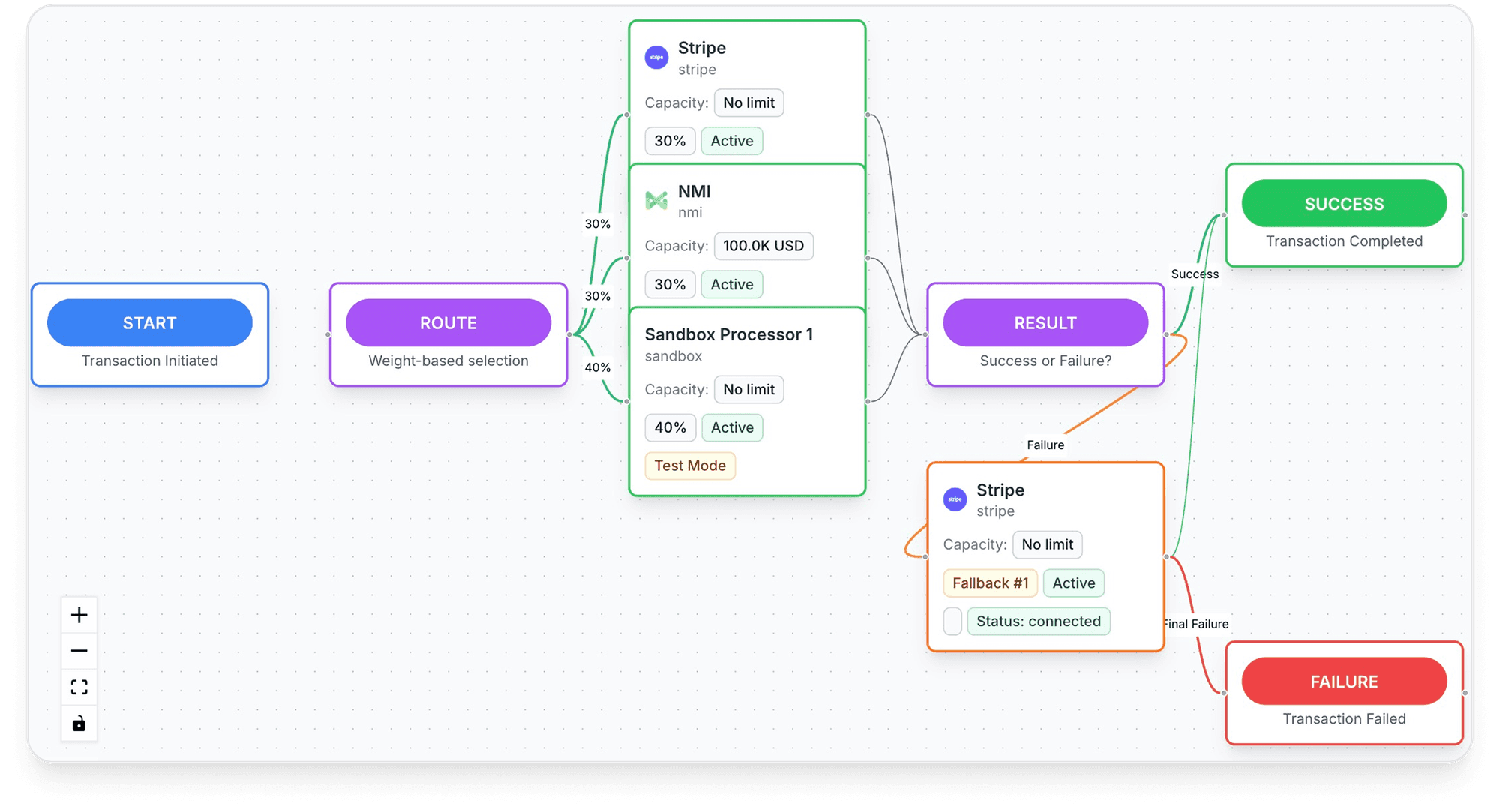
- Two modes: TagadaPay managed, or bring your own processor, where "You keep the acquiring relationship, the settlement and the risk"9Tagada Docs, Payment processors, read November 2, 2026. Connected processors include Airwallex, Authorize.Net, Checkout.com, NMI, Paysafe and Stripe9Tagada Docs, Payment processors, read November 2, 2026.
- "Already on Shopify, WooCommerce, ClickFunnels or BigCommerce? Drop TagadaPay in."10TagadaPay, homepage, read November 2, 2026
Frequently asked questions
Can I move my customers' saved cards to a new processor?
Will my Shopify subscribers have to re-enter their cards?
Do subscriptions transfer when I switch processors?
How long should I keep my old merchant account open?
How long does it take to switch processors?
Sources
Checked November 3, 2026- Stripe Docs, Request a payment data export, read November 2, 2026
- Shopify Community, "Shopify payments refusing to process for us but also not giving us any transfer information", April 23, 2024 (merchant report, secondary source)
- Shopify Help Center, Shopify Payments eligibility, read November 2, 2026
- Shopify, Pricing, read October 9, 2026
- Visa Core Rules and Visa Product and Service Rules, edition of October 24, 2026, dispute condition 13.1, section 1.7.2.1 and table 7-2
- Shuttle Global, How to switch payment providers without losing customers, read October 27, 2026
- Razorpay, Payment processing migration checklist, read October 27, 2026
- Stripe Docs, How disputes work, read October 14, 2026
- Tagada Docs, Payment processors, read November 2, 2026
- TagadaPay, homepage, read November 2, 2026
TagadaPay
Change processor without losing a protein subscriber
Tell us what you sell and how you sell it. Each application is underwritten, and approval is not guaranteed.
- 01Tell us what you sell and how
- 02Underwriting reviews your business
- 03Process through TagadaPay alongside your other processors