
Shopify Payments Under Review: How Long It Takes and What to Send
Shopify Payments under review: which review you're in, how long each takes, the documents Shopify asks for, how to upload them, how it ends.

 Shopifynow
Article summary
TL;DR
Shopify publishes no single review time. A document review takes "up to 24 hours" after upload. A bank account change pauses payouts for 3 to 5 business days. A risk review lasts until you send what Shopify asks for. Upload everything through the banner in your admin, as the store owner, with details that match your account exactly.
- "Shopify Payments accounts are subject to standard reviews throughout the account's lifespan".
- "Once documentation is uploaded, it can take up to 24 hours to be reviewed."
- Documents "sent through email or support chat are redacted and rendered unusable". Upload them in the admin.
- "In most cases, your customers can still check out if your payouts are on hold", but some holds stop new orders.
- A review can end with a custom payout schedule of 5 to 20 business days, a reserve, or closure of Shopify Payments.
 ChatGPT
 Claude
 Perplexity
 Grok
On this page
For how processors underwrite and review merchants in general, see merchant account approval. This page covers Shopify Payments' own reviews. All our Shopify guides: Shopify high-risk guide.
Which review you're in, and how long Shopify says it takes
"Under review" covers several Shopify processes. The notice in your admin or the email to the store owner says which one1Shopify Help Center, Shopify Payments account holds, read November 3, 2026.
Fig. 1Four clocks, one of them open-ended
Documents
Up to 24 hours after each upload, shown as pending meanwhile.
Bank change
Payouts paused 3 to 5 business days.
Store review
3 consecutive days to appeal, or the store is terminated.
Risk review
No set end. It closes when Shopify has what it asked for.
the risk review is the one you speed up with documents
A store review is a platform matter, not a payments one, and its deadline is strict. Steps and appeal: Shopify closed or terminated your store.
What Shopify looks at in a review
Shopify evaluates your business "when you first apply for Shopify Payments, and risk is continuously monitored" afterward3Shopify Help Center, Acceptable business practices and risk evaluation for Shopify Payments, read November 3, 2026. Its help center lists what the review covers3Shopify Help Center, Acceptable business practices and risk evaluation for Shopify Payments, read November 3, 2026:
- Account details: "Invalid tax information", address discrepancies, "Inconsistencies in verifying account ownership or business details".
- What customers see: "Accuracy of product descriptions and claims", delivery against promises, "Transparency of recurring billing terms and ease of cancellation".
- Credentials and reviews: "Authenticity of testimonials, reviews, and endorsements" and "Claims about certifications, awards, or media coverage".
- Transactions: "Chargeback rates and trends", refunds, "Rapid increases in sales volume", and "Historical patterns across any businesses that you operate".
Shopify adds that its "Risk evaluation considers hundreds of signals" and that the list "isn't an exhaustive list"3Shopify Help Center, Acceptable business practices and risk evaluation for Shopify Payments, read November 3, 2026. The reserves page names the usual trigger events: elevated chargebacks, a rising refund rate, long delivery timelines, annual billing cycles and "Significant volume surges"5Shopify Help Center, Overview of reserves in Shopify Payments, read November 3, 2026.
What to send
Send what the notice asks, and back each answer with a document. Shopify's terms list what it may request6Shopify Payments Terms of Service, Part I, Verification and Underwriting and Change of Business, read November 3, 2026, and its help pages set the upload rules2Shopify Help Center, Setting up your Shopify Payments account, read November 3, 2026.
The upload rules decide whether a document counts2Shopify Help Center, Setting up your Shopify Payments account, read November 3, 2026:
- Photographed, not scanned: "photographed instead of scanned, copied, or screenshotted", in color.
- Complete: "all four borders of the document in the frame", nothing "censored, blurred, or cropped out".
- Matching: the document must match "the information that you entered on your Shopify Payments account".
- Formats: photo ID in PNG or JPEG; proof of address and business documents also in PDF. Digital documents as "the original PDF without any alterations".
Example
A supplement store's sales double after a creator video. Shopify Payments holds payouts and asks for supplier invoices and proof of fulfillment. The owner uploads invoices from the manufacturer, under the same legal name as the account, plus a CSV of tracking numbers for the last month. Illustrative case.
How to submit and follow up
- Find the notice. It's in your admin and in an email to the store owner. Check spam, and confirm the owner's address under Settings, Users and permissions1Shopify Help Center, Shopify Payments account holds, read November 3, 2026.
- Log in as the store owner. "Only the store owner is authorized to access Shopify Payments account details, and therefore the only one who can resolve a hold"1Shopify Help Center, Shopify Payments account holds, read November 3, 2026.
- Upload through the admin banner. Email and chat attachments are redacted2Shopify Help Center, Setting up your Shopify Payments account, read November 3, 2026.
- Answer everything at once. "The fastest way to resolve a hold ... is to provide any information that's been requested, and to reply directly to any email from Shopify."1Shopify Help Center, Shopify Payments account holds, read November 3, 2026
- Watch the status. The submission shows as "pending" until Shopify responds2Shopify Help Center, Setting up your Shopify Payments account, read November 3, 2026. If it says your information wasn't verified, read the reasons and upload again2Shopify Help Center, Setting up your Shopify Payments account, read November 3, 2026.
- Contact support if you're stuck, for example if you've "reached the maximum number of attempts"2Shopify Help Center, Setting up your Shopify Payments account, read November 3, 2026, or if there isn't enough information in the notice1Shopify Help Center, Shopify Payments account holds, read November 3, 2026.
Sources: Shopify Help Center, account holds and account setup pages, read November 3, 2026.
Before you click any link, check that the email is really from Shopify. Its hold page points to its guidance on phishing1Shopify Help Center, Shopify Payments account holds, read November 3, 2026.
What keeps working during a review
More than most merchants expect:
- Your store. "You can still use your Shopify store when your Shopify Payments account is on hold."1Shopify Help Center, Shopify Payments account holds, read November 3, 2026
- Checkout, in most cases. "In some cases, your store can't accept new orders." The banner or the email says whether yours is affected1Shopify Help Center, Shopify Payments account holds, read November 3, 2026.
- Part of your payouts, sometimes. "in some cases, a portion of the funds might be held back and the rest is paid out if the hold is related to a specific issue with certain transactions"8Shopify Help Center, Navigating your Shopify Payments payouts, read November 3, 2026.
- Disputes. Keep responding to them. Lost chargebacks and their fees come out of your balance8Shopify Help Center, Navigating your Shopify Payments payouts, read November 3, 2026.
What stops is the payouts covered by the hold, "until the reason for the hold is resolved"1Shopify Help Center, Shopify Payments account holds, read November 3, 2026.
How a review ends
Shopify's help center lists the actions it can take when a review finds elevated risk3Shopify Help Center, Acceptable business practices and risk evaluation for Shopify Payments, read November 3, 2026.
Fig. 2The ways a Shopify Payments review can end
- Hold liftedPayouts resumeKeep the file you built for next time
- Custom payout schedulePayouts take 5 to 20 business daysPlan cash flow, ask what would lift it
- ReserveA share, or all, of each sale held for a periodNote the dates, reply within the appeal window
- Shopify Payments closedCard processing through Shopify endsAppeal, connect another provider
from back to normal to closure
In severe cases, "your payouts might be suspended or your ability to process charges through Shopify Payments might be deactivated"3Shopify Help Center, Acceptable business practices and risk evaluation for Shopify Payments, read November 3, 2026. If a review leads to a reserve, its terms come by email, and "Some reserves can't be appealed"5Shopify Help Center, Overview of reserves in Shopify Payments, read November 3, 2026. Next steps: Shopify Payments reserve and Shopify Payments closed or deactivated.
A chargeback rate can also put you in a dispute program: at 1.5% or more over 90 days, enrollment can be automatic, with a 10% reserve9Shopify Help Center, Network dispute resolution programs, read November 3, 2026. Tagada follows Visa and Mastercard rules and the laws that apply to payments.
Mistakes that make a review longer
- Sending documents by email or chat. They're redacted and unusable2Shopify Help Center, Setting up your Shopify Payments account, read November 3, 2026.
- Documents for another entity, or a name that doesn't match the account2Shopify Help Center, Setting up your Shopify Payments account, read November 3, 2026.
- Changing your bank account mid-review. A new external account pauses payouts for 3 to 5 business days on its own4Shopify Help Center, Shopify Payments payout timing, read November 3, 2026.
- Adding new product types without notice. The terms ask for "at least thirty (30) days prior notification"6Shopify Payments Terms of Service, Part I, Verification and Underwriting and Change of Business, read November 3, 2026.
- Asking a staff member to handle it. Only the store owner can1Shopify Help Center, Shopify Payments account holds, read November 3, 2026.
- Opening another store to keep selling. Shopify looks at "Historical patterns across any businesses that you operate"3Shopify Help Center, Acceptable business practices and risk evaluation for Shopify Payments, read November 3, 2026.
By industry
| Industry | What a Shopify Payments review tends to focus on | Guide |
|---|---|---|
| Supplements | Health claims, subscription terms | Can you sell supplements on Shopify? |
| Skincare | Drug-like claims, authenticity of reviews | Can you sell skincare on Shopify? |
| Fitness | Sports nutrition claims, delivery of equipment | Can you sell fitness products on Shopify? |
| Info products | Credentials, results claims, delivery over time | Can you sell online courses on Shopify? |
| Online pharmacy | Proof of authorization for regulated products | Can you sell prescription drugs on Shopify? |
| Telehealth | Business model and health data | Can you sell telehealth services on Shopify? |
How Tagada helps
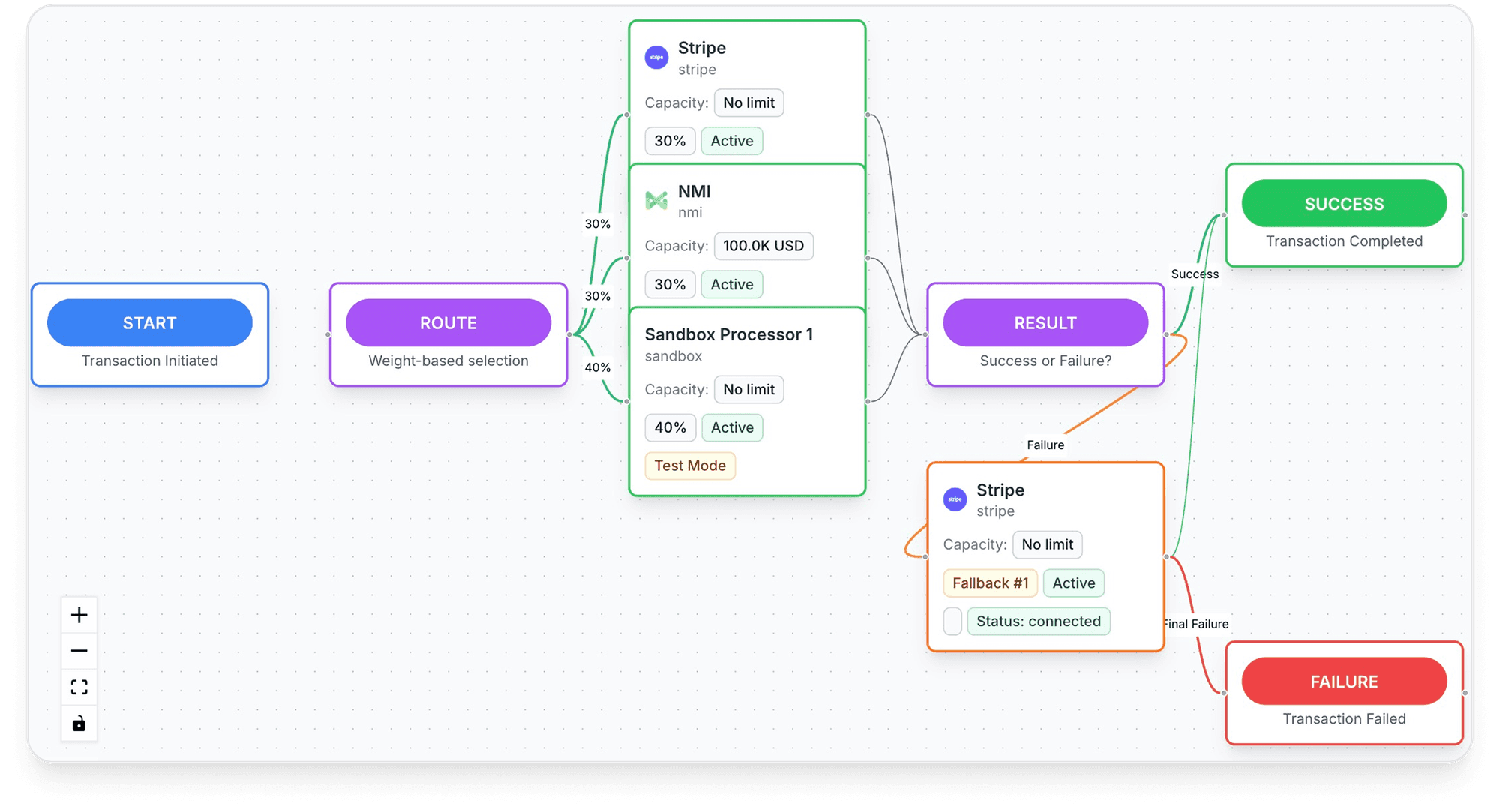
Keep selling while a review runs
- Onboarding: "One KYC. One signed package. We distribute it across our processor network and follow up so you don't have to."10TagadaPay, tagadapay.io, read November 2, 2026
- Acceptance: "If you sell something real, we will get you paid." "Enhanced review for regulated verticals."10TagadaPay, tagadapay.io, read November 2, 2026
- Works with Shopify: "Already on Shopify, WooCommerce, ClickFunnels or BigCommerce? Drop TagadaPay in."10TagadaPay, tagadapay.io, read November 2, 2026
- Payouts: "Daily payouts, 135+ currencies"10TagadaPay, tagadapay.io, read November 2, 2026.
- Support: "24/7 human support on Slack Connect"10TagadaPay, tagadapay.io, read November 2, 2026.
Frequently asked questions
How long does a Shopify Payments review take?
Why is my Shopify Payments account under review?
Can customers still check out while Shopify Payments is on hold?
What documents does Shopify ask for in a review?
How can I speed up a Shopify Payments review?
Sources
Checked November 3, 2026- Shopify Help Center, Shopify Payments account holds, read November 3, 2026
- Shopify Help Center, Setting up your Shopify Payments account, read November 3, 2026
- Shopify Help Center, Acceptable business practices and risk evaluation for Shopify Payments, read November 3, 2026
- Shopify Help Center, Shopify Payments payout timing, read November 3, 2026
- Shopify Help Center, Overview of reserves in Shopify Payments, read November 3, 2026
- Shopify Payments Terms of Service, Part I, Verification and Underwriting and Change of Business, read November 3, 2026
- Shopify Help Center, Handling a Shopify store review, read November 3, 2026
- Shopify Help Center, Navigating your Shopify Payments payouts, read November 3, 2026
- Shopify Help Center, Network dispute resolution programs, read November 3, 2026
- TagadaPay, tagadapay.io, read November 2, 2026
TagadaPay
Shopify Payments reviewing your account? Don't let it stop every sale
Tell us what you sell and how you sell it. Each application is underwritten, and approval is not guaranteed.
- 01Tell us what you sell and how
- 02Underwriting reviews your business
- 03Process through TagadaPay alongside your other processors