
Shopify Payments Reserve: How Long It Lasts and How to Get It Released
How a Shopify Payments reserve works: fixed or percentage, why Shopify applied it, the 10% dispute reserve, how long it lasts and how to get it back.

Article summary
TL;DR
A Shopify Payments reserve holds part, sometimes all, of your sales for a set period to cover disputes and refunds. The email gives the terms; Shopify's own example is 10% for 120 days. Before the expiry date, Shopify reviews the account and can lift, keep, lower or raise it. You appeal by replying to that email in time.
- Shopify defines a reserve as "a temporary hold on a portion, in some cases a full amount, of transactions" for a specified period; its examples are $1,000 or 10% held for 120 days.
- Before expiry, "a risk assessment decides whether to lift, maintain, reduce, or increase the reserve".
- A store with a dispute-inclusive chargeback rate of 1.5% or more over 90 days can be enrolled in a dispute program that comes with a 10% reserve.
- That 10% reserve can lift early once the rate stays below 1.00% for 30 consecutive days.
- Shopify's terms let it change a reserve "at any time, for any reason", and you earn no interest on reserved funds.
 ChatGPT
 Claude
 Perplexity
 Grok
On this page
This guide covers Shopify Payments only. For how reserves work at every processor, see rolling reserves: how they work. For every reason a Shopify payout can stop, see Shopify Payments payouts on hold. The rest of our Shopify guides are in the Shopify hub.
What a Shopify Payments reserve is
It's money Shopify keeps back from your payouts, not a fee. Shopify: "A reserve is a temporary hold on a portion, in some cases a full amount, of transactions processed through Shopify Payments for a specified period"1Shopify Help Center, Overview of reserves in Shopify Payments, read November 3, 2026. It covers losses "such as chargebacks and refund volumes"1Shopify Help Center, Overview of reserves in Shopify Payments, read November 3, 2026.
Three things to know while it runs:
- You keep selling. "Reserves generally don't stop you from accepting payments through Shopify Payments, unless explicitly communicated otherwise"1Shopify Help Center, Overview of reserves in Shopify Payments, read November 3, 2026.
- Disputes come out of your account. When a customer opens a dispute, "the payment amount and any relevant dispute fees are deducted from your account"1Shopify Help Center, Overview of reserves in Shopify Payments, read November 3, 2026.
- What's left comes back. At the end of the period, the reserve funds no longer needed for refunds or disputes "are returned in full"1Shopify Help Center, Overview of reserves in Shopify Payments, read November 3, 2026.
The terms arrive by email, to the store owner's address, along with notifications in your admin1Shopify Help Center, Overview of reserves in Shopify Payments, read November 3, 20265Shopify Help Center, Acceptable business practices and risk evaluation for Shopify Payments, read November 3, 2026.
Fixed amount or percentage: the two types
Shopify uses two kinds of reserve. Your email says which one applies, the amount or percentage, and the period1Shopify Help Center, Overview of reserves in Shopify Payments, read November 3, 2026.
| Type | How Shopify describes it | Shopify's example | What you receive meanwhile |
|---|---|---|---|
| Fixed amount | "setting aside a specific sum for a defined duration" | $1,000 held for 120 days | Everything above that sum1Shopify Help Center, Overview of reserves in Shopify Payments, read November 3, 2026 |
| Percentage-based | "Withholds a certain percentage of transactions for a specified period" | 10% of each transaction held for 120 days from the reserve's start | The other 90%, in your regular payouts1Shopify Help Center, Overview of reserves in Shopify Payments, read November 3, 2026 |
Fig. 1Two ways Shopify holds back your money
Fixed amount
One sum is set aside, for example $1,000. The rest of your sales pays out as usual.
Percentage
A share of every sale is held, for example 10%. It builds up until the expiry date.
Review before expiry
Shopify reviews the account and may lift, keep, lower or raise the reserve.
the email sets the amount and the expiry date
The amount is set from "the risk level associated with your business", focusing on losses from disputes or refunds "exceeding what you can manage based on your sales volume"1Shopify Help Center, Overview of reserves in Shopify Payments, read November 3, 2026.
Why Shopify put a reserve on your account
A reserve follows a risk assessment. Shopify names five indicators, "including but not limited to"1Shopify Help Center, Overview of reserves in Shopify Payments, read November 3, 2026:
| Indicator Shopify gives | Example Shopify gives | What it usually looks like |
|---|---|---|
| Extended billing cycles | Annual subscriptions | Customers can dispute months after paying |
| Elevated chargeback activity | Unrecognized transactions, late delivery | Disputes rising after a new offer or traffic source |
| Increased refund rate | Damaged goods, sizing problems | Fulfillment or quality issues |
| Extended delivery timelines | Events, custom orders, pre-orders | Money taken long before delivery |
| Significant volume surges | Possible fraud, demand you can't serve | A launch Shopify didn't expect |
Shopify's risk standards go beyond these. Its review also looks at product claims, subscription terms, reviews and fulfillment, and a store "might be acted on before you reach network-level limits"5Shopify Help Center, Acceptable business practices and risk evaluation for Shopify Payments, read November 3, 2026.
The 10% reserve that comes with a dispute program
One Shopify reserve has a published trigger. Shopify says merchants "with an NDRP-inclusive chargeback rate of 1.5% or higher over the last 90 days can be automatically enrolled" in a network dispute resolution program, or NDRP3Shopify Help Center, Network dispute resolution programs, read November 3, 2026. Stores below a minimum order volume are excluded3Shopify Help Center, Network dispute resolution programs, read November 3, 2026.
With enrollment, "A 10% reserve is also applied to your Shopify Payments payouts which can be lifted early if you exit the program"3Shopify Help Center, Network dispute resolution programs, read November 3, 2026.
To exit, the 90-day rate "must drop below 1.00% and stay below 1.00% for 30 consecutive days" while you keep processing on Shopify Payments3Shopify Help Center, Network dispute resolution programs, read November 3, 2026. If the rate is still above 1% after the reserve's initial expiry date, Shopify may add "further reserves or payout holds"3Shopify Help Center, Network dispute resolution programs, read November 3, 2026.
Won disputes count. Shopify's chargeback rate "is based on the number of disputes filed, not the outcomes", and the NDRP-inclusive rate is the one that sets "reserve thresholds"4Shopify Help Center, Responding to chargebacks and inquiries, read November 3, 2026. Thresholds and the dispute program in detail: Shopify Payments chargeback thresholds.
How long a Shopify reserve lasts
Until the expiry date in your email, then a review decides. The date is not an automatic release.
Fig. 2The life of a Shopify Payments reserve
- EmailType, amount, expiry date
- Reserve periodShopify's example: 120 days
- Risk reviewBefore the expiry date
- OutcomeLifted, kept, lowered or raised
- PayoutSeveral business days
the expiry date is a review date
- The review: "Before a reserve expires, your account is reviewed to determine whether to keep, reduce, or raise the reserve"1Shopify Help Center, Overview of reserves in Shopify Payments, read November 3, 2026.
- The release: if no extension is required, the reserve "is included in upcoming payouts", and it "might take several business days" to be processed1Shopify Help Center, Overview of reserves in Shopify Payments, read November 3, 2026.
- Early release: you may see "a bulk positive reserve transaction", offset on the original expiry date by matching negative entries1Shopify Help Center, Overview of reserves in Shopify Payments, read November 3, 2026.
The terms leave Shopify more room than the help page. Shopify sets the terms "in our discretion" and "may elect to change the terms of a Reserve Account at any time, for any reason, based on your payment processing history or as requested by the Payment Processors"2Shopify Payments Terms of Service, Part I, section C (Reserves) and section D (Effects of Termination), no date shown, read November 3, 2026. The 120 days in Shopify's examples are an example, not a rule.
Where to see the reserve in your admin
Go to Finance > Payouts. Your balance splits in two1Shopify Help Center, Overview of reserves in Shopify Payments, read November 3, 2026:
- Pending: captured funds not yet in a scheduled payout, reserve excluded.
- Reserve: money "temporarily held and that can't be accessed until the reserve period ends".
Example
Shopify's own case. Pending shows $2,000 and Reserve shows $8,000: your total balance is $10,000, but only $2,000 can go out in the next payouts1Shopify Help Center, Overview of reserves in Shopify Payments, read November 3, 2026.
Click Reserve to list the reserve transactions, and export them to CSV. In each payout, "Reserve funds" are negative lines and "Released funds" positive ones. After everything is released, filter View transactions by the Reserved Funds type1Shopify Help Center, Overview of reserves in Shopify Payments, read November 3, 2026. Some lines, such as adjustments, early releases and fixed reserves, have no order attached1Shopify Help Center, Overview of reserves in Shopify Payments, read November 3, 2026.
How the reserve is funded
Mostly from your sales, but not only. Under the Shopify Payments terms, Shopify may fund the reserve from2Shopify Payments Terms of Service, Part I, section C (Reserves) and section D (Effects of Termination), no date shown, read November 3, 2026:
- Payouts made or due to you for your transactions.
- Your payout account, by debiting it.
- Other sources of funds linked to your Shopify Payments account.
- Funds you provide when Shopify asks.
The same clause sets your rights over the money: you are "not entitled to any interest", have "no right to direct that account" and "no legal interest in those funds or that account"2Shopify Payments Terms of Service, Part I, section C (Reserves) and section D (Effects of Termination), no date shown, read November 3, 2026. Shopify can also take amounts you owe it from the reserve2Shopify Payments Terms of Service, Part I, section C (Reserves) and section D (Effects of Termination), no date shown, read November 3, 2026.
Reserve, payout hold or slower payouts?
Shopify has three tools that delay your money. The fix differs for each.
Support can't speed up the last one: "Shopify Support can't shorten your settlement time on request"6Shopify Help Center, Understanding Shopify Payments payout timing, read November 3, 2026.
How to get a Shopify reserve lowered or released
Read the email first. It decides which route you have1Shopify Help Center, Overview of reserves in Shopify Payments, read November 3, 2026:
- It invites you to appeal: reply to that email within the stated timeframe.
- It lists requirements: you can't appeal by reply. "After you meet the listed requirements, the reserve is removed automatically"1Shopify Help Center, Overview of reserves in Shopify Payments, read November 3, 2026.
- It says nothing about either: some reserves "can't be appealed"1Shopify Help Center, Overview of reserves in Shopify Payments, read November 3, 2026. The review before expiry is then your next chance.
- Find the reserve email sent to the store owner, and note the expiry date and any conditions1Shopify Help Center, Overview of reserves in Shopify Payments, read November 3, 20267Shopify Help Center, Shopify Payments account holds, read November 3, 2026.
- Check your chargeback rate in Analytics: the Rolling 90-day chargeback rate (NDRP) report is the figure Shopify uses3Shopify Help Center, Network dispute resolution programs, read November 3, 20264Shopify Help Center, Responding to chargebacks and inquiries, read November 3, 2026.
- Fix the cause the email or the five indicators point to: delivery times, refunds, unclear subscriptions1Shopify Help Center, Overview of reserves in Shopify Payments, read November 3, 20265Shopify Help Center, Acceptable business practices and risk evaluation for Shopify Payments, read November 3, 2026.
- Reply in time with evidence: fulfillment and tracking for recent orders, refund and dispute figures by month, what you changed.
- Ask for a step. A lower percentage or an earlier date is easier to get than a full removal.
- Keep processing on Shopify Payments if your condition requires it: the NDRP exit needs 30 days of processing below 1.00%3Shopify Help Center, Network dispute resolution programs, read November 3, 2026.
Based on Shopify Help Center, Reserves and Network dispute resolution programs, read November 3, 2026.
Watch out
"removed automatically" doesn't mean the same day. A merchant reported on the Shopify Community in July 2026 that a 30% reserve, with the condition "below 1% for 30 consecutive days", was still in place 52 days after meeting it8Shopify Community, merchant thread on a reserve not released after its conditions were met, July 6, 2026. Keep dated screenshots of your rate and ask support to escalate.
If you leave Shopify Payments
The reserve doesn't come back on the day you stop. It still covers disputes on your past sales, and a processor "may elect to continue to hold any funds deemed necessary" after termination2Shopify Payments Terms of Service, Part I, section C (Reserves) and section D (Effects of Termination), no date shown, read November 3, 2026.
Fig. 3How a 10% reserve builds up
the cash you plan around is the peak, not the monthly share
Keep the store open while the reserve runs, so you can still answer disputes and fix a failed payout6Shopify Help Center, Understanding Shopify Payments payout timing, read November 3, 2026. If Shopify ends the relationship, read Shopify Payments closed or deactivated your account.
If you reapply after a decline, Shopify "might place a reserve on your account as a precautionary measure"9Shopify Help Center, Reapplying for Shopify Payments, read November 3, 2026. To plan a move: migrating away from Shopify Payments.
By industry
| Industry | Why reserves come up | Guide |
|---|---|---|
| Supplements | Subscriptions, trials and claims read as unverified | Supplement processing fees and reserves |
| Skincare | Refill subscriptions and long cycles | Skincare processing fees and reserves |
| Fitness | Programs and memberships paid upfront | Fitness product processing fees and reserves |
| Info products | Courses delivered over months | Info product processing fees and reserves |
| Online pharmacy | Prescription checks and refunds | Online pharmacy processing fees and reserves |
| Telehealth | Memberships and follow-up visits | Telehealth processing fees and reserves |
How Tagada helps
Don't let one reserve set your cash flow
- Works with your Shopify store: "Already on Shopify, WooCommerce, ClickFunnels or BigCommerce? Drop TagadaPay in."10TagadaPay, tagadapay.io, read November 2, 2026
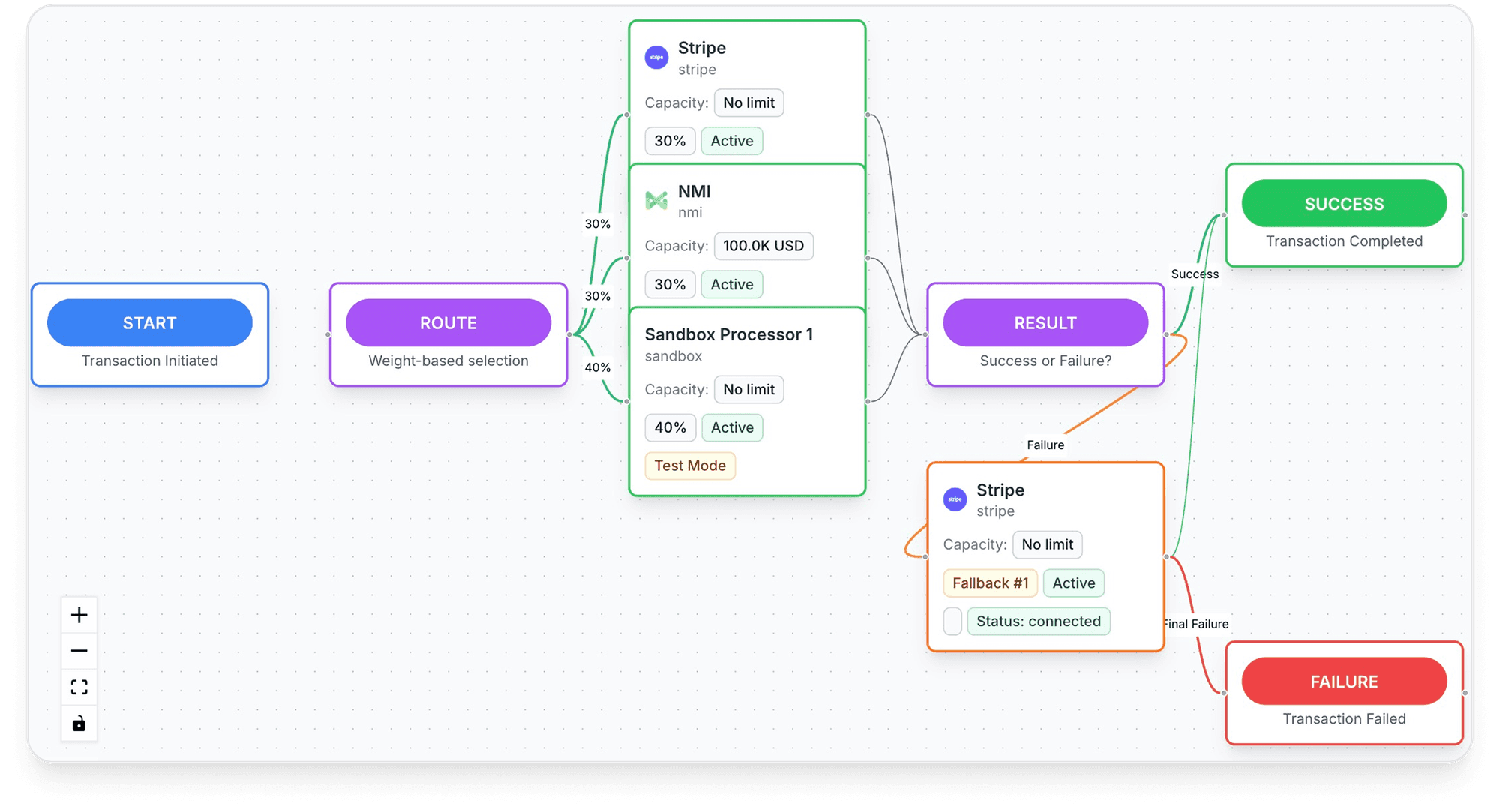
- Routing that keeps cash moving: "Route to the processor most likely to approve it, retry on decline. No engineering required."10TagadaPay, tagadapay.io, read November 2, 2026
- A vault you own: "Switch processors without re-onboarding customers. No vendor lock-in. Ever."10TagadaPay, tagadapay.io, read November 2, 2026
- Onboarding: "One KYC. One signed package. We distribute it across our processor network and follow up so you don't have to."10TagadaPay, tagadapay.io, read November 2, 2026
- Payouts: "Daily payouts, 135+ currencies."10TagadaPay, tagadapay.io, read November 2, 2026
Frequently asked questions
How long does Shopify hold a reserve?
Why is Shopify holding 10% of my payouts?
Can I appeal a Shopify Payments reserve?
Will I get my reserve back?
Does a reserve stop me from selling?
Sources
Checked November 3, 2026- Shopify Help Center, Overview of reserves in Shopify Payments, read November 3, 2026
- Shopify Payments Terms of Service, Part I, section C (Reserves) and section D (Effects of Termination), no date shown, read November 3, 2026
- Shopify Help Center, Network dispute resolution programs, read November 3, 2026
- Shopify Help Center, Responding to chargebacks and inquiries, read November 3, 2026
- Shopify Help Center, Acceptable business practices and risk evaluation for Shopify Payments, read November 3, 2026
- Shopify Help Center, Understanding Shopify Payments payout timing, read November 3, 2026
- Shopify Help Center, Shopify Payments account holds, read November 3, 2026
- Shopify Community, merchant thread on a reserve not released after its conditions were met, July 6, 2026
- Shopify Help Center, Reapplying for Shopify Payments, read November 3, 2026
- TagadaPay, tagadapay.io, read November 2, 2026
TagadaPay
A reserve on Shopify Payments? Keep the rest of your sales moving
Tell us what you sell and how you sell it. Each application is underwritten, and approval is not guaranteed.
- 01Tell us what you sell and how
- 02Underwriting reviews your business
- 03Process through TagadaPay alongside your other processors